
5 Easy Tips for Better Multi-Person Podcast and Livestream Audio
· Audio · General / technique · 14:48
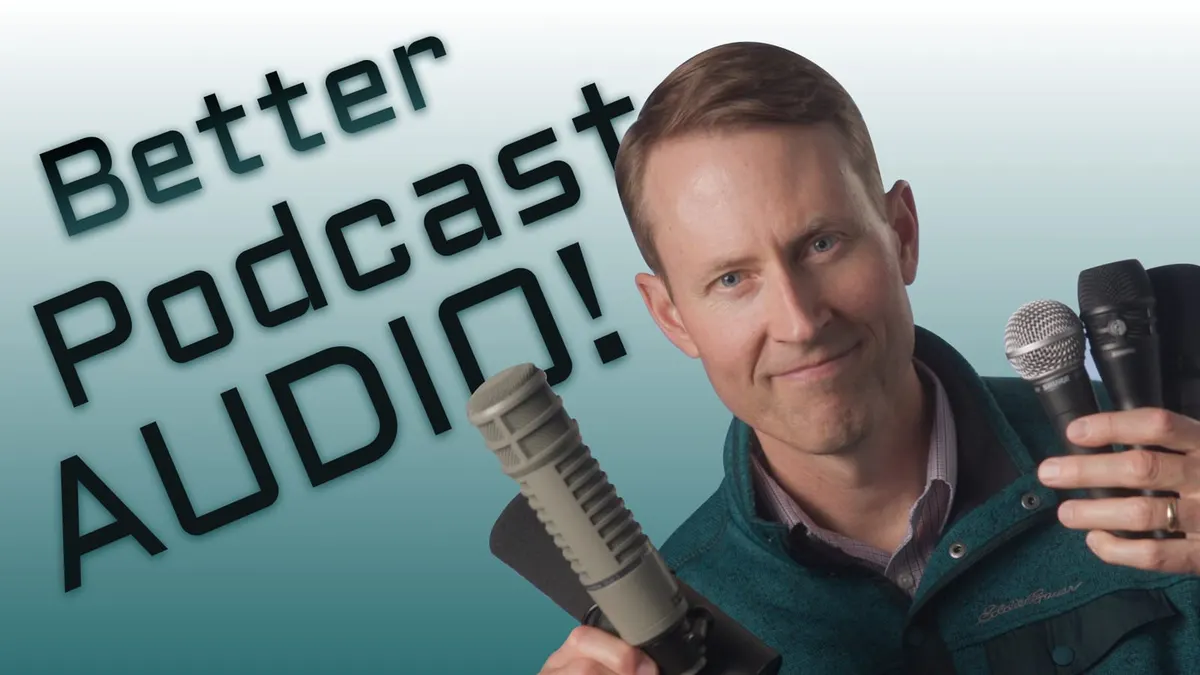
In this episode we teach you some easy ways to improve you podcast and livestream sound. These include recording techniques such as close-micing, post-production skills like railroading, and a quick demo of how an automixing system works. Implementing even just one of these tips can elevate your sound from mediocre to amazing! Let’s take a closer look.
Gear used or mentioned
The links below are Amazon, B&H Photo, Sweetwater, or other affiliate links. As an affiliate, I earn from qualifying purchases.
- SoundDevices MixPre Series Recorders — B&H, Sweetwater, Amazon
- ZOOM F6 audio recorder — B&H, Sweetwater, Amazon
- ZOOM F8n Pro audio recorder — B&H, Sweetwater, Amazon
- Mackie DLZ Adaptive Digital Mixer — B&H, Sweetwater, Amazon
- SoundDevices 888 Audio Recorder/Mixer — B&H, Sweetwater
- RODE Podmic Dynamic Podcasting Microphone — B&H, Sweetwater
- ElectroVoice RE20 Dynamic Cardioid Microphone — B&H, Sweetwater, Amazon
- ElectroVoice RE27 Broadcast Announcer Microphone — B&H, Sweetwater
- SHURE SM58 Cardioid Dynamic Vocal Mic — B&H, Sweetwater, Amazon
- SHURE SM57 Cardioid Dynamic Instrument Mic — B&H, Sweetwater, Amazon
- SHURE SM7B Cardioid Dynamic Microphone — B&H, Sweetwater, Amazon
- SHURE KSM8 Dualdyne Vocal Mic — B&H, Sweetwater, Amazon
- sE Electronics V7 Handheld Supercardioid Dynamic Microphone — B&H, Sweetwater
- Impact Turtle-Base C-Stands — B&H, Amazon
- Amaran 200x S LED light — B&H, Amazon, Aputure
- Aputure Light Dome II soft box — Aputure, B&H, Amazon
- Aputure Spotlight Mount — Aputure, B&H, DVE Store, Amazon
- Rosco Prismatic Glass Gobo in Cool Lavender — B&H
- Canon C70 Cinema Camera — B&H
- Canon RF 24-70 f/2.8 lens — B&H, Amazon
- Panasonic GH5 camera — B&H, Amazon
- Panasonic 12-35mm f/2.8 II lens — B&H, Amazon
Read the transcript
[Music] When people record their first podcast or live stream with multiple people, each with their own microphone, many times they’re pretty disappointed in the sound at first, and there are a variety of reasons why. The main thing is that they generally complain that gosh, it doesn’t sound great, it sounds like there’s a lot of roominess, a lot of noise, and things like that- let’s talk about some of the things you can do to make it sound better.
Now the first thing that becomes a challenge when you have multiple microphones and multiple people in the same room is that you get microphone bleed- so when I talk into my microphone, my voice is also picked up by the other microphones. Microphones are very sensitive, and that’s the first problem, so when you listen back to that, you’re hearing me through this microphone but you’re also hearing me through the other microphones as well, and that results in something called comb filtering, because my voice gets to this one first, and even though it’s just a very short number of milliseconds later that it gets into the other microphones, that creates constructive and destructive interference with the audio waveforms, and it does not sound amazing.
So now one other thing that happens, in addition to microphone bleed and comb filtering, is that when you have multiple microphones in a room, you pick up more noise, and the simple reason for that is that you have more microphones to pick up the room noise, so that’s another factor that you need to take into account. We’re right next to each other, so there are a couple things we’re not doing right here, or not- they’re not right, they’re just less than optimal, and it’s resulting in this sound that’s not great- so my voice is, as you can see on the meters here, when I talk, both mics are picking me up almost the same, and then when Dani talks and when I talk, the same thing happens- yeah, so her voice is bleeding over into my mic, my voice is bleeding into her mic, because we’re sitting next to each other as opposed to using the polar pattern of the microphone.
There are a variety of things you can do- let’s run through them. First thing is very simple: each person should have their own dedicated microphone ideally, and they should be talking into the microphone quite closely- they should be within about 10cm, like I am right here, that’s going to be ideal. I think what you’re going to find as well, when you have multiple people in the room, especially if you don’t have like a treated, acoustically treated space, a dynamic microphone for each person may be a better choice, and the reason for that is not because dynamic microphones are better at rejecting noise in and of themselves, it’s because dynamic microphones are less sensitive, and generally people have to work up closer to them to get a loud enough signal, so that’s a useful thing. So I would recommend generally going with a dynamic microphone, especially in untreated spaces, and have people work up close to them.
Second, optimize the position of the microphone- so if I have two or three people, I’m using cardioid microphones, these are microphones that are sensitive on the front but reject most of the sound from the back, so I can use that to my advantage. If I’m going to have a couple of participants, I might have the microphone here and then I could put one participant there and one there, so that when they’re talking they’re talking into the back of my microphone, so my microphone’s going to pick up less of them, and vice versa with all the people around, so use those polar patterns to your advantage, it can make a big difference. And what’s more, the farther away the other people are, so if you space your people out, there’s going to be less of that microphone bleed from the start, so you’re not going to struggle as much with the microphone bleed and therefore the comb filtering, so that’s another thing you can do that can really help.
Now the next thing you can do as well, if you have something like say a Rodecaster or a Mackie DLZ or other mixer of any sort, is you can actually ride the faders- that is to say that when I’m talking, we’re going to have my fader at zero, at unity, which means all of my sound is getting recorded, and then for the other people that are not talking, I might pull their faders back, and what that does is it reduces that effect of microphone bleed and comb filtering even more. Now the problem with this approach is that it’s hard to do, especially if you are the host of the podcast plus you have guests or co-hosts- you’re trying to kind of stay focused on the content and at the same time you’re trying to mix, that’s hard to do. If you can, it’s best to have a dedicated person do the mixing that isn’t a participant in the podcast, or is someone who maybe doesn’t participate quite as much, is not hosting it- so that’s something to consider there, but that’s not the most ideal.
There are other things you can do as well- you can go into post-production and make it sound a lot better there, by essentially doing the same thing that I just recommended with your faders on your mixer. You can, in post, do one of two things: you can do what’s called railroading- railroading is essentially what dialogue editors do for film and television shows, and that is to say, when somebody is not talking, they basically just cut that portion of that person’s audio completely out, they just cut it out, it doesn’t need to be there, it’s not contributing, it’s not helping, it’s just adding noise, so they just cut that portion out, and then when they talk, of course, they leave that part in and they fade it back up. Another thing you can do to achieve that same effect is what’s called automation, and it’s basically like writing a fader in your digital audio workstation app, your audio editing app, or you can even do it in your video editing app, where you essentially pull the levels down for the people that are not talking and then push them back up right before they start talking. The problem with this approach is it’s really tedious, and if you have an hour-long podcast, for example, three participants, that’s a lot of work to get there, so it may not be the best option for everybody.
But there’s another option that can make things somewhat automated for you, and that’s using an automixer. An automixer essentially does that same thing- it takes it, it evaluates all of the microphones and it says, oh, the loudest, the- where I’m getting the strongest signal, where the person is currently talking, I’m going to leave that one on its fader at zero, and for the other people that are not talking, I’m getting a little bit there but not nearly as much, so I’m going to pull their faders down. It automates this, it does it for you, then as soon as one of these other people start talking, it raises their fader and it will lower my fader- it does this on an automated basis, and there are some really great automixers out there that work really, really well, they don’t generally miss, and so that is another option.
Now this can be found in a number of different devices- so if you have a Zoom F4, F6, or one of the F8 recorders, it has an automix feature. The Mackie DLZ Creator has an automix feature that works about the same as the Zoom F-series automixers, and they’re okay, not the best, but they definitely help. Sound Devices MixPre recorders have a plugin that you can purchase to run an automixer on your Sound Devices MixPre- that one is actually really effective, I found that to be one of the most effective. And then also, if you go up into the more professional mixers, I have an Allen & Heath SQ5 mixer that does it- the Sound Devices 833, 888, and Scorpio all have a couple of different forms of automixing, both what they call MixAssist, which is what the MixPre has, but they also have a very special one called Dugan Automixing, which many people say is probably the best automixing in the industry, but you’re getting into a lot more money there. But if you’re on a podcast, one of those options there- one of the Zoom F-series recorders, or Sound Devices MixPre, or a Mackie DLZ- can really make your life easier, and then that way you don’t have to do all that extra work in post, and for most cases you can just take that mix track and just listen through, make sure everything else is good, and you should be good to go.
Let’s get you some samples- so earlier we had a sample of what it sounds like when you’re not doing any sort of mixing, you’re not moving the faders, maybe the microphones are not optimally positioned, and you’re getting lots of room noise and also microphone bleed. Now let’s do another example where we do that same thing but we turn on automixers of a couple of different sorts- we’ll start with the Mackie DLZ and then the Sound Devices MixPre. Both of our mics are completely open, ready to capture sound, and I’m going to come over here into the automixer, go ahead and turn it on, go ahead and talk- Dani, hi, we’re doing a sample podcast, and I’m Dani, thanks for having me on the podcast, yeah you bet- so here it’s doing a little bit, and if I pop back out to the main screen, you can see it’s helping a tiny, tiny bit when Dani talks. Now I’m talking, and we’re seeing how this automix feature works on this device- notice that when Dani talks, it picks up a lot less of me, go ahead again- all right, so I’m talking, and I’m not sure exactly what to talk about, but hopefully you can see the effect of the automix feature there, we go- so the automix helps just a little bit on this device. You also get to set priorities, so you can choose which microphone should be considered highest priority, and that’s why when Dani talks it’s using less of my mic- in fact if I put me on low, it does too much, that’s not enough, yeah that was a big cut, yeah, I need to at least be at medium here- but now when we switch back out to the main view here, you can notice, especially when Dani talks- so now I’m talking, and maybe you can notice whatever Curtis is trying to point out there, yeah, it picks up way less of her voice on my mic now.
So this one works okay, it’s not the best automix in the world, but you can see how it helps a little bit, and again we could use all those other things we talked about to help improve the sound- we could sit opposite each other so we use the polar patterns of our microphones to reject each other as we’re talking, we can actively mix, so I can pull Dani’s fader down when she’s not talking, and likewise my fader down when I’m actually talking- so those are the things we can do. Now this one’s tricky, um, of course we said you can do some things in post-production that’s similar to doing active mixing like this, but those are some samples of what you can and can’t do to make your podcast sound better- so thanks for joining today, thanks for having me on- but we also have an automix feature here, and let’s just go ahead and pop in here, and we’re going to go to the inputs menu- MixAssist is what they call it on the Sound Devices, I’m going to go ahead and turn this on- okay, now MixAssist is on, do you- oh, you don’t hear any difference? Do I not hear any difference this time, but it’s only because I’m not wearing headphones, right? That’s one of the downsides of using a recorder like this- there’s only one headphone jack, so we don’t both have headphones- in this case we could run the headphone out to a headphone amplifier that has multiple outputs and everyone could hear from there, we don’t have that setup here, but I am hearing a little bit less noise this way and a little bit less of the dishwasher which is still running- it’s better, it’s cleaner- and I would say that this MixAssist- MixAssist on the MixPre, which is a plugin that you add on to the MixPre, is more aggressive than what we heard on the Mackie.
Would you say that using MixAssist with that device is easier than turning the knobs on this device? Yes, absolutely, yeah, the knobs are kind of crowded- so these are the faders when you have it in advanced mode, and it’s pretty crowded, it’s not as easy as a linear fader like on the Mackie, so if you’re going to do it manually with the MixPre, you can connect a control surface, which would make it a lot easier, so you can have proper linear faders with more space- but you can use these knobs if you chose to, if your fingers are not too big. All right, one thing you’ll notice too is that when I’m talking, it is- it’s choosing my mic- and then when Dani talks, so when I’m talking into this fine microphone, and I’m talking and I’m not sure what to say, but anyway, yep, it’s choosing Dani’s voice- so it’s able to detect who’s talking currently, and it will fade the other microphones back.
There’s another trick that the MixPre can do, and I’ll go ahead and demonstrate that here, and that is using something called NoiseAssist. Can hear our dishwasher for sure, now it’s- it’s emptying, decided to empty, yeah, to drain out- so if I come in here to the system menu, and I’m going to go into NoiseAssist, and I’m going to go ahead and turn NoiseAssist on- that’s supposed to be a quiet dishwasher- yeah it is, it is, yeah, I mean it is a quiet dishwasher, there are just times when all dishwashers are noisy- exactly. So I’m going to turn it on for the left mix, right there- here is the left NoiseAssist, so right now I have it set to do 6dB of noise reduction, let me just pull that up- so I’m going to bring that back up to zero, so here’s with no NoiseAssist right now, no NoiseAssist at all- yeah- now I’m going to go ahead and turn that to maybe minus 5, and then Dani, you go ahead and talk for a moment- is minus 5 a big reduction? Pretty substantial, yeah, you can definitely hear a difference with a minus 5 noise reduction- what are the increments that you can change it in, decibel, is that by ones, or is it a different interval? One dB in each setting- so there’s an example of NoiseAssist.
Now Emma in post-production is going to take this and just play back the left channel where we applied NoiseAssist, so you can hear what that sounds like, and that’s an example of some of the things you can do to reduce the overall noise and make your podcast sound a little bit better. Let me go ahead and turn that NoiseAssist back off, pop back into the system menu and NoiseAssist, and we will just turn it off altogether- so here’s with MixAssist, which is an automixer, but no NoiseAssist- okay, so now it’s just MixAssist- exactly, so we have just one thing- yep, and I think that sounds a lot cleaner, a lot more isolated than you would hear in our previous setup where we were intentionally trying to do almost everything wrong. All right, well I trust your judgment since I don’t have headphones- so okay, thanks so much for coming on our podcast today, talk to you soon- okay, thank you, bye bye.
So I hope that was helpful for you- if you have any questions, go ahead and leave those down below, if you have not already subscribed, make sure you do that, and we’ll be sure to get you more great videos on how to make your audio much better. Talk to you soon.