
Beyerdynamic DT 30 IE — What you need to know about using in-ear monitors
· Audio · Headphones & monitors · 9:04
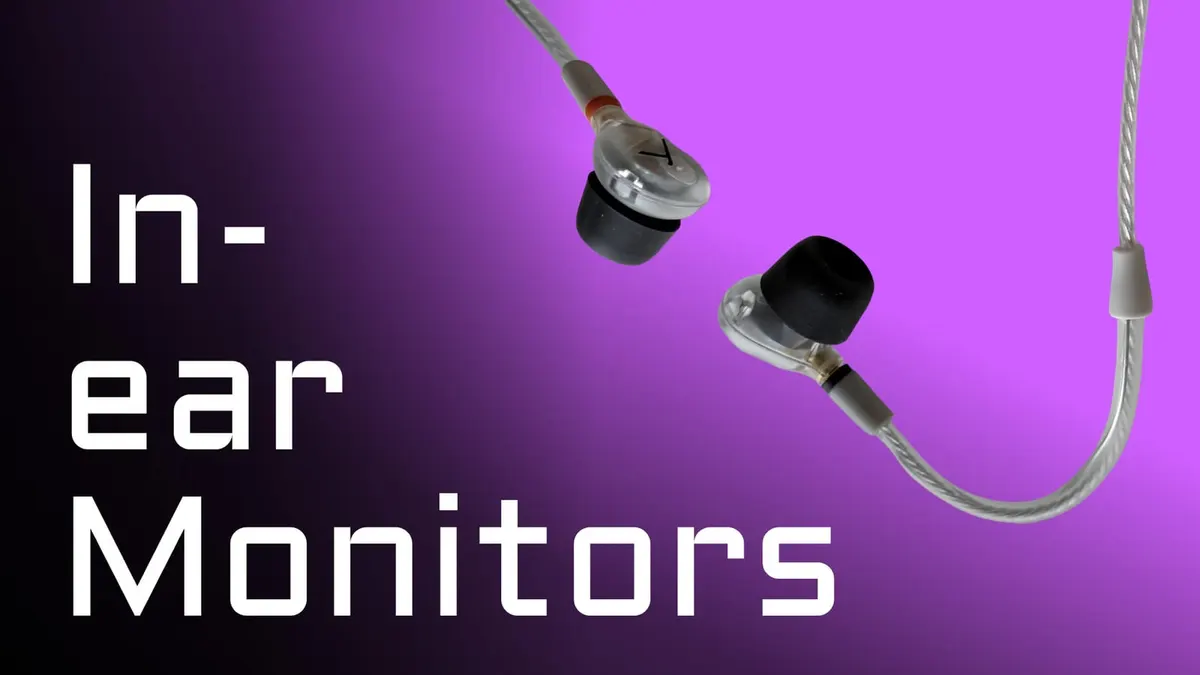
In this week’s episode we have a look at the Beyerdynamic DT 30 IE in-ear monitors, in my case, for live stream monitoring, especially when I have remote guests join my livestream. In-ear monitors are tricky. They will only sound good when you you fit them correctly and that comes down to trying a variety of silicone and foam ear tips until you find the set that actually seal your ear canals. So let’s have a look and a listen to the Beyerdynamic DT 30 and DT 70 IE in-ear earphones!
Gear used or mentioned
The links below are Amazon, B&H Photo, Sweetwater, or other affiliate links. As an affiliate, I earn from qualifying purchases.
Read the transcript
First up, reviewing in-ear monitors is probably a fool’s errand. I’ll explain what I mean by that in just a moment. But first, thanks to Guitar Center for sending over the Beyer DT 30 IEs and the DT 70 IEs for comparison. And for context here, I’m not a musician. I’m not a performing musician. I am looking at these from the viewpoint of someone that does a live stream where I’m the host and I bring on guests from time to time. And when I interview those guests, I prefer not to have to wear big headphones if possible. And that’s where I sometimes use in-ear monitors. I have a confession to make. I’m not a big fan of in-ear monitors. I’m going to open up with that. They’re not my favorite.
But first, back to that question, why is reviewing in-ear monitors a fool’s errand? Let’s learn through a scenario here. Most of us have probably been through this. One of your friends or even some YouTube jackass like me tells you that some set of in-ear monitors are great. So you’re in the market. You do your research. You decide to trust that person and you buy those in-ears and you start to question reality. What? I just spent 120 or 500 or a thousand dollars on these and they are the most uncomfortable things in the world. They keep falling out and they sound mediocre at best. How does this happen? And has it ever happened to you? I’d be curious. Leave a comment down below.
But here’s my read on it. This happens because one, everyone’s ears are shaped differently. Two, everyone’s ear canals specifically are shaped differently. Everyone’s nerves and the mechanical parts of their ears are different. So everyone hears differently. Humanity is beautiful. But that makes designing in-ear monitors that are comfortable and sound great for everyone pretty much impossible. And reviewing them, same thing.
But, Curtis, if you just measure the frequency response, that would be perfect. That’s a data point. And I don’t think that captures something more subtle. And I’ll say, I don’t have the equipment to do that, to be fair, and to fully confess. But the nuance thing is that a monitor’s ability to reproduce multiple frequencies at the same time. For example, when you’re recording almost anything in the real world, whether that’s spoken word, vocals, full music mix, whatever it is, even though something may come out looking beautiful and flat or mimicking a curve like the Harman curve, they can still not be good at reproducing multiple frequencies at the same time because something happens with that diaphragm that’s actually vibrating to create the sound waves. So that’s not a perfect test, that whole frequency response thing. So I know that there’s all sorts of obsessing over that on the internet. I’m still a little skeptical.
Just hear me out on this. Go to Guitar Center and take a look at a set of entry-level in-ears over time, the reviews that people leave. Try, for example, the Shure SE215s. They’re $119 entry-level in-ear monitors. And what you’ll see is that the reviews are sort of all over the place. How can one person hate them and another person absolutely love them and say, “It was worth every penny that I spent.”
Now, for those that are new to in-ears, there’s something I think you really need to understand that’s absolutely critical when it comes to using in-ear monitors. And that is, for them to sound right and for them to sound their best, you have to seal your ear canals with the ear tips. You can’t just kind of gently put them in there so that they’re super comfortable, but not necessarily actually sealing the ear canals. And that’s why almost all in-ear monitors come with a variety of different silicone and foam ear tips that you can try the different ones to find the right fit for you. So, fit is the first big thing you have to solve for. Then you can evaluate how they sound.
So, with that context, let’s look at the DT 30 IEs from Beyerdynamic. These are relatively new. I would call these sort of prosumer in-ear monitors. They’re reasonably priced at about $150. But here’s what I’ve learned. So, my ear canals usually work best with larger ear tips. Personal thing. I prefer the silicone tips. Usually, they’re more durable. I think they’re easier to keep clean. But here, I couldn’t make them work with the DT 30 IEs.
So, how did I know? I put all the different tips on, tried them, and played back some reference tracks. Some tracks that I’m very, very familiar with, audio tracks that I’m very familiar with. And I wasn’t getting a lot of the low frequencies and everything sounded kind of tinny. Then when I put on the large foam tips, and the technique is you have to kind of squish them down a little bit. And then I twist them into my ear canal. So, and as over the next few seconds, they expand back to their size and they actually seal the ear canal. And when they did that, I got really pretty impressive sound out of these $150 ear mirror monitors.
So, that’s what you have to do. You have to try all the different ones, and you’ll hopefully find one that works. I did own a pair of the Shure SE215s, and all of the tips that came with them, I couldn’t get one that sounded good. I couldn’t get it to fit and actually seal my ear canal all the way. So, that’s a step forward. Good job, Beyerdynamic!
The other thing on these, the cables have this sort of memory sleeve. So, you can wrap the cables up and behind your ears and run the cable down your wireless pack that you’re presumably wearing on your belt. These are relatively short cables and are just made to reach down to your belt, just so that you’re aware of that. If you’re going to use it like me on a live stream, where you’re actually going to plug it into an audio interface or a mixer, they don’t have a lot of reach. So, just keep that in mind. Also, the cables are nice because they are Kevlar reinforced. So, they’re pretty tough. They feel good. They feel premium.
Now, these particular in-ear monitors from Beyerdynamic, they say up to 39 dB of noise isolation, keeps the stage volume under control or the ambient noise. No, not the case for me. I don’t feel like there’s anything close to 39 dB of isolation with the foam tips that I’m using. So, I think it really depends on how it fits your ear canal. You may get that. You may get less. I’m getting probably less than that. It feels like if I snap my fingers, I can hear this pretty loud and clearly. So, it’s working for me because I’m not, again, on a super loud stage, but you got to kind of focus on getting that fit just right.
The cable also has MMCX connectors that allow fast cable replacement between sets or breakaway. You can just kind of disconnect them really quickly. So, if you are a performing musician and you’re coming off a stage in between either sets or something like that, you can disconnect them pretty quickly if you need to do that and then replace them quite easily. It also makes it so that there are replaceable parts. You can buy a replaceable cable. And these are also IP54 rated, so they are splash resistant and generally with kind of sweat and spills, you should be pretty fine as long as you just don’t dunk them underwater and leave them there.
So, one other thing to consider is that some of the higher end in-ear monitors have multiple drivers. These, I think, have one as far as I can tell, one per ear. Some of the other ones that I have, the, I have a set of West tones that were about $550, as I recall, and I believe they have five drivers.
And presumably that can help get around this whole issue of being able to play multiple frequencies clearly at the same time, but there’s a lot that goes into it. There’s a ton of engineering and tuning and stuff like that goes into it. It’s not just more drivers automatically means more clarity across frequencies at the same time, but these do surprisingly well. The DT 30 IEs do surprisingly well. I also tried the DT 70 in-ears. These are $580 in-ear monitors and they sounded a little bit better, I’ll be honest, but the way they sounded better were they were a little clearer across the audio spectrum, better able to clearly reproduce multiple frequencies at the same time. They’re using a completely different driver design. So, I think that’s the big reason for that.
But overall for live streams and where I’m involved here, the DT 30 IEs are going to work just fine for me. I still feel like they cover the the audio spectrum in a pretty nice way. I don’t feel like I’m listening to my host in a tin can like I did with the Shure SE215s. And again, those can sound great. The Shure’s can sound great if you get the right fit. I’m guessing because some people just absolutely love those, but you got to try them and get the right fit.
So, if you do decide to try these, make sure you try all the different ear tips and get that right fit. Again, I would prefer to be using the silicone tips, but I just couldn’t get those working. But the foam tips, the larges are working great for my particular weird ears.
So, hopefully that makes some sense. Hopefully you learned a little something. Get out there and make some great sound. We’ll talk to you again soon.