
DEITY TC SL1 Smart Timecode Slate
· Camera gear · 14:42
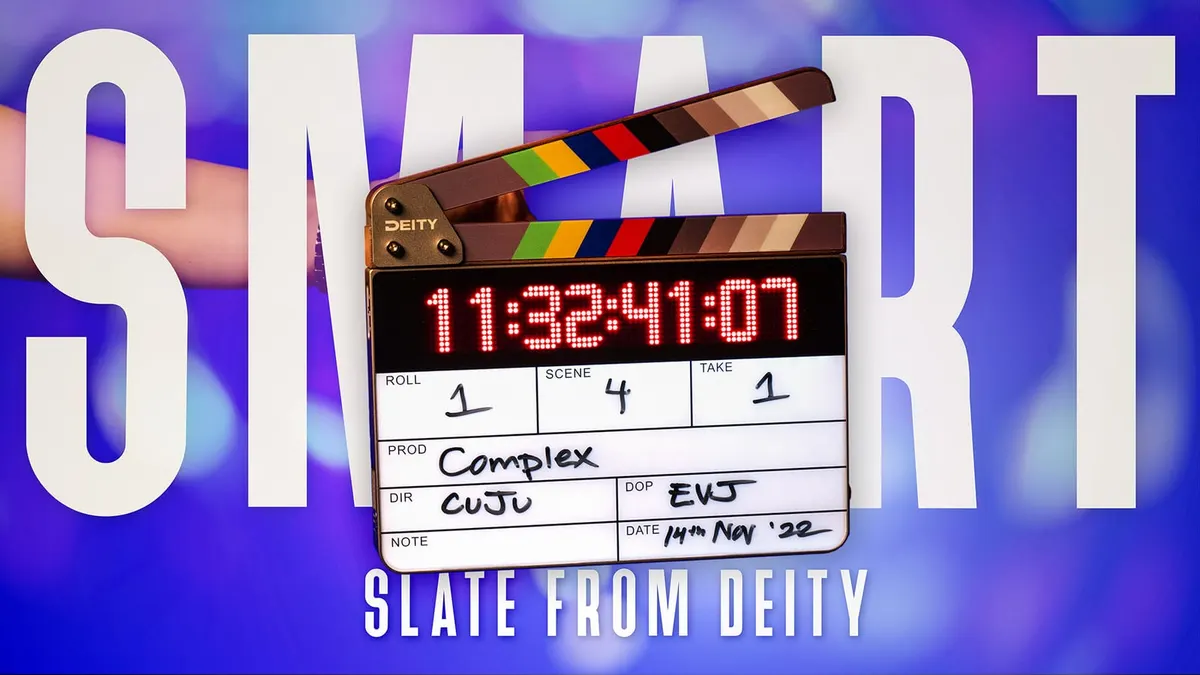
In this week’s episode, we take a look at DEITY’s timecode slate: the TC-SL1. This slate is the latest installment in the TC family from DEITY and can be wirelessly synced to your other Sidus Audio timecode devices using the Sidus Audio app. In addition to this powerful connective functionality, the TC-SL1 is also physically compatible with other timecode ecosystems, supports a variety of project frame rates, and is easy to use in production and on set. In this video we walk through the TC-SL1’s feature set, discuss some situations in which you might want to use a timecode slate, and demonstrate how to use it with other components of the DEITY timecode family. Let’s take a closer look!
Gear used or mentioned
The links below are Amazon, B&H Photo, Sweetwater, or other affiliate links. As an affiliate, I earn from qualifying purchases.
- DEITY TC-SL1 Timecode Slate — B&H, Trew Audio
- DEITY TC-1 Timecode Boxes — B&H
- DEITY NP-F550 — Rechargeable Lithium-Ion Batteries
Read the transcript
[Music] foreign [Music] okay this is the ddtc SL1 take one now we’re going to first talk about how time code works for syncing up your video and audio clips but if you already understand how that works and you want to jump ahead you can go ahead and do that in the little bar at the bottom here you can scrub until you find the part where we talk about the tcsl one all right what is time code first of all time code is a system used to identify specific frames within a video and audio clip and the way it works is it is always in the form of hours minutes seconds and frames and if we record the starting time code on our camera and we also record the starting time code on our audio recorder then in post we can very easily sync the two of those up however there’s usually a challenge especially for Consumer grade cameras and audio recorders their clocks usually are not accurate enough to keep track of the time code without drifting so the reality is that they do drift so if you wish to sync your video and audio clips which are recorded separately and post with time code what you need is a
Time code generator for each of those devices so the time code generator provides a much more accurate clock specifically it has inside of it a temperature compensated Crystal oscillator which is very very accurate and what you do is you connect one of those timecode generators to each of your recording devices to each of your cameras and to your audio recorder and then those record the time code and that makes it much easier to sync them up in post the way this works is that whenever you start recording on your camera or a recording on your audio recorder the time code is time stamped into that file and that can be done in a couple of different ways if you’re using a recorder or a camera that which does not have a dedicated time code input you’re recording to an audio track on the recorder or the camera if on the other hand the camera or recorder has a dedicated time code input that time code is read from the external time code generator and put as a time stamp in the metadata on that recording either again in the audio recorder or the camera and then in post your video editing app can take that and sync those files up automatically now we can go into a lot of detail here but rather than do that let’s have you go over to this other video where we show a very specific example of using time code generators to sync your audio and video we’ll also have that down in the description next question why would you ever need a smart slate like the deity tcsl1 and there are a few different answers number one and I think the main thing is that the smart slate provides a visual reference of the current time code at the start of each and every video clip that’s a huge advantage and it provides a lot of safety and redundancy and makes it so you shouldn’t have to come back and do a reshoot because you can’t find the clip that you’re looking for in post so
I think a big question is going to come up with well this is getting expensive time code generators several hundred dollars time code slate smart slate thousand dollars when does this ever make sense if you’re just making YouTube videos it probably doesn’t in fact for our YouTube videos we don’t typically use time code here we just clap at the start and sync it up in our video editing app in our case Final Cut in post and we’re good to go however it does make a lot more sense when you’re recording a narrative film or anytime you come home from a filming session and you have tens to hundreds of Clips that’s when it saves you a lot of time and especially if you’re working on a film or a project with a budget a substantial budget renting a Time code slate is a drop in the bucket to the amount of time that it will save in post and the additional safety and redundancy that it provides so those are the cases where it makes sense now not only does the smart slate provide a record of the current time code that is this is the same thing this is jammed to all of the time code generator so they’re all showing the exact same time but it also provides an audible clap that you can use if for some reason one of your time code generators didn’t get jammed correctly or fails in some way you still also have the clap of the sticks to use to sync up your audio and video so you still have that backup as well so it brings all of the different options for you to sync things up in post in case one of them fails all right let’s go ahead and jump in and talk about the deity TC SL1 smart slate first of all of course it’s a Time code slate with an
LED time code display it also has a dry erase slate board which is backlit so that if you are filming in the dark it makes it very easy to read on camera so that’s really helpful it does have Walnut Clapper sticks which have a nice clean crisp click when you snap them together and it also has a color Chevron design so visually you can tell when the clappers have touched each other you can jam the smart slate via
Bluetooth with any other side as audio devices these are going to be the d8tc ones as of today there may be other devices in the future and they can reach via Bluetooth up to 250 feet using the iOS or Android app now if you aren’t using the app you can also wirelessly Jam them there’s a secondary radio in both the slate and the tc1 timecode generators so you can actually use their menus and jam them directly without using the app that only reaches about 30 feet but still it’s a nice backup option and you can jam up to 20 time code devices 20 deity time code devices using their time Code system now you can use this smart slate or any of the tc1 time code generators with any other SIM T time code capable time code generator but you do have to jam them with a wire you can’t do that wirelessly with any other system so the wireless systems are all proprietary for manufacturer to manufacturers so that’s out but you can jam them using both the in this case on the tc1 both the five pin limo input output or the quarter inch output so you have a couple of different options there for jamming with a wire there’s an OLED screen on the back along with a roller controller that allows you to configure the settings so it gives you access to the menu it’s a nice little feature there you can of course make all those settings on the app as well so you have a couple of different options the Slate is powered via dual npf550 rechargeable lithium ion batteries these are pretty standard batteries also manufactured by lots of other companies including Sony and lots of other third parties so they can be replaced or doors to open them it’s wonderful to not have an inbuilt battery that cannot be user replaced and so that allows you to power for a good long time now with those two batteries installed and fully charged you’re generally going to get 25 hours with the settings of brightness set to Max on both the time code display and the backlighting for the Slate so that’s going to get you through any production day for sure we powered the tcsl1 for 24 hours and confirm it can definitely power through 24-25 hours as Duty says so you’re not going to have any trouble getting through a production day and if you do have a long stretch where you’re going to be in a situation where you’re not going to be able to recharge for whatever reason bring a couple of extra batteries and you should be good there’s a USBC port for charging the batteries or for updating the firmware of the smart slate and it does support the PD 3.0 QC 2.0
FCP or AFC quick charging protocols you should use a 15 Volt 2 amp power source whatever you’re using and that could be a battery bank or it could be some other maybe AC adapter to plug in whatever you need there and it does take about three hours to charge the batteries to full charge using the inbuilt 25 watt charger so you can charge them right in the
Slate itself there is a switch to invert the display so if you are doing a tail slate you can just do something a little bit like this if you’re sliding at the end of a take and again it’s really convenient you can do it one-handed because there’s a little clip on the back and a little Notch for your finger or thumb to do the
Slate so you can invert it like that that’s really nice also the power switch does have a cover to prevent accidentally turning it off which is really good and there’s also a lock mode for the menu to prevent you from accidentally changing the settings you can of course set the Slate to either Master mode where it becomes the Master Clock in your time Code system or you can set it to jam from another device or you can tell it’s a jam from another device once and then lock itself so it cannot be rejammed again until you take it out of that mode so that’s helpful for situations say for example where there may be two Crews filming next to each other and using time code uh for both of those different Crews and you want them on different channels and you don’t want to accidentally rejam your slate to the other Crews time code systems so they’ve just about thought of everything here in terms of build quality it’s an excellent aluminum unibody design with black walnut sticks the switches are all plastic as well as the power door and the roller controller but overall the fit and finish seems really good in terms of accuracy this is spec with a plus or minus 0.5 PPM spec meaning that it should not drift more than a frame over the course of 48 Hours of continuous use so definitely high quality temperature compensated Crystal oscillator clock in there and you should be able to retain sync without a problem we Jam synced three tc1 time code generators to the SL1 the slate and after 24 hours they were all still on the same frame so definitely confirmed that this is an accurate Clock IT supports various frame rates including 23.98 24 25 2997 2997 drop frame and 30. if you are filming at a higher frame rate say for example at 50 you would choose 25 live and if you’re shooting at 60 frames per second you would choose 30 and that will also work the site comes with two mpf 550 batteries a USBC to USB a charging cable a usba to USBC adapter for firmware updates and a 3.5 millimeter to limo 5 pin jam sync cable you can buy other adapter cables for other types of time code generators if you need those as well so number of questions came up when we first talked about the dod time code slate on our live stream several weeks ago and let me just run through those one question we got was can the Slate be configured to show user bits after The Clapper slap instead of the frame rate and the goal of course would be to see the date in addition to time the answer is yes in fact if you go into the cytus audio app for the time code slate you click the little shish kebab menu in the lower right then you choose show Extra and under that you have a menu of all the things that can be shown after The Clapper closes so of course
Right Now the default is the frame rate that’s shown you can uncheck that if you’d prefer not to see that you can check down in the second box which shows the user Bits And if you have the user bits set to the date then you’re showing the date you can also do custom text you can see on those other boxes there so for example if you’re doing an MOS shot you can put that in there as well can you pair an ultra sync blue or any other
Wireless time code generator maybe the zoom F3 the zoom F6 the zoom F2 to the deity time Code system slate or any of the time code generators and the answer is no the wireless Protocols are all proprietary however you can jam any devices that have a physical wired Jam port on them to any of the time code devices by deity do the slate and the time code generators automatically re-jam to each other constantly maybe every second or something like that like some other systems and the answer is no they don’t there are a couple reasons for that number one the clocks are accurate enough that that’s not even necessary from the start number two that also saves you battery so you get longer power times and number three it also reduces radio frequency pollution on set which is already through the roof so deity specifically made it so it wouldn’t do that some people think that it’s better if you can do that I know the ultrasync one system does that I believe the betso system does that however in this case the philosophy is you know what we’re we’re putting a very accurate time code generator clock in here there’s no need to continuously re-jam so you Jam at the start of the day and you should be good for 48 hours also you can as I mentioned before set any of the individual time code generators you’re using from deity as the Master Clock and it’s just a matter of going into the app and setting it as a master or going into the menu on the Slate or the time code generators and setting that one to master is it worth one thousand dollars U.S and the answer to that is it depends it depends on you and what type of jobs you’re working on so if you’re working on a production with a sizable budget the biggest expense is the crew and the post-production Personnel so those are the biggest expenses if you had to do a reshoot that would be very expensive and it would be very expensive especially from the standpoint of bringing all the people back hiring them again to do a reshoot that’s where having the redundancy and the safety of something like a Time code slate makes a lot of sense you can rent one of these for uh just a tiny tiny portion of the overall budget and get that additional assurance that you’re going to get everything you need to get your audio and video synced in post without the post-production crew having to do a ton of work to manually sync so that’s where it makes sense does it make sense if you’re creating YouTube videos and you’re doing a single camera shoot probably not doesn’t make a whole lot of sense there I think it makes most sense again if you have a larger crew with a budget or if you’re doing multi-cam filming that’s where it makes it a lot easier for you so hopefully that was helpful if you have any questions go ahead and leave those down below and if you’ve not already subscribed make sure you do that and we’ll be sure to get you more great videos on how to improve your
Lighting and Sound or video talk to you soon [Music]