
EQ Match Your Boom and Lav Mic
· Audio · Post-production & software · 4:09
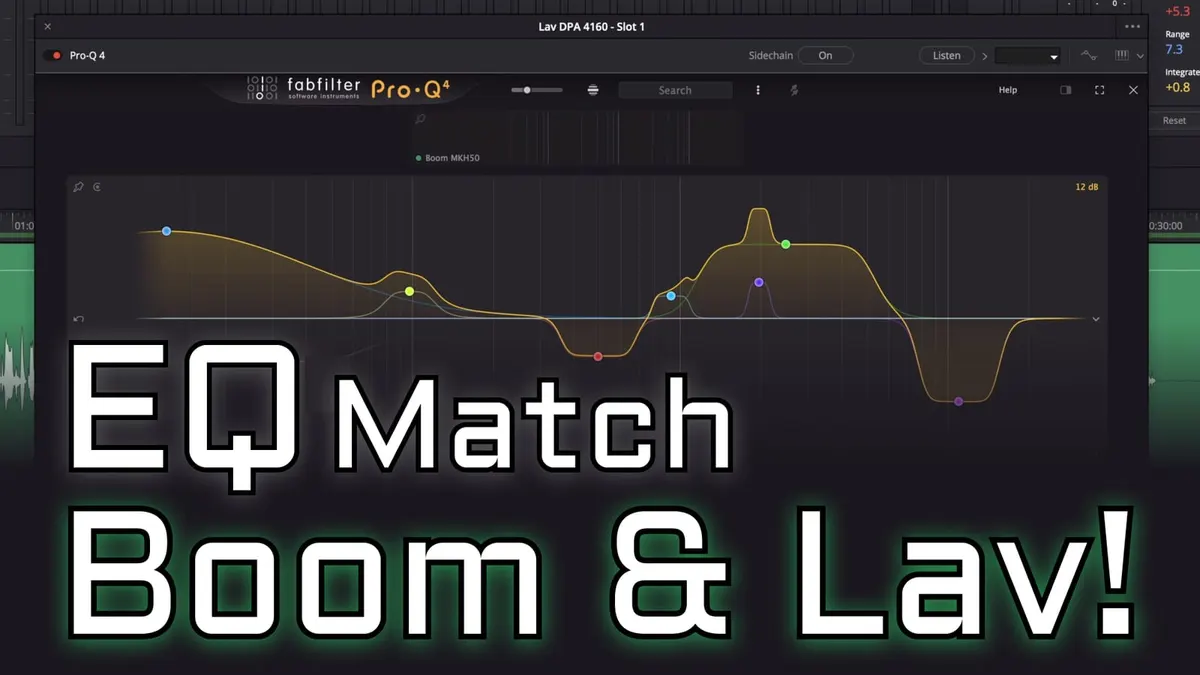
In this episode, we show how to use EQ to make a lavalier microphone sound similar to a boom microphone that recorded the same take. This is a common situation in video production - you may need to cut from the boom mic to the lavalier in post production for a variety of reasons, and when you do, you want the two microphones to sound similar so that the audience doesn’t notice the change. We use Fabfilter’s Pro Q4 equalizer in this video, though there are other EQ match plugins out there.
I have no association with Fabfilter and they did not pay me to make this video. To learn more about ProQ4 and their other plugins, you can find them here.
Gear used or mentioned
The links below are Amazon, B&H Photo, Sweetwater, or other affiliate links. As an affiliate, I earn from qualifying purchases.
- Sennheiser MKH50 — boom microphone
- DPA 4160 — lavalier microphone
Read the transcript
In video production, we often record both a boom and a lavalier mic on each actor, and in post we sometimes need to cut over to the lav mic — but a lav sounds substantially different from a boom, which can be jarring for the audience. This demonstrates EQ matching to make the lavalier sound more like the boom.
Using a Sennheiser MKH50 boom and a DPA 4160 lavalier recorded simultaneously (reading a Sherlock Holmes quote), the two mics sound noticeably different when compared directly. FabFilter’s Pro-Q4 has an EQ Match feature: load it on both tracks, designate the boom mic as the reference, play back the audio so it learns both frequency profiles (the curves stabilize as it listens), then click Match and Finish — it applies a corrective curve to the lav track, in this case a fairly extreme one, to make it resemble the boom mic’s tonal character.
Playing back boom → lav (EQ matched) → boom shows a much smoother, less jarring transition than the original unprocessed lav. That’s one effective way to EQ match your lavalier to your boom microphone for smoother cuts in post. Get out there, make some great sound, and we’ll talk to you again soon.