
Hollyland Lark Max Review vs. RODE Wireless PRO & DJI Mic
· Audio · Wireless systems · 15:10
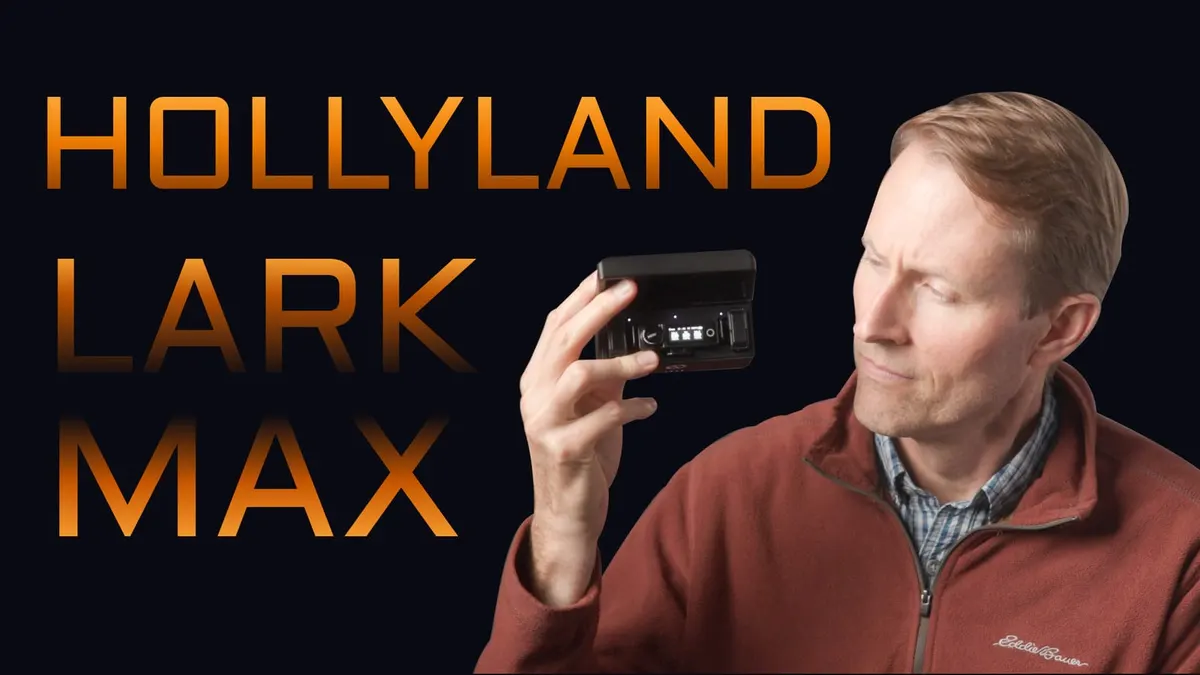
In this episode we test out Hollyland’s new Lark Max wireless mic system. This new system is Hollyland’s answer to RODE’s Wireless PRO and to the DJI Mic, and includes active noise cancellation, onboard recording capability, the ever-popular charging case for recording on the go, and user-friendly interfaces and form factors. In this video we talk through the Lark Max’s feature set, demonstrate how to get the most out of the noise cancellation function, and listen to a variety of sound quality samples to help you determine if this system is right for you. Let’s take a closer look!
Gear used or mentioned
The links below are Amazon, B&H Photo, Sweetwater, or other affiliate links. As an affiliate, I earn from qualifying purchases.
- Hollyland Lark Max Wireless Lavalier Microphone System — B&H, Amazon
- RODE Wireless PRO 2-Person Clip-On Wireless Mic System — RODE, B&H
- DJI Mic Wireless Microphone System for Smartphones, Laptops, Cameras — B&H, Sweetwater, Amazon
- Impact Turtle-Base C-Stands — B&H, Amazon
- Amaran 200x S LED light — B&H, Amazon, Aputure
- Aputure Light Dome II soft box — Aputure, B&H, Amazon
- Aputure Spotlight Mount — Aputure, B&H, DVE Store, Amazon
- Rosco Prismatic Glass Gobo in Cool Lavender — B&H
- Canon C70 Cinema Camera — B&H
- Canon RF 24-70 f/2.8 lens — B&H, Amazon
- Panasonic GH5 camera — B&H, Amazon
- Panasonic 12-35mm f/2.8 II lens — B&H, Amazon
Read the transcript
[Music] In this episode we take a look at the Hollyland Lark Max wireless microphone system. It’s a wireless microphone system which comes with two transmitters and a single dual channel receiver, so you can record two microphones into your camera, into your mobile device, or into your computer, and let’s talk about all the pros and then we’ll come back to the cons.
Now this whole kind of segment of consumer wireless microphone systems- and I do call them consumer wireless microphone systems intentionally- they transmit over a 2.4 GHz frequency range, that is the same thing that Wi-Fi uses, and so there’s a lot of competition in that range, so things can drop sometimes, but let’s talk about how well the Hollyland Lark Max performs. It was easier to know it than to explain why I know it. If you were asked to prove that two and two made four, you might find some difficulty, and yet you were quite sure of the fact.
As I mentioned, it does have a 3.5mm and USB-C output, so you can record to camera, mobile, or computer. It does have a 3.5mm microphone input on each transmitter, plus it has a built-in microphone, and in fact, that’s what we’re recording this entire episode with right here- you can see the transmitter right on the front here and we’re using the built-in microphone. These are tiny transmitters, I love that about this system. It can also record directly on the transmitters themselves, it has an internal 8GB of memory, which means you can record up to 14 hours; it is recording at 24-bit 48kHz, and we’ll come back to that in a little bit. It can also be set to automatically start recording as soon as you take it out of the case, which is a nice feature as well.
So if you’re- I’ll be honest, I actually prefer to use this system with this- basically it’s a body pack recorder- and then the receiver on the camera is just sort of scratch audio, it just helps me sync it up in post, and that way if the signal drops between the two of them, if for some reason you can’t get the signal to the receiver, you still have a recording here, which is really nice. And you can record it in three different ways: you can record it in stereo, so that transmitter one goes on the left channel, transmitter two goes on the right channel, so in post on your camera footage you can actually mix each of the microphones separately if you want to do a really careful job; you can also send it mono, so it mixes everything together and sends both transmitter 1 and 2 to the left channel and transmitter 1 and 2 to the right channel- it’s all ready to go if you need a really simple workflow, that’s available as well- and then finally there’s also a safety track recording feature, so it records the same thing on the other channel 6dB lower, so that if you encounter some really loud sounds, louder than you expected, and the audio clips on the main channel, you’ve got that backup channel as well, so a nice feature there.
Now in terms of distance that you can record at, this is really interesting, and the Lark Max does fine, just like other 2.4GHz systems, it does really, really well when it’s within line of sight, and line of sight means literally there’s nothing blocking the transmitter and the receiver, there’s nothing between them. When you do that, when we went outdoors, we got 100 meters, easily, no problem whatsoever. The problem comes when you take the transmitter and you put it on, clip it to the belt on the back, and it faces the camera, and you’re no longer within line of sight- that’s when things fall apart much more quickly, and that’s pretty much true of all 2.4GHz systems in particular- and in that case we had our first dropout at 12 meters from the camera, so you do have to be careful of that if you are going to be recording at great distance outdoors, you do need to keep the transmitter within line of sight of the receiver.
Now indoors, when I went ahead and clipped it on me as well, I walked throughout my house- so I started in a room down here, went across to the other end of the house, up some stairs, through a second door, so there were two doors and up on a second floor- we had a minor dropout right there, but throughout the rest of the house we had no dropouts whatsoever, so indoors it works differently, it has surfaces it can bounce that signal off of and it tends to hold up a little bit better, but if you do need it to penetrate walls or doors or things like that, be careful of that kind of thing, otherwise it did great.
Probably one of my favorite features of the Hollyland Lark Max is the controls on the receiver and the buttons on the transmitter- so this is one of the easiest wireless microphone systems in this category to operate, from my point of view. The screen is very nice, bright, you can see it outdoors, it has a big knob which I call the crown, which allows you to navigate the menus, it also has a touchscreen, and it has a home button on the touchscreen as well- so between all of those, this is probably the easiest of these systems to operate. The menu system is really good, and that’s in stark contrast to even the Rode Wireless Pro, the newest system from Rode- that one is a lot more difficult to operate. The DJI has a touchscreen, it’s a little fiddly, but it’s better than the Rode- this comes out on top as far as I’m concerned.
I’d also say that the build quality on the Hollyland Lark Max is probably the best of them as well- it has sort of a matte black finish, and I think the body on the receiver here is plastic, but the actual shoe mount here is all metal, and the transmitter also seems pretty well built. It also isn’t shiny like the new Rode Wireless Pro- it does say Hollyland on it, of course, which is not my favorite, I’d prefer not to have anything on there if it’s going to be shown on camera, but nevertheless, overall build quality wise, Hollyland did a nice job here.
Now the powering time- they do have inbuilt batteries, we’ll come back to that- but with this system you can, in our test, get 6 hours and 47 minutes, and it’s the transmitter that runs out first, but of course it does come with the charging case as well, you can pop it back in there and get it charged back up if you need to record longer than that.
We did do our quiet studio noise floor sample, which means I come into this room here, turn off all the lights, turn off- there’s a freezer over there, turn that off- and record me speaking for a little bit, then I bring- and I also record a silent portion- bring that into post, boost the entire thing up so that the dialogue is at -23 LUFS, which is just kind of a standard level, and then measure that quiet portion, the portion where I wasn’t talking, and in our case, when you have the noise reduction turned on, which we’ll talk about in just a moment, it came in at -70dB RMS max, which is excellent. If you turn that noise reduction off, it comes in at about -63dB RMS max, which is acceptable but not amazing. So what that means in practical terms, you’re not going to get a lot of hiss and noise from this system, you should be in a good place there.
There is also an active noise cancellation system here, so whereas Rode with their new Wireless Pro went with 32-bit recording, and that’s cool, but what Hollyland did instead is they put in noise cancellation as well as some EQ settings- EQ settings, not as useful, but the noise cancellation, quite useful. Here’s a sample with and without in a pretty noisy space- right behind me here is Interstate 80, got vehicles driving on there, we’ve got a parking lot over here with a road, we’ll have some probably other vehicles come by here in the next few minutes. Right now I have noise reduction turned on, so you can get a sense for what that sounds like- let me go ahead and turn it off- now, okay, now it’s turned off, so you can hear what that sounds like. There’s one button on the transmitter you can press and that takes care of turning it on and off, so that’s pretty cool. On the transmitters you do have a clip, but you also have a magnet, and that’s what we’re using here to clip it onto the clothing- I really like the magnets, it makes it so much easier to position it in a good place, and they did a nice implementation there.
Now there is one other interesting feature, and that is if you connect the receiver to your phone via USB-C- it has to be via USB-C- you can actually use an app on your phone to listen back to the audio in real time or near real time, so that’s an interesting feature- I don’t usually have a need for that, but if that’s important to you, that is an option. There are three EQ options: hi-fi, which is just kind of the normal, there’s a low cut, and there’s also a vocal boost- I didn’t see those making a ton of difference, but they’re there if you need them.
As I mentioned before, it does include the charging case, a bigger travel case that fits over that, as well as all the accessories you need, the fur wind covers, which also incidentally work very nicely, and all of the cables that you will need- 3.5mm, Lightning, or USB-C- to get the audio out of the receiver into your camera, phone, or computer. There is a one-year warranty, and the price of the kit at the time of this review is $299 USD, which seems pretty fair.
Now there are some cons: number one, and I am not going to give up on this, for all of the manufacturers of this type of wireless microphone system, you need to have user-replaceable batteries or a battery replacement program- it’s unacceptable to have non-user-replaceable batteries, that’s all I’m going to say. Another thing to keep in mind is that when you do turn the noise reduction on, I found that it cuts off some of the high frequencies a little bit, so it will, for example, make- I have a fairly sibilant voice, a lot of sizzling sound when I say the letter S, and usually I have to reduce that in post- on this, once they turn the noise reduction on, I’m actually missing some of those frequencies, like it actually is attenuating them quite a lot, so maybe too much- so just keep that in mind, there is a cost to using that noise reduction, but if you’re in a really noisy space it may well be worth it.
The recordings on the transmitter are not 32-bit float like the new Rode Wireless Pro system, so if that’s important to you, you can see that as a con. Now one other con, there is some latency here, and what that means in practical terms is that it takes about 30 milliseconds from the time you talk into the transmitter to the output of the audio at the 3.5mm output on the receiver- there’s about 30 milliseconds there, that’s approximately equal to one frame when you’re filming at 29.97 or 30 frames per second on your camera, so not a huge issue, but something to be aware of- most people are not going to notice that as out-of-sync audio, but it’s not nearly as fast as the Rode Wireless Pro system.
Another problem is you can lock the buttons and controls on the receiver, but you cannot lock them on the transmitter, so it’s possible that someone that’s actually wearing the transmitter could accidentally bump one of those buttons- it’d be great to see Hollyland address that with a firmware update. Now there is one more con, and that con is that the 3.5mm input on the transmitter does not have locking threads, and likewise the 3.5mm output on the receiver also does not have locking threads.
So let’s do a couple of things- first of all, let’s compare this to some of the other systems out there. The two most prominent out there at the time of this review are the Rode Wireless Pro, which actually comes in at $100 more, and the DJI Mic, which is roughly the same price as the Hollyland Lark Max. So I think kind of the strong point of the Lark Max is that it’s probably the easiest to use, and if you don’t want to have to do a lot of post-production, or you can’t do a lot of post-production because you’re turning something around really quickly and you have to deliver the video very quickly, then the Lark Max might make the most sense because it has that inbuilt noise reduction, which is really handy, it is the easiest to operate from my experience, it just has a great set of features and it’s robust in terms of its build- I think that’s the sweet spot for that one.
For the Rode Wireless Pro- Rode Wireless Pro is probably the newest of these three systems that we’re going to talk about here, it does have 32-bit float, it is more difficult to operate, I don’t like that it has a very shiny surface, its transmitters are a little bit bigger than the Hollyland or the DJI Mic, it’s more difficult to operate in terms of just using the buttons, it’s a lot easier to operate once you hook it up to a computer or a phone to change its settings- so those are kind of the downsides and upsides there. So if you’re going to do time code, or if you really, really, really need 32-bit float for whatever reason, then you have that in the Rode Wireless Pro.
Now what about the DJI Mic? The DJI Mic is probably the oldest of the three, so that system is a little bit- it’s aging a little bit in terms of relative to the features that you’re finding on the Lark Max and the Wireless Pro- I expect, I don’t know, but I would expect the DJI is going to have a newer version of that here pretty soon- but the benefits of the DJI Mic: tiny little transmitters, it also has the same latency roughly as the Lark Max, so it’s not as quick as the Rode Wireless Pro, and why does that matter? If you’re recording wired mics plus one of these wireless systems into an audio recorder, the audio coming in from the wireless system is going to be substantially out of sync with a wired boom mic, for example, that you record into your audio recorder, so what you’re going to need to do is, hopefully you’re working with an audio recorder that has a delay- an input delay- on it, and if that’s the case, you want to apply, if you’re using the Hollyland Lark Max, a 30 millisecond delay to the wired mic so that it comes in and syncs with this audio here, and likewise if you’re using the DJI Mic, you’ll want to apply a 28 millisecond delay- so they both have that issue.
I do find the DJI Mic easier to use than the Rode- again, smaller transmitters than the Rode- but it’s an aging system, it’s hard to recommend it at this point, and maybe if they come out with something here in the next 6 months, 12 months or something like that, they’ll probably be closer to on par with some of the features we’re seeing either in the Lark Max or in the Wireless Pro. So I guess if I had to recommend something today: if you want time code and you really insist on 32-bit float, Rode Wireless Pro; if, on the other hand, you want something that’s really easy to use and can actually do noise reduction while it’s recording so you don’t have to do that in post, this Hollyland Lark Max might be the best answer. So hopefully that helps give you some perspective based on my personal experience with this. Get out there and make some great sound, and we’ll talk to you again really soon.