
JBL 104 BT Affordable Reference Monitors Speakers
· Audio · Headphones & monitors · 10:59
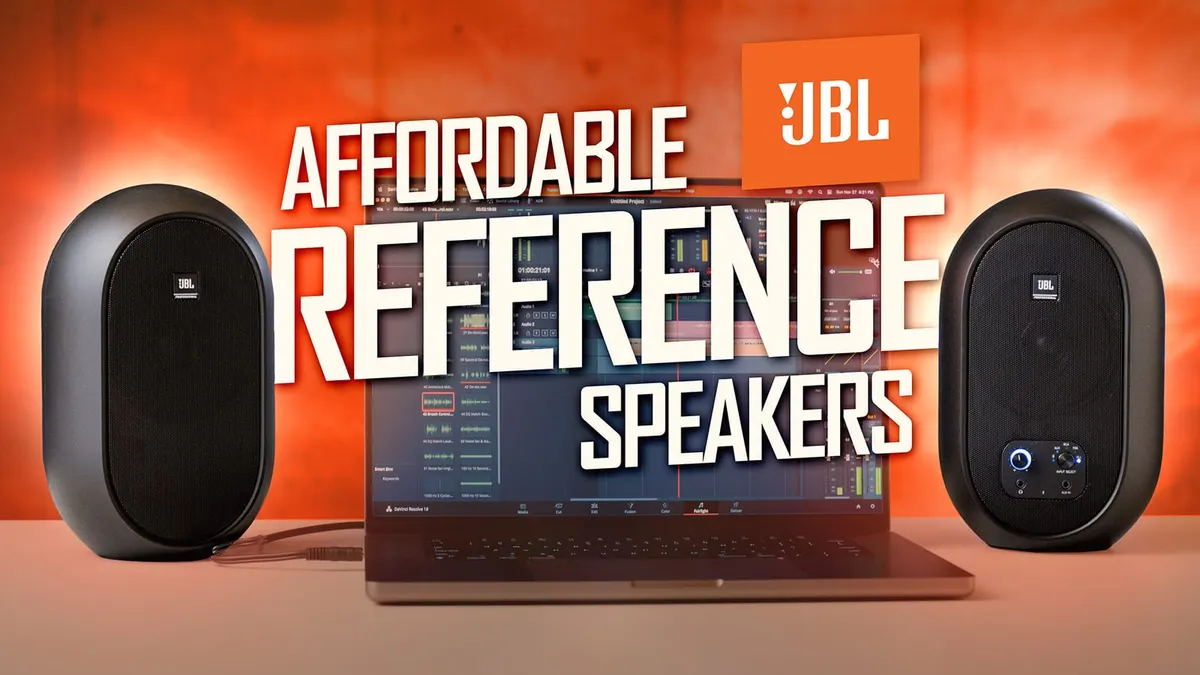
In this week’s episode, we have a look at and listen to the JBL 104-BT Bluetooth Desktop Reference Monitors. The 104-BT’s are small, lightweight, and can be a great step up from consumer desktop speakers; they also host a variety of different connections including TRS, RCA, and Bluetooth. In this video we talk through the 104-BTs’ feature set and discuss when and where these might be most useful in an audio editing and mixing workflow. Let’s have a closer listen!
Gear used or mentioned
The links below are Amazon, B&H Photo, Sweetwater, or other affiliate links. As an affiliate, I earn from qualifying purchases.
- JBL 104-BT Bluetooth Desktop Reference Monitors — B&H, Sweetwater, Amazon
- Sennheiser MKH 8050 Boom Microphone — B&H
Read the transcript
[Music] foreign [Music] the JBL professional 104 BTS are affordable reference monitors less well right around 200 depending on when you buy them and I think they’re really well suited for video editors podcasters and
I guess beginning audio Engineers that are looking for a really small affordable and portable reference solution we’ll approach them from the perspective of someone that does dialogue editing and mixing for video so not so much from a music perspective let’s jump in and take a look at the pros first of all and then we’ll take a look at the cons in just a minute first of all it’s surprisingly decent sound for a set of 200 tiny desktop monitors now I don’t want to overstate that they if I compare them to my five thousand dollar set of focal monitors and subwoofer obviously they sound different however what I think is important is that they do translate fairly well so in other words if I do a mix on the JBL 104
BTS that actually translates pretty well to most other things so for example when
I did a mix on the focals and then played them back on the jbls they sounded very similar and so for the price I think it’s a really great place for someone who doesn’t have a large budget or B want any sort of complicated setup they want they don’t want an audio interface and you know monitor controllers and so on and so forth if you need to keep it really simple not a bad place to start now I want to emphasize one thing that I think a lot of people that are first getting into audio don’t realize and that is that the accuracy of what you’re hearing is partly defined by the speakers but to a large extent it’s also defined by the acoustical space in which you’re using them so it’s really important to keep that in mind so we use sonarworks sound ID reference kit to measure the output of both the focals my regular mixing monitors and also the JBL 104 BTS and what we found is that they weren’t substantially different now yes I can definitely hear a difference and yes there’s definitely more Dimension to the the focals and so on and so forth but again what this gave me was the confidence that I could mix on the jbl’s and they’ll translate and so for me for example when I’m going to be away in a few weeks I’ll take the 104s with me and
I’ll be able to do some mixing while I’m out and about so I think that’s really kind of the bottom line I wanted to try and put that into a perspective that makes sense obviously in a review we can’t just play them back and you can it doesn’t really work all that well for you to hear them through another mic and then process through YouTube but hopefully that gives some perspective on what these will do for you there are integrated power amps so 30 watts per speaker and that’s actually all housed within the primary speaker and then the satellite speaker you’ll notice is much lighter weight that’s because all of the electronics in the power amp are in the main speaker 30 watts per Channel as I said Tiny footprint overall and they have what’s I think really interesting is their coaxial design so here’s a trick when you have monitors sitting on your desk and not even aimed up at your ears um that’s not the ideal situation however the coaxial design eliminates some of the issues with that and what a coaxial design is is that you have a three-quarters inch Tweeter that’s actually nested within the 4.5 inch woofer the larger speaker and so what this does at a practical level is it prevents as many phase issues so if you had on a typical speaker design for example you’ll have the Tweeter that sits above at the top of the speaker and then you’ll have the bigger woofer at the bottom those are actually spaced apart from each other to a small extent and that can sometimes result in
Phase issues if you don’t have them positioned right so the coaxial design helps with that issue I will say however for the best results you should get them up off the desk in a little bit higher closer to your listening position your ears that’s how we found they actually sounded the best we got the most out of them there are a whole variety of input options there’s Bluetooth 5.0 RCA inputs that have a 3.5 millimeter so you could plug that for example into the headphone jack of your laptop and then there’s also a 3.5 millimeter auxiliary unbalanced input so you can come in from anything and then of course there are also quarter inch balanced inputs and in fact what that allows you to do is if you upgrade to an audio interface at some point in the future you can send balanced audio out of your audio interface from your computer into these speakers so they’ll actually grow with you so to speak so lots of different options there which makes it really versatile there’s a dedicated button that allows you to select the source the input source and you can choose amongst any of those that we’ve already described or you can actually set it to a mode where it will take input from any of them so if you just want to leave it in the all mode all the time that makes it even easier as long as you remember not to have your phone connected via
Bluetooth your laptop via the the RCA input and then forget and start running things at the same time so overall let you get the job done buttons a little bit fiddly but you get used to it there’s also a standby mode so if you don’t like turning your speakers off it will go into a low power mode that uses about a watt or less or you can turn that off altogether if you prefer not to have that so there’s a procedure you can use to turn that off it does have a headphone jack on the front of the main speaker so you can use your headphones without having to unplug your monitors and when you plug headphones into the monitors it automatically mutes the monitor so you’re not going to have that weirdness of trying to manage things that way and again as I mentioned before the price for this comes in at 210 dollars U.S normally actually here this is around the Black Friday shopping holiday season and we actually sell them for substantially less than that as well so just have to watch for deals on that couple of cons number one the 3.5 millimeter auxiliary input is noticeably quieter than the rest even at max volume so if that’s going to be Central to your workflow if you’re always planning to use that auxiliary port on the front you might want to rethink it it I it’s almost like it’s a line level input um but if you’re driving it with a consumer device which is most likely what you’re going to be doing with this set then that’s probably not the best choice also it should come as no surprise to anybody the base response on this device is pretty solid pretty pretty tight it’s not it’s not like really messed up base design on speakers is really hard and some of them have this OneNote base issue these didn’t seem to have that problem but they’re not going to produce bass like much bigger much more expensive speakers were will so it’s important to keep that in mind but again the idea here is something that’s reasonably flat so that you can do a decent job mixing and these deliver on that front so just so you’re aware if you are making hip hop mixing hip-hop music this might not be the best choice for you a couple of notes as well just so that you’re aware number one if you are editing video or doing any sort of post mixing picture sync is really important picture to sound sync that’s where you probably don’t want to use the Bluetooth and it’s not because these speakers are bad that way but
Bluetooth by its very nature introduces some latency and so if you’re going to be judging sound sync to your video you probably want to plug in with a wire just so that you don’t have those issues just a note to keep in mind and then secondly these are not totally Wireless like a lot of consumer Bluetooth speakers are you still have to plug into
AC Mains there’s no battery power and number two you do have to have the wire that connects the main speaker to the satellite speaker those do not communicate wirelessly just so that everyone’s aware and clear on that so if you’re looking for a completely wireless Design This is not it two more notes as well positioning they walk through in the manual how to position it but generally you’re going to want to you know at arm’s length 45 degrees roughly and ideally they don’t say this like and you can just put them on your desk that’s okay but if you want the best results I would put them on a stand or of some sort and get them up closer to your ear level and we found that that sounded the best one other kind of funny note is that we had the monitor sitting on some foam pads like these acoustical decoupling pads and once we plug the quarter inch cables in the cables were heavy enough that they actually toppled the speaker over so just be careful if you’re going to do a setup like that have a plan in place to maybe velcro the cables up so there’s enough slack in them so they don’t pull the speaker over all right now one thing I think it’s really important that people need to realize is that my experience has been at least at some point you need to get out of your headphones and actually listen on speakers and that’s where I think these are super helpful now I realize reference monitors can be super super expensive and the setup can be you know it could be from simple to complex the nice thing about the 104s is it’s pretty simple it actually probably doesn’t get much simpler than this in something that is I would say flat enough or accurate enough to actually be useful for reference monitoring so that’s one one thing to keep in mind I think for the price you sound surprisingly well balanced and again especially when it comes to spoken word base response is probably the biggest kind of I don’t want to say weakness but they just I mean they’re too small they’re too small to really produce much bass and that’s fine but if you’re going to do a lot of spoken word mixing I think these are fantastic options in fact I didn’t find that you know playing back the same audio reference track that was pure spoken word audio on the focals versus the 104 BTS there wasn’t that much difference I mean yes I could hear a difference but
I felt like I still had everything I needed on the 104s to get a good mix and to do you know the do the listing that I needed to to Really dial things in as far as EQ compression and so on all the different input options make it really convenient to use in almost any kind of setup so I really like that as well again anything from Bluetooth to unbalanced wired to balanced wired so you have options for pretty much any situation and that can be as simple as just plugging into the headphone jack on your computer so all the options so hope that was helpful for you if you have any questions go ahead and leave those down below and if you’ve not already subscribed make sure you do that and we’ll be sure to get you more great videos on how to improve your Lighting and Sound for video talk to you soon [Music]