
Mackie DLZ Creator — Best Podcast & Livestream Mixer 2023
· Audio · Recorders · 14:11
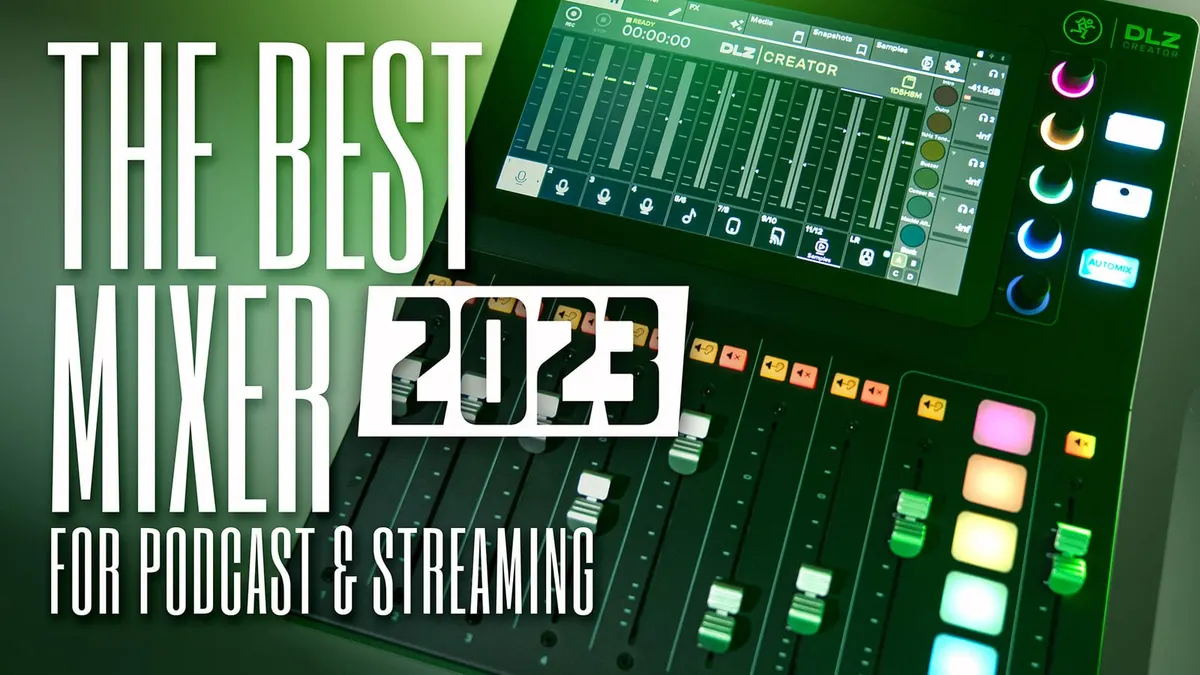
In this week’s episode, we have a look at Mackie’s new DLZ Creator mixer. This competitor to the RODECaster Pros and Zoom Podtraks is made specifically for capturing great audio in podcast and livestream workflows. In this video we walk through the DLZ’s feature set, briefly compare it to the RODECaster Pro, and identify some advantage and disadvantages for each. Let’s take a closer look
Gear used or mentioned
The links below are Amazon, B&H Photo, Sweetwater, or other affiliate links. As an affiliate, I earn from qualifying purchases.
- Mackie DLZ Creator USB audio mixer/interface/recorder — B&H, Amazon
- Mackie 802 VLZ 4 8-Channel Ultra Compact Mixer — B&H, Sweetwater, Amazon
- RODECaster Pro Podcast Production Studio — B&H, Sweetwater, Amazon
- RODECaster Pro II Podcast Production Studio — B&H, Sweetwater, DVEStore, Amazon
- ZOOM Podtrak P4 Podcast Recorder — B&H, Sweetwater, Amazon
- ZOOM Podtrak P8 Podcast Recorder — B&H, Sweetwater, Amazon
- ZOOM Livetrak L8 Podcast Recorder — B&H, Sweetwater, Amazon
- Amaran 200x S LED light — B&H, Amazon, Aputure
- Aputure Light Dome II soft box — Aputure, B&H, Amazon
- Aputure Spotlight Mount — Aputure, B&H, DVE Store. Amazon
- Rosco Prismatic Glass Gobo in Cool Lavender — B&H
- Canon C70 Cinema Camera — B&H
- Panasonic GH5 camera — B&H, Amazon
- Panasonic 12-35mm f/2.8 II lens — B&H, Amazon
Read the transcript
[Music]
In this episode, we take a look at the Mackie DLZ Creator.
It is a digital mixer that is dedicated for podcasting, live streaming, and any sort of content creation.
And there are some things that are different about this versus some of the other products out on the market. First of all, this is the first one of these that I’ve seen– dedicated digital mixers for podcasting and live streaming– that’s made by a company whose history is, for decades, making mixers.
So this is a little bit different from that standpoint.
And I’ll come out and say it right from the start, the obvious competitors are the RODECaster Pro II and the Zoom Podtrak and Zoom Livetrak mixers, which also have some of these features as well.
Now, the difference is that that this one has some premium features that those others don’t have.
And let me just kind of run through what makes this one a little bit more special from my point of view relative to those others.
Now this is a premium one, it’s more expensive.
But it is $799 USD at the time of this review.
But let me talk about what features it includes that, from my point of view, justifies that price.
If you’re interested in understanding my thoughts on the differences between this and which one is right for you, there’s a section closer to the end. You can go ahead and scrub along the timeline there and jump to that section if that’s the only thing you want to know about; we’ll cover that there.
Now, first of all, it includes three different modes. Now, this is actually something we see a little bit on the RODECaster Pro II as well, but it has an Easy, an Enhanced, and a Pro mode.
And the nice thing about this is that if you’re someone that doesn’t have a lot of experience with audio and you just want to be able to make great recordings without spending the next ten years learning how to be an amazing audio mixer, this can help you out with that. Now, on the other hand, at the other end of the spectrum, if you are someone that knows your way around a mixing board and you want this thing to get out of your way and give you full manual control, you have that option as well. Then, of course, you have an Enhanced mode, which is kind of in the middle. It makes things a little bit easier, but also gives you more control than the Easy mode.
There is an automatic gain setting, so if that’s important to you, it does have that, especially in the Easy mode; also is available in the Pro mode if you want it.
And if you don’t want it, you’ve got full manual control of gain in the Pro mode.
Here’s where things are quite a bit different than some of the others.
It has a full 10.1-inch touchscreen with anti-glare coating, and it is a beautiful screen that works really, really well. Even at angles, if you’re sitting at an angle where normally you would get a lot of glare on a very shiny kind of screen, you don’t run into that problem here. You’ll notice, of course, that the unit also has 100 millimeter faders for each of the 4 mic-line-instrument inputs.
You also have 3 additional inputs that are stereo, which you can get audio from a computer or a phone via 3.5 millimeter TRS stereo mini jack connector, USB-C, or even Bluetooth. Each of the microphone inputs supply up to 80 dB of gain, which makes it perfect for any sort of broadcast microphone or any microphone that uses a lot of gain or requires a lot of gain, including the SHURE SM7B; here’s a sample.
A question I know we’ll get is, can you use a SHURE SM7B directly into the DLZ without a Cloudlifter or a Fethead or any other sort of inline microphone amplifier?
And the answer is yes! With 80 dB of gain on the inputs on the DLZ, you don’t need a Cloudlifter and you do not need a Fethead or any other sort of in-line amplifier.
There are also 2 balanced outputs for monitors or for cameras that can take balanced inputs, or you can convert that to unbalanced if you have a camera that has a 3.5 millimeter input as well.
I use that in my streams. I’ve been using this actually in my streams for the last month, and that’s exactly how I get the audio out of the DLZ into my Canon C200, and it works beautifully. Some of the others do have 1/4 inch monitor outputs, but I’ve found they are not professional line level.
So I end up having to boost the levels a little bit more in camera.
With this, it’s professional line level.
It goes straight into camera. It’s not a problem.
Of course, there are 6 pads that allow you to play back music or samples that you have recorded that you’ve put into the DLZ creator.
I put my intro and outro music for my live streams in here, you can load it onto the SD card and get it into the pads here without a problem.
So that works really, really nicely. It also has 4 banks, so you don’t just get 6 sounds that you can play back, you actually get 6 times 4. So, 24 different sounds that you can play back.
And finally, one of these mixers has automix!
The DLZ creator has automix, which will create a much cleaner recording if you’re recording with 2 or 3 or 4 people in the same room.
And it does such a beautiful job at that.
And what it does, essentially, is that when one person’s talking, their microphone level is all the way up, their fader is up.
But when there are other people that are not talking, it’s essentially pulling their faders down.
So you’re not picking up room noise or you’re not picking up my voice in their microphones while I’m talking, and vice versa. When they start talking, their microphone opens up, mine gets faded back a little bit and it works really, really well; here’s a sample. [Sample audio]
On each of the inputs you have an equalizer, a noise gate, a compressor, and a de-esser, that’s for each of the inputs.
And then on the output, the left/right mix, you have an equalizer and compressor as well.
So that compressor I often use as a limiter, basically, so that I don’t clip my audio going into the camera for my live stream.
There is also an output delay. So if you’re running the audio from the DLZ Creator into a computer and then you have your capture card with your camera connected to the computer as well, then a lot of times what you find is that the sound will actually arrive to the computer, and maybe OBS or whatever you’re using for your live stream, before the camera’s feed will arrive at the computer.
So you can apply an offset here, or a delay, of up to 250 milliseconds, which makes it so that your audio will be in sync with your video.
If you are going to bring in remote guests via phone or computer, you can also apply a mix-minus. If you don’t know what that means, it essentially makes it so the person on the other end doesn’t talk and then hear themselves back, like, several milliseconds or even a second later.
And it makes it a much more comfortable experience for them and it’s literally just one button on the touchscreen and you have mix-minus.
In addition to that, you can get custom mixes for each of the 4 headphone outputs.
You have 4 quarter-inch headphone outputs on the back of the unit.
And every person can have their own custom mix.
So if they don’t want to hear themselves, you don’t have to include them in the mix, and you can apply different levels of each person to their headphone mix.
So– makes it really nice. Especially if you’re running instruments, if you’re doing music with this, that makes it really nice; you can get the exact right amount of each of the instruments into your mix.
Now, the build is mostly plastic with a little bit of metal.
However, I would say that it feels like it’s a very quality plastic.
It’s nice fit and finish. I’ve owned Mackie mixers before.
In fact, I still own a VLZ 4 and it has been an incredibly durable mixer.
I expect this one to hold up as well. Although
I will say it’s a little bit different from the standpoint that the body is primarily plastic, but it’s a pretty good quality plastic. I would say, for example, this feels much higher quality than something like a Zoom Podtrak, and it feels the same or a little bit better than the RODECaster Pro II.
Included in that $799 USD price is the mixer itself, an AC adapter, and a USB-C to USB-A cable.
So, pretty straightforward there.
Now: cons or maybe notes, things to keep in mind. First of all, it’s a digital mixer, so there is some latency and I think that’s important to note.
There is, in our measurements, 5 milliseconds of latency from input to output on the DLZ when you apply the processing.
So what that means in practical terms is that when you have your headphones on and you’re listening back to your own voice, there’s a little bit of a delay; a 5 millisecond delay.
So some people find that a little bit distracting, and indeed I can hear it. I can tell that there’s a little bit of latency.
But I did find it very much usable. You have a custom mix if you want to do that; you can apply that and kind of maybe reduce your own levels a little bit, if that’s helpful for you. But in any case, it’s important to know that is one thing to keep in mind.
Now for comparison, the RODECaster Pro II has a 6 millisecond input to output latency, and the original RODECaster Pro had a 3 millisecond latency.
The one thing I wish the DLZ had that it doesn’t have– but there are ways around it– is it doesn’t have a 3.5 millimeter stereo output for consumer level cameras. So if you’re streaming with a consumer level camera and you wanted to run audio directly to the camera so you wouldn’t have to worry about sync issues, unfortunately, it doesn’t have that. Now of course, what you can use is you can use a DI box. I use, for example, the PCDI from Whirlwind.
You can take the two monitor balanced outputs from the DLZ through the DI, and then you get an output for your camera.
So there are ways around it, but it would have been nice if that port was included as well.
Overall, let’s talk about how this compares to things like the RODECaster Pro II and the Podtrak recorders.
I think in terms of… the Podtrak recorders from Zoom, first of all, build quality wise, are a substantial step down from this.
That can be okay– they’re also the least expensive, so I think that’s why they’re appealing to a lot of people.
They had some quirky features as well.
So there were just some weird things about the way that was set up; if you want to dig into the details and understand what all those are,
I do have a review up here that you can look at on the Podtrak P8 and the Podtrak P4, and also the Livetrak L8.
So go take a look at those. I think a closer competitor here is really the RODECaster Pro II.
I think it really shows, in terms of the the feature set, that Mackie has been making mixers for a lot longer than RODE has.
I think automix is a brilliant, brilliant feature, and it’s a feature that I, in fact, in my review,
I begged for RODE to add that feature; looks like Mackie already has that built in right from the start, which is super, super helpful if you’re recording multiple people in the same space. it makes it so much easier. You don’t have to do as much post production cleanup as you do with something like the RODECaster.
Now some people will say, oh, you just apply some gates– the noise gates on the RODECaster Pro– and you get the same effect. And the answer is I haven’t found that to be the case.
It’s really, really difficult to set up a noise gate on each of the input channels when people are in the same room because if I talk loud enough,
I am going to open up everyone else’s gate as well, not just my own. So– and then if you adjust the settings so that that doesn’t happen, then it’s not going to open as quickly as it should for the person who is talking into the mic, whose mic it is.
So it just never works really, really well like an automixer does.
And that’s probably one of the biggest, biggest features I was really excited about.
Additionally, with 80 dB of gain, this will work with any microphone out there, even some vintage ribbon microphone if you, for some reason, wanted to podcast with that as well.
But the SHURE SM7B is no sweat at all for the DLZ.
Both of them, both the RODECaster Pro II and the DLZ, have some latency. So when you put headphones on and you’re listening to yourself talk, you’re going to hear that little bit of tiny, tiniest bit of delay. And usually most people say, you can’t really– it’s not really disorienting until you get to at least 10 milliseconds.
And that’s generally the case for me, but I think the only thing it affects for me is the ability to set the effects. It’s a little bit hard to do that on your own voice, and so what I generally find is it makes more sense to make a recording while I’m adjusting the settings and then listen back to it and make sure that it’s coming out okay.
So that’s the one thing to keep in mind, and that applies to the RODECaster Pro II as well.
The big screen is… that alone is worth the additional $150 from my point of view. My eyes are a little bit older now and having this big screen just gives you so much more space. You also have some dedicated knobs for some of the settings, which make– it just works really, really well. I really love the way they’ve laid it out and the way that all of the settings work.
So on the the DLZ, I’d much prefer over the RODECaster Pro II for that reason.
Now, the RODECaster Pro II has a second USB-C connection.
And for some people, that’s important; for my particular setups, that’s not important. So that’s why I have a preference for the DLZ.
I bought the RODECaster Pro II with my own money; this was given to me. If I had to spend my own money and I could only have one podcast/live stream mixer,
I would choose the DLZ without hesitation.
So overall, I hope that was helpful for you. If you have any questions, go ahead and leave those down below. If you’ve not already subscribed, make sure you do that. And we’ll be sure to get you more great videos on how to improve your lighting and sound for video. Talk to you soon.