
RØDE NT1 5th Generation for Podcast, Voice Over, and Spoken-Word Audio
· Audio · Microphones · 9:10
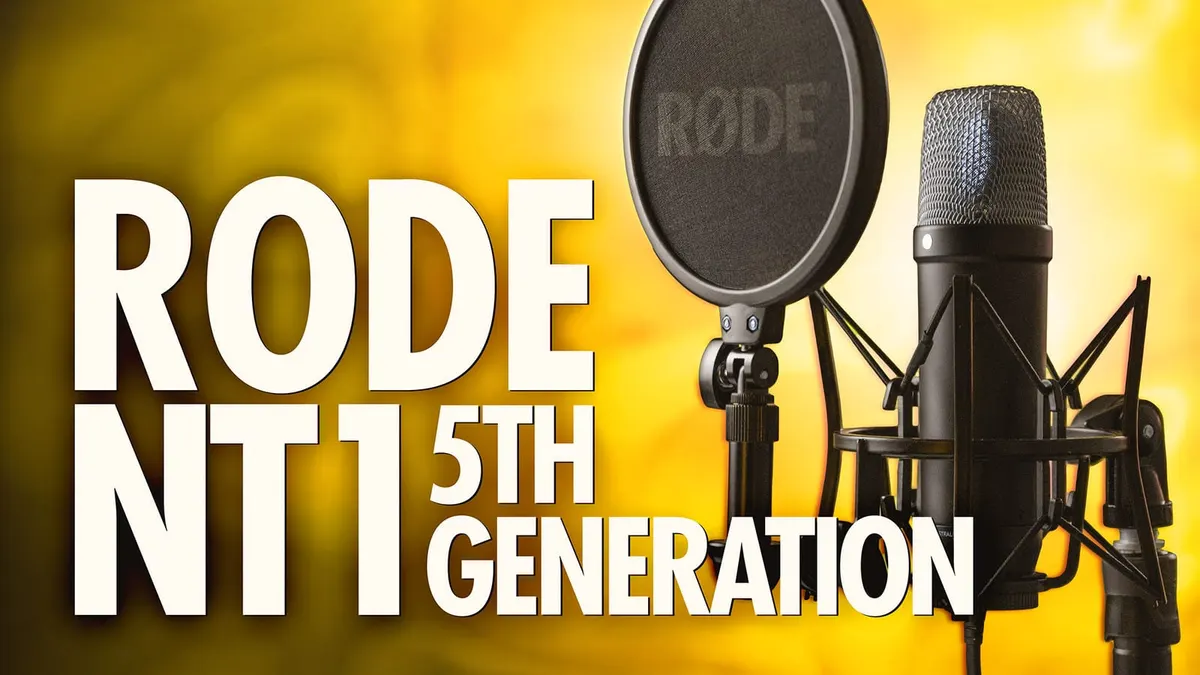
In this week’s episode we have a look at and listen to the new 5th generation of the RØDE NT1! New to this generation of the bestselling cardioid condenser mic is RØDE’s Dual Connect technology, which allows you to record either via XLR to a recorder or via USB to your computer. This new USB connectivity option also allows for 32-bit float recording, wide dynamic range recording which can be an useful tool. Here, we compare the 4th and 5th gen of the NT1, explore the new variety of recording methods, and dive into the details of 32-bit float. Let’s take a closer look!
#RØDE #NT1 #Microphone
Gear used or mentioned
The links below are Amazon, B&H Photo, Sweetwater, or other affiliate links. As an affiliate, I earn from qualifying purchases.
- RODE NT1 5th Generation Cardioid Condenser Microphone — B&H, Sweetwater, Amazon
- RODECaster Pro II — B&H, Sweetwater, DVE Store, Amazon
- Sound Devices MixPre audio recorder — B&H, Trew Audio, Sweetwater, DVE Store, Amazon
- Rycote PCS Microphone Quick-Release System — B&H
- Aputure LS 300X used for background light — Aputure, B&H, Amazon
- Aputure Spotlight Mount — Aputure, B&H, DVE Store. Amazon
- Rosco Prismatic Glass Gobo in Cool Lavender — B&H
- Canon C70 cinema camera — B&H
- Canon RF 24-70 f/2.8L lens — B&H, Amazon
- Schneider Radiant Soft 1 diffusion filter — B&H
- Panasonic GH5 camera — B&H, Amazon
- Panasonic 12-35mm f/2.8 II lens — B&H, Amazon
Read the transcript
[Music]
It is an old maxim of mine that when you have excluded the impossible, whatever remains, however improbable, must be the truth.
It is an old maxim of mine that when you have excluded the impossible, whatever remains, however improbable, must be the truth.
It is an old maxim of mine that when you have excluded the impossible, whatever remains, however improbable, must be the truth. It is an old maxim of mine that when you have excluded the impossible, whatever remains, however improbable, must be the truth.
It is an old maxim of mine that when you’ve excluded the impossible, whatever remains, however improbable, must be the truth.
It is an old maxim of mine that when you’ve excluded the impossible, whatever remains, however improbable, must be the truth.
This entire episode, you’re hearing the RODE NT1 5th generation recorded into the RODECaster Pro II.
Now, we reviewed the RODE NT1 4th generation– the previous generation– a few months ago.
I use it every day for my remote work and for its price,
I would say, it’s highly recommended for its performance as a podcast and a voiceover microphone.
I use it for my Zoom calls; when I have to do any sort of voice over, often I pull that one out; it is a great microphone, especially for its price. In that NT1 4th generation review, we did a whole bunch of tests; we did those same tests here now with the NT1 5th generation, and I’m happy to report that it’s pretty much identical in terms of performance, which is really, really good news because, again, the NT1 4th generation… great, great microphone.
This is using the same capsule in the 5th generation, except it does have a big trick up its sleeve– quite literally. What I mean by that is that if you look into the XLR connector on the bottom of the microphone, there’s a USB-C port. And that USB-C port allows a whole bunch of things.
So obviously, the NT1 5th generation is a USB microphone, but it’s more than just a typical USB microphone.
It also supports 32-bit float wide dynamic range recording, it’s compatible with the RODEConnect app, a free app that RODE provides, that is essentially a RODECaster Pro that runs on your computer.
So it can do all of the same processing.
So all of that digital signal processing takes place in the microphone itself.
There’s a compressor. There’s a noise gate.
There’s a high pass filter, the Big Bottom bass enhancer and an aural exciter, all of which you control in the RODEConnect app, again, on your computer.
You can also record with multiple NT1 5th generation microphones at the same time into the same app, so whether that’s the RODEConnect app or your digital audio workstation of choice, it’ll all do that. So let’s get you a demo first of the 32-bit float wide dynamic range recording capabilities and what it allows. To demonstrate the capabilities of 32-bit float recording on the RODE NT1,
I wanted to show you this recording that I made first, where I had the level set… let me go ahead and show you in my System Sound settings.
I had the RODE NT1 5th gen chosen as my input, and I changed the input volume down to the minimum level.
That’s what we got right here. And I boosted it up to about the midway point and recorded some more.
We got that here. And I set it to the max level, and we got this. So let’s go ahead and take a look and see what we can do to recover this right here.
Now, normally with a 16- or a 24-bit recording,
I could boost the levels, but if I did that,
I would get lots and lots of noise in addition to the audio that I wanted to capture.
But with 32-bit float, it’s a little bit different.
So let’s go ahead and demonstrate. I’m gonna go ahead and add 15 dB at a time.
That’s 30 dB. And that’s about 42, 43 dB.
See how it sounds now. Alright, first
I’m recording with the input level set very, very low– as low as it can go.
And now I’ve increased it here so that we’re getting a healthy size waveform.
Okay. Now, I can play this last part back to you as well, this clipped part, but there’s the potential that will hurt your ears dramatically, and I don’t want to do that. So through the power and magic of post production, we’re gonna reduce those levels as I play this back.
And it would sound something like this.
And now I’ve set it to the max setting and this looks very, very clipped.
Let’s see if we can recover all of this. Okay.
So what we’re going to do here is just highlight right here and we’re going to reduce our levels until it’s no longer clipped.
And it’s about right there. Let’s play that back now and see how that sounds.
And now I’ve set it to the max setting and this looks very, very clipped. Let’s see if we can recover all of this.
Ok. And that is the magic of 32-bit float recording with the NT1 when you have it connected to your computer via USB.
Alright. How does this seeming magic work?
This 32-bit float wide dynamic range?
So first of all, you don’t really have to set the gain.
And at the same time, your audio will not distort or clip.
You’ll never overdrive it. Well, chances are you’re not gonna clip this microphone.
That’s amazing. Also on the flip side, a lot of times on traditional microphone preamplifiers or recorders, if you don’t gain up enough, then the audio that you record will be kind of noisy because it’ll be sitting down by the noise floor.
That’s also not an issue here. How?
The way it works is that the NT1 actually converts all of the analog sound information it can capture with its capsule, so basically like a raw capture from the microphone capsule itself.
And then it uses 4 preamplifiers,
Revolution pre amplifiers, and 4 analog to digital converters, and each of those pairs of a preamplifier and converter is responsible for capturing different amplitude audio.
The very first one on the top, for example, is going to capture the loudest sounds.
And so that preamplifier is essentially optimized for loudest sounds.
The next one down is gonna get sounds that are medium loud.
Next one down is going to get softer, quieter sounds.
And then the bottom one is going to get the quietest sounds possible.
So what this means is that you’re never going to be fighting with either clipping, because you gained up too much, or recording with a whole bunch of noise because you didn’t gain up enough.
So it’s a really, really cool approach.
And actually, you set the levels after the audio has been captured.
So there is a slider, for example, in the operating system, on MacOS here, for example, where you can change the levels; that’s actually after it’s been converted to digital, so it’s not the same as gain. This 32-bit float container can represent the entire dynamic range that the NT1 is able to capture.
So all the way down to the noise floor of 4 dB A-weighted, and then all the way up to 142 dB SPL.
For talking, for spoken word audio, even for singing, so that is plenty of dynamic range for any spoken word or even singing vocals.
And you’re not going to have to worry about setting the gain.
You just pretty much literally connect it to your computer, if you’re going to use this 32-bit float recording capability, start recording, and then you can adjust everything in post.
So it does move that job of choosing your levels to the post production world instead of choosing it while you’re recording, but it also never leaves you in a situation where your audio is clipped or sitting down in the noise floor. Now, how does the compressor and the noise gate– how do you set that up? We actually did a tutorial on that with the RODECaster Pro, and the settings are exactly the same on the RODECaster Pro as they are in the RODEConnect app for the NT1 5th generation.
So we put a link for that video. You can go watch that to see all of those details.
So– this is the RODE NT1 5th generation.
If you are looking for a microphone, a studio condenser microphone, in the price range of $249 USD, which actually is a really great price for the mic you get.
In fact, in our NT1 4th generation review,
I actually preferred my voice on the NT1 versus my Neumann U87 Ai.
Personal preference; it’s not gonna be the same for everybody, but that’s just to kinda give you a sense for what kind of quality audio we’re talking about this microphone capturing.
Again for a price of $249 USD.
And with a 10-year warranty, which is also really, really impressive. So there’s a look at the NT1 5th generation.
If you have any questions, go ahead and leave those down below.
If you’ve not already subscribed, make sure you do that, and we’ll be sure to get you more great videos on how to improve your lighting and sound for video.
Talk to you soon.