
RODE's First Low-profile Mic Arm the RODE LPA-1
· Audio · Accessories · 10:16
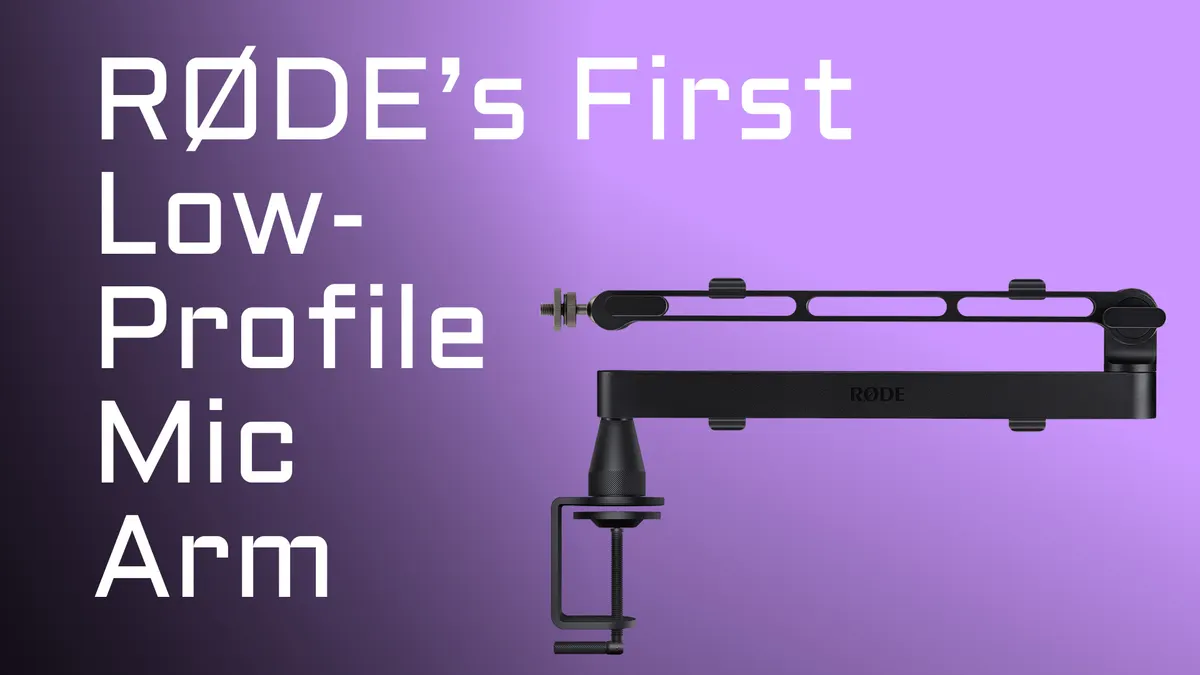
Is a low-profile mic arm right for your setup? In this video I review the Rode LPA-1, Rode’s first low-profile microphone arm, at $129 US. I cover when a low-profile arm makes sense (and when an overhead arm is the better call), then dig into the build quality, cable management, the clever twist-lock clamp that prevents sagging, and how it handles awkward mics like the Shure SM7B. I also put it through tap and movement tests, explain what it’s missing (like parallel motion linkage), and compare it head-to-head with the Elgato Wave Mic Arm Pro and Wave Mic Arm LP so you can decide which one fits your desk and budget.
Gear used or mentioned
The links below are Amazon, B&H Photo, Sweetwater, or other affiliate links. As an affiliate, I earn from qualifying purchases.
Read the transcript
We’re going to go analog again today. This time the Rode LPA-1, Rode’s very first low profile microphone arm. And the question is, first of all, what’s a low profile arm? It is something you attach to your desk and it sits low to the desk and then kind of reaches up a little bit so that you can mount your microphone something like this, where it’s not so imposing in the frame like the traditional microphone arms that kind of hold the microphone up here.
So the question is, when would you choose a low profile arm over a more traditional arm that holds the microphone up from above? And from my perspective, here’s some thoughts. When you want a semi-permanently attached mic arm at your desk, first of all, when you want a mic arm that’s less visually imposing, I think a low profile arm can work very nicely. And in fact, it’s my for my live stream, that’s usually that’s the look I go for.
And then finally, your desk is relatively open and clear of stuff. You don’t have a bunch of junk on your desk, or at least stuff that’s not super tall, so that you can kind of the mic arm can span the desk. I’ve seen it mounted other ways, like on the edge closest to where you would sit. That looks a little awkward to me, but you could do that as well. So then you don’t have to worry about as much of the stuff that’s over on your desk itself. But generally, when you want a low profile look, you want something that’s not so imposing.
Now, when you might not want a low profile arm, you don’t or cannot use a permanently attached or semi-permanently attached arm, you find that positioning the mic from above suits your voice better. And that is a weird thing to say, but it actually can make a difference. For voiceover artists, sometimes you might want to position the mic above. And we have a separate video we did on mic positioning, very subtle differences in where the mic is positioned can make a huge difference. There are cases for voiceover artists where you might want to have the overhead instead.
When you want to hide at least partially behind your microphone and your microphone arm. I mean that seriously, some people seem to really love that look because their favorite podcaster or live streamer has that look they have a big old imposing arm with a microphone. So the person is kind of hiding slightly behind it if that’s your thing. Maybe you want that.
All right, for the LPA-1 here the specs, I’m not going to read them to you. You can pause here and look at them if you’d like I’m going to cover some of these things. But first, let’s look at something really important, talk through the pros and then do a couple of tests first.
Quality wise, the build is super solid. It is 99% metal. Nice to look at very kind of lean, nice modern look to it. You can get it in black or you can get it in white as well. Soon. It includes cable management clips. So you have these slots along the body of the mic arm, and especially on the sides of the kind of arm that goes up and down. And then on the top and the bottom of the horizontal arm. And so that gives you lots of options for where you can mount your microphone cable to keep it tidy and managed.
The desk clamp is really, really solid can work with pretty much any desk, but it can open up to as wide as seven centimeters. So if you’ve got a desk thicker than seven centimeters, you’re pretty special. And unfortunately, this mic arm is not for you.
But the thing that’s kind of unique about the mount is not only is it really solid, I can vouch for that. But what’s interesting is it has this sort of twist mechanism where the where the arm attaches to the clamp and that twist mechanisms allows you to tighten it up a little bit. So what I’ve seen on some other arms is that when you insert the peg of the arm into the clamp, it tends to sag a little bit. And this one, you can tighten it up a little bit. So it doesn’t sag like those others do. Pretty unique. Nice job, Rode. Nice to see that.
It does include adapters to work with almost any microphone or even other accessories. You’ve got quarter inch, three eighths inch and five eighths here. For example, we almost always have mic stand clips that have five eighths inch threads. But you could even mount lights and small cameras and stuff like that on here if you wanted to do that.
And the ability of the arm to rotate to different degrees gives it a lot of flexibility as well. I don’t know when you would use some of those angles, but it can adjust to almost any angle, the ball head can be adjusted to almost any angle. So that makes it very convenient, in terms of positioning the microphone, but also kind of working around the unique shape of different microphones.
So for example, the Shure SM7B, one of the most bizarre yokes out there. It has the XLR connector on the yoke, and it’s really, really close to the mounting threads. And that gets in the way with some mic arms. So on this one with this ball head, and also remember, you can reverse the yoke on the SM7B as well. So if you need to do that, you can do that. You can use it without an extension, or if you prefer the extension from Shure, you can use that too. So it’ll work in any case.
Let’s do a couple tests here. First, I’m going to tap on the arm just to see how much of that physical motion and jarring transfers to the microphone. Now, every microphone is going to be different. This is as much a factor from the microphone as it is of the arm, but just for… Just so we know.
I am hearing some of that transfer through. Now let’s move the arm while we’re actually recording just to see what that does.
[silence]
Okay, some things to know, maybe cons in some cases, depending on who you are. First of all, there’s no parallel motion linkage. What does that even mean? It means that if you adjust the angle of the arm, that the angle of the microphone adapts, so it’s always pointing in the same general direction. And this is a feature that I have on my O.C. White arm that I use for my live stream. Love that feature. You might not need it if you’re not planning to adjust your microphone arm while you’re recording, but in cases where you do need to adjust it a little bit, that’s a really, really nice feature. And you generally only see that on the higher end arms. You don’t see it at this price range, and the Rode LPA-1 also doesn’t do that.
It doesn’t isolate all of the bumps, as you saw in our tests there, and all of the movement. The movement’s not bad. The bumps, that’s going to depend largely on your microphone and how well it internally isolates the microphone capsule. We tested it with a condenser microphone, which tends to be a little bit more sensitive, and the Earthworks. I don’t know if it has internal mounting. I don’t think it does. It definitely picked up a lot of those vibrations when I tapped the arms. So just be aware of this arm, and almost all arms, certainly at this price point, don’t isolate from bumps that much. So some of that will transfer to your microphone.
And then finally, if you did want to permanently install the mounting point on your desk by drilling a hole in your desk, and there’s no mount like that that comes with this arm. So where you will see that on some other arms, that doesn’t come with the Rode. You’d use the clamp that attaches to the edge of your desk or table.
All right, so this microphone arm is priced at $139 US. How does it compare to some of the other closest competitors? And the two closest competitors I can think of are both from Elgato.
The first is the Elgato Wave Mic Arm Pro, which is a more expensive arm. It runs $179 US, $40 more expensive than the Rode. It does have a spring-damped upper arm. So it is something you can adjust a little bit more easily while you’re in the middle of recording, but it also does not have the parallel motion linkage. So it also the Elgato can handle slightly heavier mics at up to three kilograms, 6.6 pounds. It was a little bit quieter when moving the arm.
And instead of the clips that you use to manage the cable on the Elgato, instead what you have is these metal magnetic channel covers on the bottom of the arms to manage and conceal the cables. It also does include a riser. So if you want the low-profile arm to sit up just a little bit higher, 10 centimeters instead of 6 centimeters off the desk, it does include that riser for you. And it includes both a clamp just like the Rode, but it also has kind of the hole insert mounting if you do that instead.
And then the other microphone arm, low-profile arm that comes to mind that I’ve also reviewed is the Elgato Wave Mic Arm LP. It is less expensive than the Rode. It’s $99 US, same max load as the Rode. It does have the metal magnetic covers to manage and conceal the cable. It’s not a bad, it’s not bad. I think I prefer the Rode a little bit, but it’s going to be down to preference. It’s also, it’s pretty well built. It does sag a little bit when you put it into the mount. Does that matter to you? You decide for yourself whether that matters to you.
Yeah, that’s what I can say about those. I think Rode’s done a nice job. This is their first shot at a low-profile arm. I think they’ve hit the mark. For the price, it seems like a fair arm. I’m pretty happy with it. Will it replace my O.C. White, which is a much more expensive arm. I think it was closer to $500 and it does have the parallel motion linkage. It will not. I’ll still be using that for my live stream, but if you’re on a tighter budget, the Rode may be a good option for you.
Hope that’s helpful. If you’ve got any questions, go ahead and drop those down below. Get out there and make some great sound.