
RODE Wireless ME | Easy Wireless Audio for Vlog, YouTube, and video
· Audio · Wireless systems · 16:29
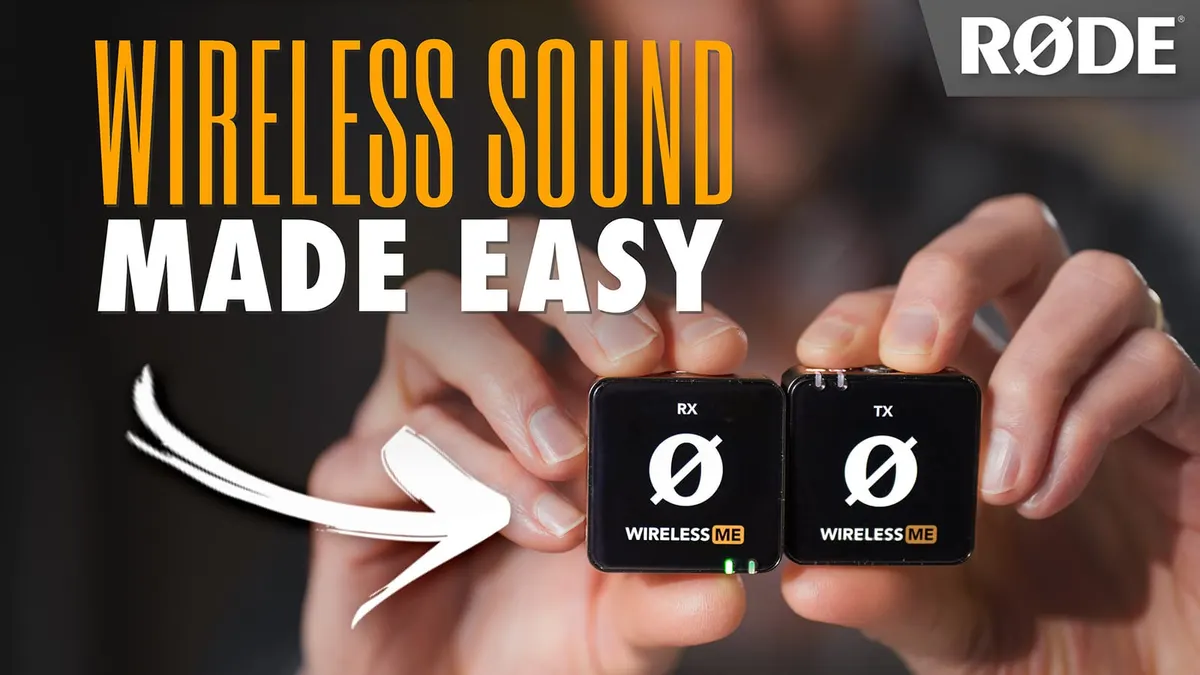
In this week’s episode we have a look at and listen to the new Wireless ME microphone system from RODE. This ultra-compact wireless system has some neat new features including GainAssist, which can help make recording easier while preventing clipping. The system also includes a built-in mic on both transmitter and receiver so that your camera operator can contribute to the conversation. In this video we test out the Wireless ME’s sound quality, walk through its feature set, and determine the workflows for which it might be most useful. Let’s take a closer look!
Check out our Wireless GO II review here:
• RODE Wireless GO … And have a look at the DJI Mic here:
• DJI Mic — Tiny 2 …
Gear used or mentioned
The links below are Amazon, B&H Photo, Sweetwater, or other affiliate links. As an affiliate, I earn from qualifying purchases.
- RODE Wireless ME Ultra-Compact Wireless System — B&H, Sweetwater, Trew, Amazon
- RODE Lavalier GO — B&H, Sweetwater
- RODE Lavalier II — B&H, Sweetwater, DVEStore
- Amaran 200x S LED light — B&H, Amazon, Aputure
- Aputure Light Dome II soft box — Aputure, B&H, Amazon
- Aputure Spotlight Mount — Aputure, B&H, DVE Store. Amazon
- Rosco Prismatic Glass Gobo in Cool Lavender — B&H
- Panasonic GH5 camera — B&H, Amazon
- Panasonic 12-35mm f/2.8 II lens — B&H, Amazon
Read the transcript
[Music]
Hi, everybody. Today, we’re going to talk about the RODE Wireless ME, and we’re outside.
Today, it is 32º at the moment, which is 0º Celsius, but it’s been a long winter, so we wanted to come outside.
And if it does get cold, RODE also sent this beautiful hat that I can wear.
But before we do that, let me just tell you a little story about the RODE Wireless ME. [opening iPad case]
Alright, here we go. So this is a super simple wireless microphone system to record to your camera, to your phone, or to your computer, and… we have a bird that’s going to help with this review.
You can probably hear that. This does not take the place of the
RODE Wireless GO II, it is a separate system.
It’s meant to be simpler to use. It doesn’t have all the same features.
So let’s run through the pros and the cons. But before we do that, let’s get you some raw audio samples. [Sample audio] [Sample audio] [Sample audio] [Sample audio] [Sample audio] [Sample audio] [Sample audio] [Sample audio] [Sample audio]
Now, you can compare what that sounds like to the RODE Wireless
GO II by opening another tab in your browser and opening up our review of the Wireless GO II.
We normalized it to the exact same level, the link is down below.
Also, if you want to compare it to the DJI Mic, we also have a link for that down below. Open that in another tab, play the three of them right next to each other for the samples– the raw sample section of each of those, which is down in the little play bar there– and you’ll be able to tell, to your ear, which one sounds best.
So the idea here, again, is that the Wireless ME is a super simple, straight–ahead wireless system for vloggers and for people that don’t even want to have to think about audio.
They can pretty much just set up, just connect this to your phone, or to your camera, and roll. It includes cables for iPhone, computers, cameras, so it has a USB-C to USB-C,
USB-C to Lightning, and it also comes with 3.5 millimeter cables, both for cameras like a hybrid camera, micro four thirds, DSLR, any of that stuff, but also for phones that don’t have a USB-C input, it comes with a cable so you can connect it to the headphone jack on your phone.
Now, the biggest feature really that makes this simple to use is the GainAssist feature.
So instead of having to set your input level, or your gain, it actually does that automatically for you. You have three different modes:
Automatic, Dynamic and you can turn it off completely if you prefer to.
The automatic mode is kind of the most aggressive. So if you really don’t know what’s going to happen, maybe there’s going to be some yelling and screaming or laughing and maybe there’s going to be some really quiet stuff in the same recording,
Automatic is probably the right mode for that. If you’re going to be in a more controlled environment where you’re going to present and you’re not going to get, you know, a lot of really big differences between loud and quiet, then probably Dynamic is the best choice there.
Or if you want full control, you can just turn it off.
Here are a couple of test clips to show you how that works.
I have the transmitter held out here.
And as it gets closer and closer and closer, you can see it should be handling this pretty well in terms of overall levels.
So here I am at full arm’s length. Bring it in a little bit closer.
I don’t want to get too close; that will clip. Because it’s a lavalier microphone, it’s not meant to be right next to your mouth, but here is a sample of how it manages when we move the microphone in and out.
Ok, now we have it set to Dynamic.
This is the less aggressive setting. And now as I move it closer and closer and closer, it should be different. It should be managing my levels pretty nicely, but not as aggressively as Auto would necessarily.
So you can see, as I bring it closer, it should change the levels. And as I take it farther away, it should adjust the levels. And it should be fairly transparent sounding.
So let’s see what we get. Ok, here’s with GainAssist off.
And as we get it closer here, you can see it is not quite as aggressive in terms of how it’s managing my levels.
Let’s see what we get as we move in and out here.
I think it mostly affects the louder levels.
So as I get really loud… Hey!
Let’s see how it does on those kind of things. And then as I’m a little farther away: hey, hey, hey! …Talk to you later.
Now, how far away from the receiver can you get with the transmitter before it starts to drop out?
Well, outdoors, we were able to get 100 meters away as long as we were facing the camera.
So as long as I had the transmitter, which I’m wearing right here, on the front of me and I faced the camera, I could go 100 meters away.
As soon as I turned around, at about,
I would say, between 20 and 30 meters, we started losing the signal. So you do have to be careful if you’re gonna be turning around a lot, and you’re gonna be working quite a far distance from the camera itself.
But if you’re going to be within 10 meters, you’re probably going to be just fine.
So this is 100 meters; 100 meters from the phone at this point.
Indoors, on the other hand, I was able to go through my entire house, through two different doors, open and close the doors behind me, and we didn’t have any sort of problems with dropouts at all.
And now I’m in the room just above the room where the camera sits.
Phone. Oops– it’s kind of dark.
I just ran into a little end table there, sorry about that. And now back down.
Now, this is a digital wireless microphone system.
What that means is that whenever you have a digital system, there is a possibility that there could be latency introduced.
That is to say that it could take the audio longer to get to the camera and so things get out of sync.
So the sound is out of sync with the picture.
We didn’t experience any sort of problems here either with the iPhone or into our old Panasonic GH5 camera.
Now, there’s one other feature that is special for this that makes it I think especially well suited for vlogging is that there’s a microphone on the receiver as well.
So if you are– you have two people, one operating the phone or camera, the other person on the camera, you can actually talk back and forth.
Here’s a sample. Alright, what’s your favorite camera?
Well, the camera I use the most is the Canon C70, so I’m most familiar with it. And I honestly think that today, like most cameras over a thousand dollars, as long as you know the camera, you know, inside and out, then you can get great results with it, pretty much.
I would agree. Thank you. Ok, talk to you later. Bye. Bye.
Next thing that’s cool is that you can also add another transmitter if you need to. So that receiver is actually a dual channel receiver, which means it can receive a signal from two separate transmitters.
So if you have two people on camera, just buy another transmitter and you’re set to go.
If you are recording two of the microphones at the same time, you can go into two different modes, Merged and Split mode.
Merged mode puts both of the microphones and records them to both left and right.
And then if you want to keep them separate, so that you can mix them a little bit more carefully in post, you can go into Split mode.
And what that allows you to do, for example, if one person’s a lot louder than the other, you can pull their levels down independently in post or boost the other person’s in post, so that they kind of come across at the same level.
So you’ve got both options. How long did the batteries last? RODE says seven hours; in our tests? Seven hours and fifteen minutes.
How much self noise does the system make?
We did a test in our studio.
It’s just a sample; it’s like a practical test, it’s not a scientific test. What we do is we go down there,
I’ve got all these sound blankets, we turn off all the lights, turn off anything that makes noise. I record some dialogue, leave a portion of silence for about ten seconds, bring that into post, boost it all up– loudness normalize it– to -23 LUFS, and then measure the silent portion.
If you don’t understand what any of this means, stick with me. I just have to say a couple more things.
That came in at -67.7 dB RMS max, which means, in practical terms, this system doesn’t make a lot of self noise. It’s not making that hiss on its own, so you’re going to need to be more concerned about the sound around you where you’re recording, that’s goint to be the thing that’s going to make the noise.
But because you’re wearing the microphone, it’s not too bad.
It does really well. On the transmitter, there is a 3.5 millimeter microphone input so you can add additional external lavalier microphones and we tested out the Lavalier GO and the RODE Lavalier II in the samples earlier.
This comes in at $149 USD for a single transmitter and the receiver in the kit.
And that includes all the things that you need, which is: the transmitter, the receiver, a USB-C to USB-C cable, USB-C to Lightning cable, a cable for connecting to a hybrid or DSLR type camera, and a cable for connecting to older school phones that have a headphone input.
It includes two fur windshields and this sort of Neoprene carry pouch.
Now, there are a few cons that we need to talk about.
Number one: this is kind of a personal rant.
Take it for what it’s worth and you make the decision for your own, but I don’t love inbuilt batteries. There are a lot, a LOT of consumer products, more and more these days, with inbuilt batteries that are not user replaceable.
Don’t love that, for a few reasons. I think some of the product companies will say, well… and Apple, at the forefront of them, it makes the– we can make the device smaller, we can make it sleeker, we can make it a better design, we can make it thinner. But a lot more of these are going to end up in the landfill than should end up in the landfill, to be honest. And I don’t know exactly what RODE’s… how they’ll address it.
So for example, let’s say it’s out of warranty and I contact RODE and say, hey, the receiver’s not holding the charge anymore.
I don’t know what the options are going to be exactly.
They say they’ll take care of you. I don’t know if that’s going to cost money.
I don’t know if you’d have to ship it in? Probably you will.
Anyway, I’d love to see user replaceable batteries, to be honest. Or a kit that they could send out that has a replacement battery and a tool kit to actually open it up and do that.
If that’s even possible, I don’t know. Secondly, if you’re planning to hide the transmitter on the back of a person that’s presenting the camera and have a lavalier microphone coming up to them, be careful about that. These work best line of sight.
That is to say, direct: you can see one of them from the other, the transmitter from the receiver, the receiver from the transmitter. Otherwise, there’s a little bit more risk that you’re gonna drop a signal, especially once you get beyond 20 meters.
I did notice one other problem. When we were outdoors, there were a few cases where we got this massive clicking noise, like, overwhelming. I suspect it’s when wind somehow gets through the fur cover and the GainAssist setting is on.
It’s doing something funny there. It’s getting confused about what’s happening.
It assumes that you’re getting loud when, in fact, it’s probably wind going across the microphone capsule.
That’s a problem. It didn’t happen a lot, but it did happen some.
RODE sent this to me before the release and they were able to fix an issue hopefully.
And then finally, there aren’t a lot of physical controls.
So for most settings, you have to connect via wire the receiver into either your phone or computer to make the changes with one of the apps.
And that actually tripped us up.
We actually had to film this three different times.
And the second time, I… and Emma, our producer, was my witness.
We turned off the ME Mic, and yet somehow it still recorded, and it sounded really boxy and weird. So you just have to be very careful with that. RODE,
I’d love to see a firmware update that just makes the setup even simpler somehow.
For example, we noticed in the app that sometimes the ME Mic was set to Auto on the app even after we had turned it off on the computer’s RODE Central app.
So something funny is going on there, and that can really create problems for people who go out and think that the settings are correct, plug in, record, get back and then realize, oh, no. It wasn’t right. One last thing that tripped us up: if you watched our video a few weeks ago, you know we talked about how we had already tried to film this review.
And we ran into problems, we were getting a whine. It turns out we figured out what that is.
I had the Wireless ME receiver on top of my Panasonic GH5, and I had it connected via the 3.5 millimeter cable.
That was fine. At the same time,
I plugged in the USB-C to Lightning cable so that I could plug my phone in between takes and change some of the settings.
And just to be efficient, I left the USB cable plugged in to the receiver, but I unplugged my phone and went back and filmed the next clip and then came back.
The problem is, when you have both of those cables plugged in at the same time– which I didn’t need– if you leave them both plugged in at the same time, you can get– we got, at least, a whining kind of sound throughout the entire recording.
So just make sure you unplug that USB cable when you’re not actually using it.
Now, the biggest question I think people are going to have is how does this compare to the RODE Wireless GO II and the DJI Mic? Let me first say this is not a replacement for the RODE Wireless GO II.
Yes, it is newer, but it’s aimed at a different set of users, a different set of people, and a different set of use cases.
This is really, from my point of view, made to be as simple as possible and give you not a whole ton of control like the Wireless GO II, which is supposed to give you a little bit more control. The
GainAssist is made to make it super simple.
So the Wireless GO II does not have GainAssist, even with the new announcements at NAB 2023.
RODE announced that they’re going to have a firmware update for the Wireless GO II, but it did not include an update to include GainAssist.
I think there are some people out there that are like, give me GainAssist for my
Wireless GO II! I’m not sure it has the hardware to support that.
I don’t know. But in any case, the Wireless ME has GainAssist, it automatically sets the gain for you; the Wireless GO II does not. However, the Wireless GO II does have several features that the Wireless ME does not have.
Now, the entry level Wireless GO II kit is $50 more at $200 USD.
But it allows recording on the transmitter.
So even if you drop the wireless signal for whatever reason, you still have a recording on the transmitter itself, which is good. It also has a very nice screen on the receiver that has meters and also some of the settings.
So you have a better view of what’s actually happening, what the settings look like, and if you might need to change anything.
So it’s kind of a different use case for someone that wants to have a little bit more control.
So I wouldn’t look at this as the replacement for the Wireless GO II, because it’s not,
I would look at it as a different product for a different set of people, for a different set of circumstances. Now, what about the DJI Mic? The DJI Mic is pretty similar to the Wireless GO II, to be honest. In terms of features, we have a review.
You can see it down here. I’ve also put the link for the Wireless GO II review that we did while back down here.
The Wireless ME is cleaner in terms of overall self noise.
It doesn’t have latency issues that the DJI Mic has.
But aside from that, the DJI Mic has a lot more features.
It can record on the transmitter. It has a charging case, there are just a lot of other things about that DJI mic.
Also, you can actually change all of the settings right on the receiver itself, which makes it really, really nice to use if you’re that kind of person.
So again, the Wireless ME is for a different set of use cases, again, for more of the vloggers that just want something they can plug in and record with without having to mess with a bunch of settings.
So– I hope you found that helpful. If you have any questions, go ahead and leave those down below.
And if you’ve not already subscribed, make sure you do that, and we’ll be sure to get you more great videos on how to improve your lighting and sound for video.
Talk to you soon.