
RODECaster Pro 2 versus Mackie DLZ Creator podcast & livestream mixers/recorders
· Audio · Recorders · 23:52
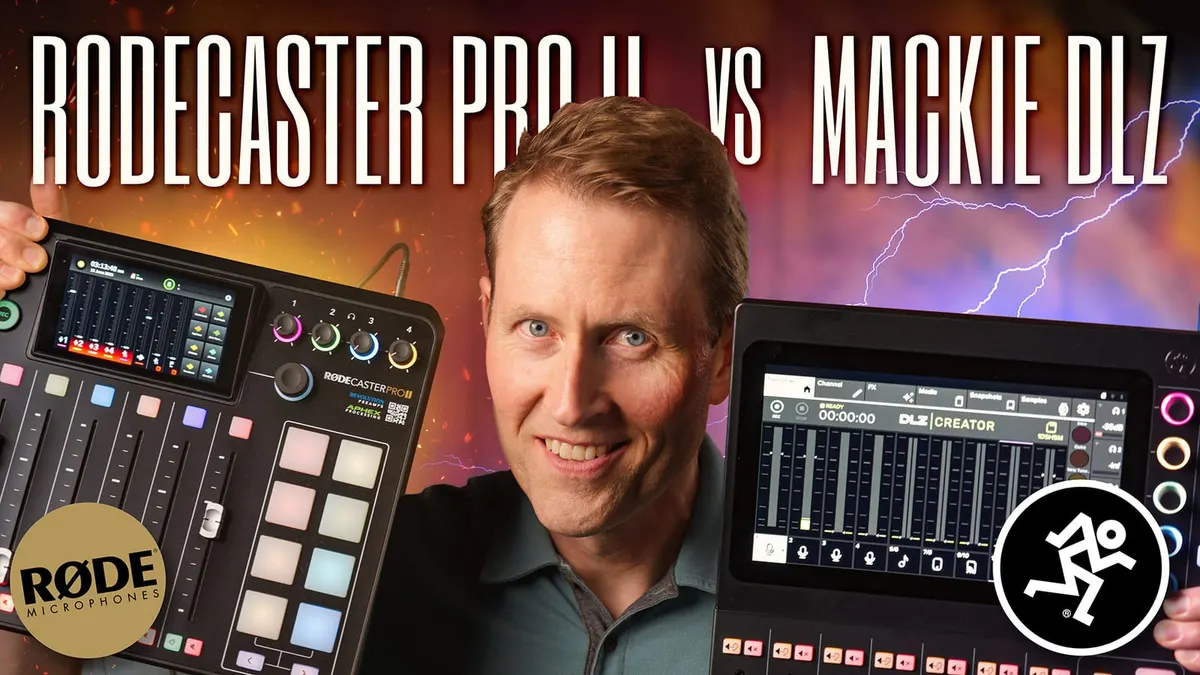
In this week’s episode we compare the RODECaster Pro 2 and the Mackie DLZ Creator. The RØDECaster Pro II and the Mackie DLZ Creator are both dedicated podcast and livestream recorders, mixers, and audio interfaces. A question I get a lot is, “Which one is better?”
There isn’t a clear answer to that question for everyone because It all depends on which features are important to YOU and the type of show you produce.
So we created a chart comparing many of the features between the two so you can figure out which is a better fit for you.
Comparison table: https://airtable.com/shrt04uBgMllO2KOc
Gear used or mentioned
The links below are Amazon, B&H Photo, Sweetwater, or other affiliate links. As an affiliate, I earn from qualifying purchases.
- RODECaster Pro II podcast mixer — B&H, Sweetwater, Amazon
- Mackie DLZ Creator podcast mixer — B&H, Sweetwater, Amazon
- Earthworks ETHOS broadcast condenser microphone — B&H, Sweetwater, Amazon
- ART Cleanbox Pro (convert balanced to unbalanced audio and vice versa) — Amazon, Sweetwater
- SHURE SM7B dynamic microphone — B&H, Sweetwater, Amazon
- Mogami microphone cable — B&H, Sweetwater
- Blackmagic Design ATEM switchers — B&H, Amazon
- Amaran 200x S LED light — B&H, Amazon, Aputure
- Aputure Light Dome II soft box — Aputure, B&H, Amazon
- Aputure Spotlight Mount — Aputure, B&H, DVE Store. Amazon
- Rosco Prismatic Glass Gobo in Cool Lavender — B&H
- Canon C70 Cinema Camera — B&H
- Canon RF 24-70 f/2.8 lens — B&H, Amazon
- Panasonic GH5 camera — B&H, Amazon
- Panasonic 12-35mm f/2.8 II lens — B&H, Amazon
Read the transcript
[Music]
We’re going to dispel the firestorm from the very start here: if you bought a RODECaster Pro II and it’s working for you, and you’re happy with the results, congratulations. It’s a fantastic podcast/livestream recorder, audio interface, multi-purpose device; it’s a great device.
If you’re buying a new one now and you’re wondering if the Mackie DLZ might be a better fit for you, it might be. We’re going to run through some of the differences between the two– they each have their strengths and weaknesses, and we’re going to run through each of those.
So let’s take a look. First of all, I made a downloadable table.
You can actually just download the table and look at how I’ve listed out each of the feature sets and how each of them compares to the other. That may be really, really helpful to you; we’ve got a link down in the description below for that. Now as a start, both of these are kind of special-purpose computers.
The RODECaster Pro actually runs the Linux operating system– a customized version of it– and the DLZ, I’m not positive what it runs, but it seems to be a very similar thing.
Both of them take some time to boot up, which indicates to me that they’re some sort of operating system on them.
And they of course have very specialized interfaces; instead of just a keyboard and USB ports, we’re talking about faders, a dedicated screen, combination microphone/line/instrument inputs, and knobs and sound pads. So, that’s essentially what they are: they act as audio interfaces, standalone recorders, and they’re amazing devices for a lot of different situations.
One thing to consider is that these are digital mixers, in essence, and they’re much less expensive than most traditional digital mixers. A lot of times on the pro end, certainly, the digital mixers are pretty expensive.
I have an Allen & Heath SQ5, which now retails for about $4,000 USD. Obviously it’s a very capable digital mixer; different class, but still, this new generation of podcast/livestreaming mixers are pretty impressive in what they can do.
Now in terms of size, these are significantly different. The RODECaster Pro is much smaller, so if portability is a really important thing to you, the RODECaster has a pretty substantial advantage there.
I would say the RODECaster is maybe around two-thirds the size of the Mackie DLZ, so pretty big difference there.
However, the screens are very different, so that’s a big part of the reason why the DLZ is so much larger.
There’s a 5.5” touchscreen on the RODECaster with a glossy finish; on the DLZ there’s a 10.1” screen with a matte finish, so it’s sort of an anti-glare finish. It’s also a touchscreen, so they’re pretty different that way.
Another really important thing too is that the RODE does not have a master fader, per se, like a traditional mixer does, whereas the Mackie does. And I think it’s really kind of a… a nod to the types of companies these are coming from.
So Mackie is a company that has traditionally made mixers; RODE is a company that started making microphones and now is making the– the RODECaster. So that’s a relatively new part of their business and they’re coming at it from a different perspective. They’re very much, very much focused on podcasters who want a fairly simple interface, but they’re also building out the software so it’s pretty sophisticated; it does have a lot of flexibility.
One other thing that’s a little bit different is the RODECaster has a single contextual knob for making settings and things of that nature; and it is a knob that you can actually push like a button, plus twist, to change the settings. On the DLZ you have five contextual knobs for making settings, but none of them push like a button so they’re a little bit different how they approach it.
I personally prefer to have the additional knobs on the DLZ, but again, that’s a personal preference; purely subjective. I just like that because then I don’t have to– I don’t have to rely as much on the touch screen which, if you need to move quickly in an ergonomic way, I really find that knobs are a quicker way to change settings if I’m setting up a compressor, for example.
Both of them have two balanced quarter-inch outputs if you want to send audio to monitors or to cameras that have balanced microphone/line inputs. That’s a really nice way to get your audio out of your mixer and directly into a camera if you need to do that, or a live stream switcher if your live stream switcher has balanced inputs. Now if you’re sending it to a camera or a live stream switcher which does not have balanced inputs– which the ATEM Mini, for example, does not have balanced inputs– most consumer interchangeable lens cameras do not have balanced inputs, they have 3.5 millimeter microphone inputs. In some of the Panasonics it can actually be switched to line, but they’re all unbalanced.
That can be a more challenging thing. So if you are planning to send the audio from your mixer into one of those devices– either a hardware switcher with an unbalanced input or a camera with an unbalanced input– this is not really made for that. Can you do it? Yes. There’s a lot of setting up that needs to be done; additional hardware, like converting from balanced to unbalanced. I would just not recommend it if that’s your main use case. In my case I use the DLZ for my live streams and I’m using a camera with balanced XLR inputs, and so it’s a perfect setup for that because I can take the monitor outputs– I want to route it to my camera because I’m not using a computer to do the streaming encoding, so I’m not using OBS, for example. I’m not saying everyone should do it that way, that’s just how I do it for a variety of reasons I won’t go into here. But for me, running the audio direct to camera solves some issues in a pretty nice way. So it’s a pretty nice setup.
Huge difference between the two of these: I really feel like RODE is nodding more towards gaming streamers.
They have two USB-C ports on the RODECaster Pro II. So not only can you connect to your computer that has OBS on it, for example, to encode your live stream, it also has the additional USB port which you can use to bring in sound from your gaming rig and into the RODECaster and then over to OBS. So, it makes managing all of that a lot easier. So if that’s the kind of thing you’re doing, the RODE
Caster Pro II seems to me to have a serious, serious advantage. Now the DLZ also has two USB ports, but they are for different purposes. There’s a USB-C port to connect to your computer if you’re going to be streaming through OBS or any other sort of software encoder. It also has a second USB-A port, which is made for recording to an external drive of some sort; whatever sort you need.
Uhm… not sure that’s the case; at least thumb drives. So in any case, that’s a very different workflow. So if you don’t– if you’re not a gamer and you’re not going to do anything like a gamer does in terms of bringing in audio from another computer, then the DLZ could be a decent option for you. They both have a variety of different real-time processors, things like high-pass filters, compressors for evening out your dialogue, equalization to help tune your sound a little bit, a de-esser to help manage sibilance, the sizzling sound you get when you say the letter S or C, noise gates to help kind of reduce the noise when someone’s not talking; it’ll kind of gently come in and reduce any room noise that’s there.
In the case of the RODECaster, it also has an aural exciter, which kind of makes the sound crisper; works with some voices, some voices it’s not great… you can turn it off if you don’t need it, but definitely a nice addition there. It also has a ‘Big Bottom’, they call it, which is essentially something that makes your recording sound more like a broadcast recording with a lot of rich low end to it. It also has what they call a master bus compeller which is essentially an output compressor, which is really nice so when you have multiple people talking at the same time or people laughing at the same time, it gets really loud and it’s very easy to clip your audio and distort. In this case that compeller will help prevent that from happening so that’s a really nice feature. In the case of the DLZ, it has most of those; it does not have the aural exciter, it does not have the Big Bottom, but it essentially has everything else and they’re all implemented very nicely. Both of them have the capability of doing auto-ducking, so if you have music playing and you want the music to automatically come down when you start talking, they both do that, which is great.
There is one feature that I think is really, really important for people that are doing multi-person, you know, in-person recordings or podcasts or live streams– two people in the same room, each with their own mic, and that is automix. And it’s only– right now, at least, in June 2023, only the DLZ
Creator has that; the RODECaster Pro does not have it. So that is a huge, huge advantage for me and why
I actually prefer the DLZ Creator. Again not that the RODECaster is not a great mixer, it’s just that the DLZ Creator fits better for me because that’s an important feature for me. I actually bought the RODECaster Pro 2 with my own money, so… and then I also– the DLZ Creator was given to me by
Mackie, so I just want to disclose that, so if you have any questions about my bias there’s the background information. If I could only choose one based on my experience with both of them, for my specific purposes I would choose the DLZ Creator. But let’s continue on– there’s some other great features here as well. They both have dedicated sound pads which allow you to play back music or sound effects. I find that extremely helpful for my live streams; could be very, very helpful for podcasts as well and it makes it so you don’t have to do as much post-production and mix all those additional things in. You can actually do it while you’re recording; in the case of my live stream, I play the intro music that way, I play the outro music that way, and if we ever need to bring in other sound effects or sound recordings, they’re already there and it’s literally just a press of a button which to me is so much more convenient than running another app on your computer, finding the thing with your mouse, and then clicking it and starting to play. It just… this is so much easier. I can just see the different colored buttons, hit the one I need, and it’s already playing. I can also, with a fader, control the level on that music or whatever that’s playing back, so it works great on both of them. On the RODECaster Pro II there are 8 pads and they are in 8 banks, so I can have up to 64 different effects or sounds or music that play back, which is fantastic. There are also dedicated bank switching buttons– physical buttons– which is really, really nice. In fact it’s better than on the DLZ; on the DLZ there are 4 banks with 6 pads. To switch between banks you have to use the touch screen, and at least as of
June 2023, those buttons on the touchscreen are tiny and difficult to select. So the RODECaster
Pro II definitely has a better setup there for those sound pads, although in my case I don’t need a lot of banks so I just stay on bank 1 or bank A and it’s not a problem for me. But if you do need to switch between banks and you’re going to have a lot of different sounds that you’re going to be playing back or different effects that you’re going to be applying, then the RODECaster
Pro may be a better choice. Both the DLZ Creator and the RODECaster Pro II have 4 combination inputs, XLR/quarter inch, and that means that they can bring in a microphone, a line level signal, so from some other piece of gear, audio gear, or an instrument. So if you’re bringing in an electric guitar or a bass or something else like that, maybe a keyboard, you can do that all here.
In the case of the RODECaster Pro, it provides 76 decibels of gain, which is a tremendous amount of gain. You do not need a Fet Head or a Cloud Lifter if you’re using a microphone like the
SHURE SM7B, and on the on the Mackie DLZ Creator they took it even further with 80 decibels of gain for those 4 different inputs. So you definitely don’t need a Cloud Lifter or anything like that. In terms of the sound of the preamplifiers, today I’m recording with the RODECaster Pro II.
If you want to hear what this all sounds like with my voice through the DLZ Creator, I’ve got a review up here that you can take a look at and listen to to see how it differs. Both devices also have a Bluetooth input so you can bring in a source of audio via Bluetooth; so for example if you have someone on your phone via Zoom call or something, you can also add them to your podcast or your live stream. Nice feature there. If you want to mount the mixer somehow with either a Vesa or ‘Veesa’ mount– I’ve never been clear on how to say that– or a three-eighths inch threaded tap, the only one of these 2 that support that is the RODECaster Pro II. There are no mounting points on the bottom of the DLZ Creator, which is sad. That was a missed opportunity on Mackie’s part. In terms of power and what actually translates into portability as well, the RODECaster Pro II has some advantages.
It has a USB-C port that you– that is purely for power, so it actually has 3 USB-C ports: one is power only, the other 2 are for connecting to computers or mobile devices or whatever.
This can be powered via USB-C and you can actually power it via USB bank or USB battery bank if that battery bank supplies the right amount of power. So you’ll want to check on the specs to make sure that your battery bank can do that, but that makes the RODECaster Pro II even more portable and can be used in places where you don’t have access to AC mains. In the case of the Mackie, it has a locking connector, which I actually prefer over the USB connector; however you have to use– well, you don’t have to, but it’d be tough to battery power the Mackie DLZ because it requires 18 volts/1.5 amps and you’d have to piece together something to make that work on the battery side. you’re not going to find– I don’t think you’re going to find a USB battery bank that can do that. So in any case, that makes the RODECaster Pro a little bit more portable. 2 features that RODE have implemented on the RODECaster Pro II that the DLZ Creator does not have: number 1, you can actually use the RODE
Caster Pro II as a USB MIDI controller to control a variety of different applications, whether that be your digital audio workstation app or even things like– I’ve seen it been used for things like PTZ live cameras, to be able to control the camera and pan it around and zoom, so that’s a really nice feature on the RODECaster. And then secondly, because RODE also makes wireless microphones, they have built a Wireless GO receiver into the RODECaster Pro II. So you can actually use a Wireless
GO transmitter attached to you as another input to the RODECaster, which is a pretty nice feature if that’s important to you. Now because these are essentially computers, I wanted to kind of consider what’s the the history of the company in terms of providing updates for those? And RODE actually has a really solid history of that, both with the original Road caster and the road Caster Pro 2.
They are delivering new features and bug fixes quite regularly, so they have a really solid history where they seem to really be pouring some effort and research and development into this device, even a year later. In the case of the Mackie DLZ Creator, we don’t know yet. It’s been out just a little over a month and we’ve had a firmware update that had some bug fixes, so that’s good– that’s a good start, but time will tell how well Mackie does at updating the DLZ Creator and adding new features. Now, one part of the market that both of these companies are trying to capture are people that want a very, very simple device that don’t really understand a lot about audio, they’re certainly not audio engineers, and they want something that’s simple and straightforward to make a great recording. And both of them have added a variety of different modes– control modes.
So in the case of the RODECaster, there’s sort of an easy or beginner mode, and an advanced mode.
The advanced mode of course gives you all the flexibility to access everything and, you know, much more finite– or, flexible control over different things. The easy mode just simplifies the interface dramatically so it’s just a lot easier for people, again, who don’t know how to configure a compressor or a de-esser or anything like that and they just want simplicity; this supports that. The DLZ has taken that even farther: they have 3 modes, there’s an easy an enhanced, and a pro plus mode, so you get a kind of a variety of different options there. Plus, they have what they call their Mix Agent technology, which is really helpful. It’s helping you set things up, so for example if you’ve never set gain or the input level for a microphone before, it’ll help you do that and all you have to do is push a button, start talking, and it will set it for you. So if that’s important to you, the Mackie’s got that as well. In terms of microphone presets, which make setting up microphones a little easier, they both have that. I would say it’s better implemented on the RODECaster. Headphone presets: they have those as well, and you have a lot of flexibility, at least in the advanced modes on both of them, for mixing exactly what you want in each of the headphones>
So if you don’t want to hear yourself in the headphones, you can pull that out but still hear everything else, as one example. But you have pretty good flexibility to really set that up how you want it. One feature that a lot of people appreciate who are using something like this is an audio interface for their computer regularly is what is called auto monitor mute. So as soon as you start recording on the device itself, it automatically stops sending audio to your monitors or speakers. That’s really helpful because you don’t want the speakers to be shooting out audio while you’re recording. And the RODECaster Pro II has that capability; it’s configurable, you can turn it on or off. The Mackie DLZ, as of June 2023, does not have that feature, so if that’s an important one to you, RODECaster Pro’s got that. Both of them can also do what is called a mix minus.
If you bring in remote guests via a Zoom call or even on a phone, you can do what’s called mix minus, and that’s important because what mix minus does is it makes it so that the person– your guest on the other side of the call– doesn’t talk and then hear themselves back, like, a second later, which is really, really disorienting for people. So they both support that mix minus via both USB connection and via Bluetooth. In terms of build quality, they’re pretty close, although I would give the edge to the Mackie. The Mackie actually has more plastic, believe it or not, but I feel like it’s a slightly higher quality plastic and the faders feel just a little bit nicer to me. This is a little bit subjective at this point; it’ll be over time that we tell which one holds up better. I will say that the original RODECaster Pro that I bought, which I pre-ordered before they started shipping, the top surface, which is metal on the RODECaster Pro II, actually came unglued from the plastic bottom part.
RODE was very good about taking care of it for me; I sent it in, they repaired it and shipped it right back. It was evidently– part of their very first batch had that problem but they’ve got that solved pretty well from this point forward. But overall they’re both decent quality build, I would say.
For the price, they’re about where I would expect them. Overall I kind of prefer the feel, though, of the Mackie; again, that’s subjective. Now because these are both digital mixers, there is something to consider called latency. And latency is the amount of time that occurs between when the microphone first picks up the audio until you actually hear the audio come out either through the headphones or the monitor outputs. And there is latency on these because they are digital. It takes some time– not very much time, in the case of the RODECaster Pro II, it takes 6 milliseconds. That’s the input to output latency. On the Mackie DLZ we measured it at 5 milliseconds; they’re quite close.
Is that a big deal? Some people find it quite disorienting, on the RODECaster in particular.
I’ve heard more people complaining about– although I haven’t talked with a lot of people that own a
DLZ Creator yet because they’re brand new at this point, but some people feel like that’s a little disorienting when they’re listening back to themselves; as they talk, they’re hearing themselves 6 milliseconds later. For me I can hear that there is a little bit of latency, but I don’t find it terribly distracting. It just makes it hard to– and this is always hard– when you’re trying to set up a compressor or any other processing on your own voice, when you’re talking it’s hard to hear yourself at the same time, even with good headphones on. So in any case, you just need to be aware that what’s differentiates these products that are sub-$1,000 versus things like my $4,000 Allen & Heath SQ5 digital mixer, which is a much bigger mixing board made for live sound; it has a sub-1 millisecond latency, so different classes. But you have to spend a lot more money to get much lower latencies than what you’re seeing on these. In terms of overall price, the RDOECaster Pro II comes in at $700 USD at the time of this review. And there is also a smaller version, it’s only 2 inputs; it takes away a couple things like the physical recording button. Instead you have to press on the screen to start and stop the recording– not necessarily a big deal for most people– that’s $200 less expensive at $500 USD.
And then the Mackie DLZ Creator is $100 more than the RODECaster Pro II at $800 USD. So overall, I think what I want to say is I don’t think either of these devices are a clear winner over the other. For me there’s not an objective– one of these is objectively better than the other. I think it really depends on the type of recording that you’re doing. As I mentioned earlier, for me, the Mackie has a few features that make it my preference. That doesn’t mean the RODECaster
Pro is not good, that you should be unhappy with your– I’m not suggesting anything silly like that.
Again, I don’t want a firestorm here, but for me what makes the Mackie stand out is, number 1, I really like the bigger screen. My eyes appreciate a slightly larger screen. I like that there are 5 contextual knobs for controlling settings; I think, ergonomically, that just works a little better for me. Again, subjective; Emma actually mentioned that with the screen, she preferred the– she doesn’t like matte screens. She actually finds them a little bit more difficult to work with, so that’s a good example of how this is somewhat subjective. For me, one of the biggest features that makes me prefer the DLZ– and again, this is not going to be important to everyone– but for me, having the auto mix makes a huge, huge difference. And even for podcasting– if I did more of that, which I don’t do a lot of, but live streaming I definitely do– if you have 2 people in the same room, each with their own microphone, when I talk, for example, my voice goes into my microphone but it also goes into Dani’s microphone. Now you can position things so you get less of that– that’s called microphone bleed. Auto mix will help prevent that, and you could– other people will say, well, you can just use a noise gate. And a noise gate can help, but noise gates are really tricky to set up and get them working reliably. With things like that, I’ve found auto mix works better and– especially if you’re doing it live or if you want a lot less work in post-production, auto mix is an amazing feature. So for example, if you have an hour-long podcast and you have to go through that and fix mic bleed through the entire thing to make it sound its best, that’s a lot of work. If you have auto mix, that can be pretty much taken care of for you, so that’s why for me, in my particular use case and the things that I’m doing, I prefer the Mackie DLZ Creator; however,
I think that there are lots of people out there that are using the RODECaster Pro II making great content that sounds fantastic, so they’re both legitimate. I hope that this table that we linked to down in the description is helpful for you in making a decision for your particular use case and what’s important to you. Get out there, make some great sound, and we’ll talk to you again soon. [Music]