
RODE's New Wireless System - How 'Pro' is the Wireless PRO?
· Audio · Wireless systems · 21:24
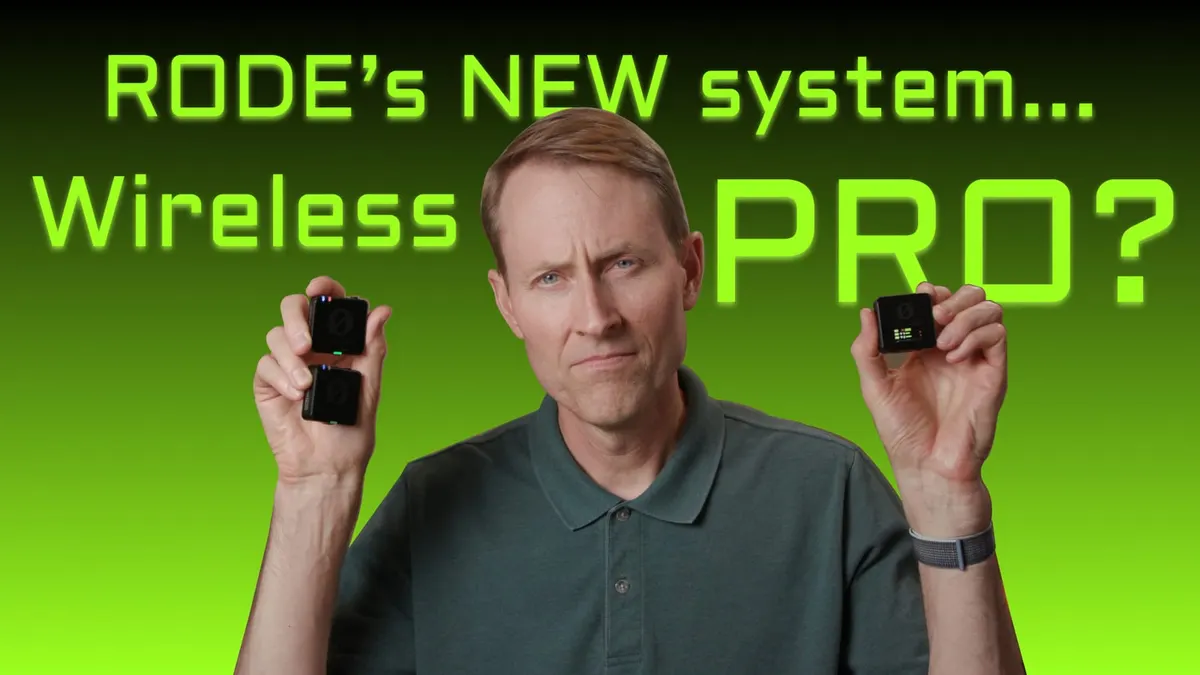
In this episode we have a look at and a listen to RODE’s new Wireless Pro microphone system! This new addition to the RODE wireless ecosystem includes a dual-channel receiver and two transmitters with both inbuilt mics and RODE Lavalier II microphones. Major features include 32-bit float recording, an onboard timecode system, GainAssist technology, and the ability to record directly to the transmitters. In this video we walk through the Wireless Pro’s feature set, listen to some sound quality samples, and test out its 32-bit recording capability. Let’s take a closer look!
Gear used or mentioned
The links below are Amazon, B&H Photo, Sweetwater, or other affiliate links. As an affiliate, I earn from qualifying purchases.
- RODE Wireless PRO 2-Person Wireless Microphone System/Recorder — RODE, B&H
- Wireless GO II Dual Channel Compact Digital Wireless Microphone System — B&H, Sweetwater, Amazon
- DJI Mic Wireless Portable Microphone System for Smartphones, Cameras, and Laptops — B&H, Sweetwater, Amazon
- Impact Turtle-Base C-Stands — B&H, Amazon
- Amaran 200x S LED light — B&H, Amazon, Aputure
- Aputure Light Dome II soft box — Aputure, B&H, Amazon
- Aputure Spotlight Mount — Aputure, B&H, DVE Store, Amazon
- Rosco Prismatic Glass Gobo in Cool Lavender — B&H
- Canon C70 Cinema Camera — B&H
- Canon RF 24-70 f/2.8 lens — B&H, Amazon
- Panasonic GH5 camera — B&H, Amazon
- Panasonic 12-35mm f/2.8 II lens — B&H, Amazon
Read the transcript
[Music] thank you in this episode we take a look at the rode Wireless Pro which you’re recording with right now and let’s first get you some audio samples that are completely unprocessed it was easier to know it than to explain why I know it if you were asked to prove that 2 and 2 made 4 you might find some difficulty and yet you’re quite sure of the fact it was easier to know it than to explain why I know it if you were asked to prove that 2 and 2 made 4 you might find some difficulty and yet you are quite sure of the fact let’s run through the features and the pros and cons here again I’m recording with the wireless Pro and that is coming in through the lavalier 2 which is connected to the transmitter and we’ll go ahead and give you the recording that’s made on the transmitter itself so what does this system include and what makes it special first of all it includes two transmitters they’re very small and there is a single dual Channel receiver so you can send two microphones in essence to a single receiver and then usually you run that into a camera that’s what it’s really designed for you could adapt it and maybe run it into an audio recorder if you wanted to do that as well but that’s what it starts with it also comes with a charging case which allows you to recharge both transmitters and the receiver two times if you have the battery in the charging case charged up to full so each battery cycle will power the units for about 6 hours and 32 minutes in our tests and it’s usually the receiver that runs out first incidentally so there’s kind of the background as far as powering is concerned there is also a USBC Port so you can also power each of the units via that so if you needed longer powering time that’s an option the kit also comes with two of the rode lavalier Pros which are kind of their highest end lavalier microphone normally I think these come in somewhere around 100 each it’s a pretty good lavalier microphone that’s what you’re hearing right now of course it comes with all the accessories it comes with the alligator clips to attach the lavalier microphone it comes with the foam covers it comes with the fur covers and it also comes with the fur covers for the inbuilt microphone on the transmitter which you can also if you don’t want to use a separate lavalier microphone you can just transmit directly from the transmitter or capture the audio with the microphone in the transmitter that’s going to be for really if you’ve got to work really really quickly and you only have time to clip the receiver onto the person talking maybe in a news kind of situation then of course it comes with all the cables that you need so first of all on the receiver there are two outputs there’s a 3.5 millimeter output so if you want to run the audio into a camera that has a microphone input a 3.5 millimeter microphone input you would use that and then it also has a USB port
USBC and you can run that out into either a computer or a mobile device whether that be iOS or Android comes with the cables both lightning and
USBC so regardless of which generation of iOS device you have or whether you have an Android phone it’s got you covered now the other thing that’s special about this system is that the transmitters can record at the same time they’re transmitting audio to the receiver so if it so happens that while you’re recording and this is possible actually somewhat likely Outdoors if you get far enough between the transmitter and the receiver to drop the audio signal it’s still recording in the transmitter so in post-production you can take that audio that’s recorded on the transmitter and sync it up to your video clips and you still have great audio in addition to that the audio that’s recorded on the transmitter is 32-bit float wide dynamic range audio now we’ve covered that in a lot of other videos but in essence the short version is is that if you set your gain incorrectly your input level incorrectly on the transmitter and you’re just doing spoken word audio generally you’ll be able to recover that audio in post-production normally on on a wireless microphone system if you set the input level too high and it goes above zero DB it will clip and it will sound very very distorted and it will be unrecoverable in this case with a 32-bit float wide dynamic range recording you can usually go into your digital audio workstation or even your video editing app and pull those levels down so they’re no longer clipped and distorted the next big feature is the time code capabilities of the wireless Pro now the receiver has in it what is called a temperature compensated Crystal oscillator that’s a fancy name that refers to a very very accurate clock in fact this clock is so accurate that over the course of 24 hours with its specification of 0.5 PPM it’s an accuracy specification it should still be in sync down to the individual frame so it counts up minutes hours minutes seconds frames it’ll still be frame accurate after 24 hours so it’s an it’s a highly accurate clock regardless of the temperature at which you’re recording for the most part and what it does is it actually sends the time periodically to the transmitters as well so they also when you start recording on these it imprints that start time into the recorded file what that does is in post-production it makes it so that if you also send the time code from the receiver into the camera it makes it much easier to sync up these recordings from the transmitter to the video clips and the way it works on the receiver is that you can send audio on the left channel and time code on the right Channel or you can send just time code if you prefer to do it that way but it gives you a variety of different options of how to get that time code into your camera now if you’re recording with the time code going into your microphone input on your camera you will have to convert that video clip in post so that it recognizes so that your video editing application recognizes that time code as actual time code it has to actually do a conversion you can do that in
DaVinci Resolve you can do that in another app called tentaclesync Studio
Avid media composer also has the ability to make that conversion those are the main apps of which I’m aware that can do that so just to give you a little bit of an overview of how time code works with this particular system now there are some limitations it’s not a full-blown time code generator in terms of being able to receive Jam Time code from another device to the receiver it doesn’t do that at least not yet at the time of the review the it will allow you to jam other time code devices from the receiver so for example if you have one of the Blackmagic pocket Cinema cameras you could Jam sync those the reality is though if you don’t leave it connected to that camera camera is going to Drift actually quite quickly in my experience
I have both I have the 4K and now I have the 6K pocket camera and those tend to drift quite quickly so it’ll get you in the ballpark if you don’t leave it connected but if you do leave it connected and feed time code the entire time then you should be good to go for sync another change on the wireless Pro is that you can now make most of the changes on the receiver itself of course you can still connect it via USB to a computer or a phone or mobile phone and make changes on the rode Central app and in fact it’s a little bit easier it actually is quite a bit easier to be honest it’s a pain to have to connect it to a device to be able to make those updates but it actually is much easier app to use I found that changing the settings with the buttons was a little bit it’s like you have to study the manual to make it work it works uh wasn’t the most intuitive to me personally it is possible on the receiver which is an upgrade from the wireless go to now if you’re not using the 3.5 millimeter output on the receiver say you’re sending audio via
USB to a phone or a tablet you can use that 3.5 millimeter output on the receiver to monitor with headphones so that’s a nice feature if you’re using a mobile device one other option is that you can record a safety channel that is to say you can make a the recording from one of your transmitters at a lower level so that if things get louder than anticipated they will not clip so that’s another option if you prefer to work that way now this is called the wireless
Pro but I will say it is transmitting via the 2.4 gigahertz band that’s an unlicensed band meaning that you don’t have to have a license to send radio signals within that band it’s the same frequency that’s used by Wi-Fi and Bluetooth and it’s a frequency that’s pretty saturated in some places like if you go to a stadium where there was a game or a concert there’s probably so much 2.4 gigahertz wireless activity there that the system May struggle and I think Road’s answer to that is that you can record in the transmitter so if you do drop the signal it’s not a big deal you can always sync it in post from the recording made on the transmitter but it’s important to keep that in mind now how far can you transmit with these
Road says up to 260 meters here’s my experience with 2.4 gigahertz it does pretty well indoors if you don’t have a ton of Wi-Fi around other Wi-Fi and that’s going to be most environments that it’s not going to be a huge problem even in office environments I haven’t generally found it to be a problem it is potentially a problem like I said if you go somewhere where there’s a ton of Wi-Fi activity like where there’s a lot of people tons of people Convention Show floors stadiums for concerts or sporting events that’s where it’s going to struggle a little bit so just keep that in mind what I found indoors in our home here is that I could transmit pretty well so I started in this room I walked out the door to the opposite end of the house and it’s not a huge house but it’s probably I would say 12 meters to the other end of the house up a flight of stairs through another door and once I got through that second door and up on the next floor the signal cut out but as soon as I started walking back this way on the second floor towards this room on the next floor up it picked up the signal again so that’s an example of the kind of things that you may run into challenges with if you’re doing something and you know most of us don’t record that way so it’s not probably going to be an issue but it is important to understand the limitations of your system and so that’s what I found now
Outdoors the story is a little bit different if you’re outdoors in the wide open no walls nearby or anything like that 2.4 gigahertz systems tend to not transfer very far at all especially if you’re wearing the transmitter on the back of your say on the back of your pants on the waistband or the belt and you’re facing the camera so that the transmitter is no longer in direct line of sight to the receiver that’s when it seems to struggle the most and we got somewhere around 15 meters and then beyond that it was really spotty now if it’s in direct line of sight even Outdoors like that we were able to get up to 100 meters and get a pretty good solid connection so if you are going to be working outdoors I would recommend that you put the transmitter on the front of the person facing the camera so there are no obstructions there and you have a better chance of holding on to the signal we like to do a very unscientific test
I call it a practical noise floor test and what I do is I come into my very quiet room turn off all the fans all the air conditioning and anything else that can make noise we have these sound panels here to broadband bass traps whatever you want to call them it’s an acoustically treated room and we record some dialogue and then leave some silence as well we bring that entire audio clip into our digital audio workstation and measure the levels of the dialogue we boost those up to -23 lufs which is kind of a standard level that is required for broadcast television in many parts of the world and then we measure that silent portion and what we found in this case is that this came in with the included lavalier 2 microphone the noise floor came in at -65 DB RMS Max and that’s quite good it is not horrible but you can hear there is some hiss there if you really boost up the levels a lot a lot beyond that but I usually aim to have that below minus 60 DB RMS Max and if you can do that generally it’s going to sound pretty clean so in short if you didn’t understand what any of that means you’re going to be fine now road is sort of building out a really pretty rich ecosystem of audio devices and this system can also transmit to a road
Caster Pro 2 so if you’re doing a live stream or a podcast you can transmit from the transmitter directly to the road Caster Pro 2 you don’t even need a receiver kind of nice feature it can also do the same thing with the duo the road Caster duo or the streamer X which is a basically a live stream audio video interface so pretty nice now this is a digital wireless microphone system and whenever you have a digital system there’s going to be some latency some amount of time between when your audio is captured through the microphone and brought into the transmitter digitized and then transmitted to the receiver taken from digital back to analog and then fed to the camera that takes some time and in this case it’s 6.3 milliseconds that it takes so if you’re recording with wired microphones into your a wired microphone into your camera plus this system they may be just a little bit out of sync not something that most people will notice but if you just be aware of that that there is a little tiny bit of latency I don’t see it as a problem but just so that you’re aware the kit comes with a two year warranty if you register it with Road after you purchase it and the pricing is 399 dollars for the entire kit at the time of this review now no product is perfect let me talk about a few things that occur to me in regards to this product number one it has inbuilt non-user replaceable batteries I will not stop saying this road I love you I love your products I would implore you to have a battery replacement program or some thing to address that there’s going to be way too many of these that end up in landfills and that’s not a good thing second the lavalier clips that come with it to hold the lavalier and to attach it to clothing are they’re a little bit fiddly to be honest and they don’t hold the microphone very firmly there have been multiple occasions especially when I put the fur cover on when I was working outside the lavalier microphone just popped right out of the clip and just sort of ended up dangling there I’d love to see that designed for the clip improved in some fashion so that it doesn’t run the risk of falling off like that as I mentioned before some of the buttons combinations and things are that you’d use to set the settings on the receiver are not super intuitive I found it a little frustrating to be honest but if you read the manual and you do your homework you’ll be able to figure it out it’s not difficult but it’s not something that I just remembered I have a lot of other devices that I have to remember how they work I don’t need another device where I have to remember a bunch of stuff like button combinations I need to press to make adjustments
I’d love to see that simplified in some fashion for example as a comparison the
DJI mic system has a touch screen which makes I think setting those settings a lot simpler and then finally just a note
I wouldn’t say this is so much of a con but just to be very clear about how time code works on this system is that you can send time code one of two ways out of the 3.5 millimeter output on the receiver or via USB on the receiver if you’re using the 3.5 millimeter output it’s an out it’s an output it’s not an input so you cannot take another time code generator and then attach the receiver from the wireless Pro to that and have the wireless Pro read time code from that other time code generator so just so you’re aware for those of you that have a Time code workflow it’s not possible at least at the time of this review to jam the wireless pro receiver to another time code device it just works one way in other words you can only get time code out of the wireless pro receiver most common questions I think we’re going to hear are how does this compare to two other systems number one the rode Wireless go and I would say the two main things that stand out to me is that you can record on the pro in 32-bit float whereas the wireless go to only recorded in 24-bit now I know some people are going to say no I can actually export in 32-bit float you actually can but it’s still a 24-bit recording just so you’re aware on the wireless go to on the pro it’s an actual 32-bit float recording so that will help you bring those level down levels down in post if you need to to address any clipping or Distortion issues if you set the gain inappropriately works I would say with spoken word audio it’s going to work 99 of the time with sound effects recording if they’re really really loud you can still clip even with 32-bit flow so just be aware of that now what about compared to the DJI mic another very popular kind of consumer prosumer wireless microphone system very similar to the wireless Pro and the wireless go to and I would say again the benefits of the wireless Pro are 32-bit float recording in the transmitter and that the receiver has a Time code clock so that’s the same benefits that the wireless pro has over the wireless go to and the DJI mic however I would say as we mentioned before that I do really like on the DJI mic that you can change the settings using a touch screen on the receiver which is really really nice really like that I will also say though that the screen on the wireless Pro I didn’t mention this earlier and I should call this out the screen on the wireless
Pro is quite good it’s bigger than on the wireless go it’s a little easier to see what’s going on I like it they did a nice job there so overall my take on this system and my recommendation is pro is maybe a little overstated you’re not going to see this on big budget movie sets or on in cases like that but you will see some pros using them and you’re going to see wedding videographers who are professionals use something like this you’re going to see event videographers using them I think you’re going to see some mobile phone news kind of setups using things like this solo corporate video Shooters I think would find this pretty useful so there’s definitely a place for it the 32-bit float is a really nice feature so if you are a solo operator you’ve got a hundred other things you got to pay attention to and you happen to set the input level incorrectly you can have a fighting chance of being able to recover that in post with the recordings on the transmitter which is super nice and if you drop the wireless signal for whatever reason you have that backup here on the transmitter so that’s a nice feature as well now it is a 2.4 gigahertz system from my point of view that’s what makes it Not So Pro and if you push the limits a lot like if for example if you’re a wedding videographer and you work Outdoors at the weddings a lot which is not unusual if there’s a fair distance between your receiver and the transmitters there’s a good chance you’re going to drop it fortunately Road has an answer for that with the wireless Pro it has time code and it has recordings that are made on the transmitter so that can definitely work in those circumstances it comes with two pretty good quality lavalier microphones in fact I would say that this lavalier microphone the rode lavalier 2 that and it comes with two of them it’s pretty good I would say quality wise the cable is super thin but super durable feels like it has I believe kevlar in it to reinforce it and it’s pretty easy to hide again the value that you get with a kit that comes with two transmitters a dual Channel receiver two lavalier microphones all the accessories and cables that you need to hook them up and protect the microphone from wind 399 dollars seems like a really fair price to me so I think Rod’s done a pretty good job on there now if you do work
Outdoors a lot and you don’t want to have you know kind of run into the hassle of having to sync a separate recording to the video and post and maybe this is not the system for you I think if you’re going to do a lot of stuff where you’re going to be working through barriers that’s where a UHF system may make a little bit more sense and there’s some good ones in fact we’ve reviewed one fairly recently and that is the Sony uwpd is one system as an example of that where we definitely got farther distance transmission on the Sony system versus this when we were outdoors with no walls nearby so overall the rode Wireless Pro is a nice upgrade over the wireless go to and I think it’s probably a winner relative to the DJI mic on most things and I can definitely recommend it if you based on everything we’ve said before the Cottons don’t really kind of cut into the type of work that you’re doing they don’t create any problems for the type of work you’re doing but overall
Road pretty good job oh there’s one other thing this is really shiny like if you get it right in the light look at that I’d love to see something that’s not quite so shiny you may need to put some Gaff tape over that in any case get out there make some great sound talk to you again soon [Music]