
Sound for Video Session — DEITY TC-SL1 Timecode Slate & Q&A
· Camera gear · 1:10:56
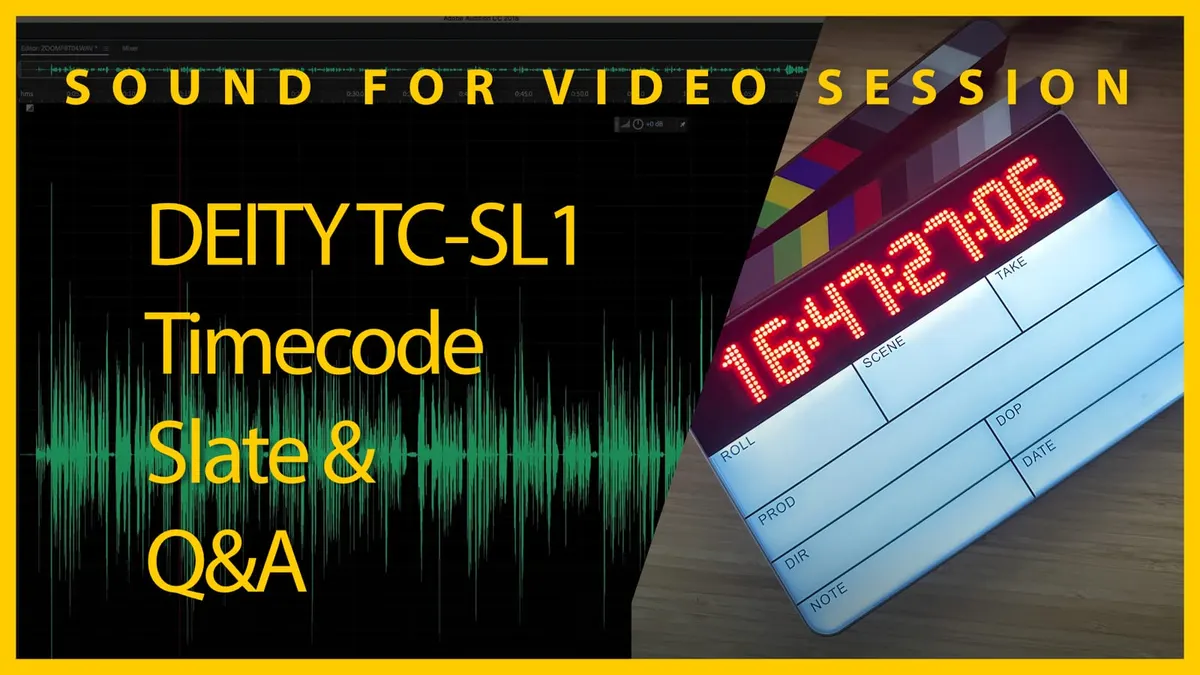
In this week’s session, we’ll have a first look at the new DEITY TC-SL1 timecode smart slate. Then we’ll answer your sound for video questions.
Gear I often use or that we mentioned in this episode. The links below are Amazon.com, B&H Photo, Sweetwater, DVE Store, Waves, or other affiliate links. As an affiliate, I earn from qualifying purchases:
Gear used or mentioned
The links below are Amazon, B&H Photo, Sweetwater, or other affiliate links. As an affiliate, I earn from qualifying purchases.
- DEITY TC-SL1 smart timecode slate — Trew Audio
- DEITY TC-1 timecode box — B&H, Trew Audio, Amazon
- Earthworks ETHOS microphone — B&H, Sweetwater
Read the transcript
[Music] thank you [Music] [Music] foreign [Music] [Music] [Music] thank you [Music] foreign [Music] [Music] foreign [Music] foreign
Welcome to our sound for video session great to have you all here today thanks for joining us today is the 23rd of
October 2022 and um we are um we are doing uh an exciting topic today we’re covering us an exciting topic today of time code in particular and I think a lot of uh people find time code to be a fairly mysterious Topic at first until you kind of uh get immersed into it just a little bit and um what I’d like to do is start with a let’s actually go to the agenda here we’ll start with a just a kind of really high level what is time code I think it’s really important to understand that up front before we dive into looking at gear and then we’re going to take a look specifically at the new deity tcsl1 which is a smart slate and we’ll talk about what that means in Practical terms in just a few minutes here so let’s jump on over to the Mac here and I just want to talk about time code for a few minutes so for those that are not familiar we’re gonna we’re looking at a few things here so first we have the Wikipedia article
Wikipedia is nice because it condenses it down into really simple terms but of course if you want to jump into all of the details from simty itself you can go over to their site go under the standards section go to standards documents and then in here all of the items marked 12 so if you just do a search for 12 on this page those are the time code related articles and standards so you can see actually what’s kind of exciting here is they are they are they do now have a high frame rate um time code spec here as well which is interesting so some interesting things coming there a lot of people have asked about that for many many years hey what do I do if
I’m filming it more than 30 frames per second but we’ll come back to that so let’s just talk about what time code is um first of all time code is defined as a standard by simty and simty is the
Society of motion picture and television engineers um so it’s it’s a it’s basically a set of operating standards that labels individual frames of video with a Time code that is to say this is this is this particular frame of video occurred at this hour this minute this second and this Frame that’s that’s it in in essence that’s what really all the time code is okay and then there are ways for the different devices to communicate with time code potentially so the idea is that this can be used to synchronize sound to video it can be used just in a just on a in a video camera just to identify when the particular frame is occurring so it may have nothing to do with sound whatsoever just a way of identifying if you’re not using a full-time code workflow um and in many cases you can very simply record your audio independent of your camera and sync them up with your non-linear editor your video editing app and that’s not a problem for many of us but when time code for me becomes especially important is in the cases where I’ve worked on narrative films when you come home at the end of the day of work and you have tens to hundreds of different clips having a an automated way of synchronizing all of those up is really important because the workflow you can save a ton of time is is kind of the main idea now someone will say can’t you just use pluralize and the answer to that is yes there’s an app called pluralize that allows you to synchronize using the audio in both the video clips and whatever you’ve recorded in your audio recorder to sync and that’s fine the the important thing is you have to make sure that you capture good enough scratch audio in your camera so that it can be synced up so that’s a that’s a perfectly legitimate option however time code is a more traditional way of doing it and still the way that it’s done on bigger sets so that’s the main idea with time code so let’s go back over to um actually before we do that let me just let me just show you here in essence it time code two when you let’s go to our overhead camera actually Danny with time coach so dime code device here like the deity tc1 so this is a Time code generator here and we reviewed this a few couple months ago now I think it was on the main Channel and the idea with this is that you can attach this to each of your recording devices your cameras you can attach one to your audio recorder and this Feeds out in this case via 3.5 millimeter locking Port here
That Feeds out a signal and that signal is actually an analog audio signal and you can send it out at microphone level or you can send it out at line level and if we go back now to the sorry back over to the Mac you can see here it’s represented here as a series of ones and zeros so it’s basically encoded it’s encoding the hour minute second and frame in a 32-bit word okay so it’s actually using analog an analog signal to send that and you can and it can be recorded to an audio input or it can be recorded to a dedicated time code input so what it’s going to do is it’s going to take this signal and then it’s going to use that to say okay this is we’re at this particular hour this minute the second this Frame right now in the recording and that’s that’s all it does and in fact the most recorders and um well actually let me come back to that but the re you have to have a recorder an audio recorder hmm I gotta figure out the right the best way to say this let’s go back to the the Mainframe we don’t need to be looking at this screen right now let’s um let’s come back to the my camera real quick so sorry Danny um I’m trying to find the best way to say this there are so you can record this time code into a camera’s audio input as audio and if you do that you have to at some point convert it into time code because the camera’s audio input doesn’t know what to do that it just thinks it’s audio just thinks it’s sound so if you do that what you can do then you have to take that in post and convert that audio track into time code it has to read all of the zeros and ones that are encoded encoded as audio and convert those into time code and then it places the start time of that clip into a metadata field on the video clip that’s how that works same thing with audio recorders if you record time code using one of these into one of the audio inputs and you would do that on a on an audio recorder that does not have a dedicated time code in it but or an inbuilt time code generator of its own then that will be recorded as audio and then in post what you have to do is use some sort of app to read the audio file or at least that channel in the audio file and convert that into time code and that take that start time of that clip as a metadata value and it will be hour minute second frame and record and put that into that metadata field for time code start so that’s that’s the first that’s the main idea then when you get into your video editing app um if you you have to select a an audio clip and a video clip and you tell it to synchronize via time code all it does is it takes each individ so you’ve already had that time start indicated that that metadata stamp that tells when that clip started in terms of hour minute second frame and then it just that the the app lays out each individual frame with a corresponding time code and then it finds the very first time code value that is the same on both the audio clip and the video clip and it lines them up at that point that’s how that’s how time code generally works now there’s some nuances um there are audio recorders and video cameras that have and it’s usually going to be the higher end gear have dedicated time code input so instead of having to do that whole workflow in post where you take audio recorded time code and convert it into a Time code value it’s doing that in real time on the recorder so as soon as you start the recorder if it’s got a Time code generator connected to it or it’s got its own inbuilt time code generator in the case of an audio recorder it will take that time code value when you start to clip and put that immediately in the metadata field so you already have that start time stamped already there in time code format and so you don’t have to do that conversion in post so that’s that’s a difference now cameras that have this kind of thing are usually not going to be your hybrid cameras like your dslrs and mirrorless cameras are typically not going to have that a few of them do
Panasonic has some that kind of do they’re they basically work by the the
GH gh5s and I think some of the other cameras that followed that they have a Time code input but it’s an it’s not it’s a little weird the way it works is you connect the time code generator to it or your audio recorder that has a Time code generator in it and it reads that time code once and then it ignores it the rest of time and then it uses its real-time clock to count up time code from there and the problem is with camera real-time clocks they drift over time so it’s not gonna it’s not going to be accurate for a long period of time that’s where something like this which has a built-in temperature compensated
Crystal oscillator can keep accurate time for in this case I believe it has a 0.5
PPM which means that it should not go off by a frame um in anywhere less than 48 hours so highly accurate clocks even when you go out into extreme temperatures versus real-time clocks in cameras and lower end audio recorders they tend to drift all over the place so that’s that’s a kind of the background on time code all right let’s pause there and see if there are any questions because I think that this is it’s really important to understand these fundamentals before we jump into looking at gear so Danny’s going to take a look through the chat here and see what we’ve got going all right
Yanti people that say that you can sync via scratch audio has never used time code um uh I mean if you’re again if you’re if you if I when I’m filming my YouTube videos I don’t use time code I just you
I just sync I just record the audio separate from the video and use Final
Cut Pro to say hey sync these up using the audio and it gets it right and that’s not a problem in that case of course I’m coming back with one or two clips of video and one or two clips of audio and so it’s no big deal to manually do that it’s when you come back with tens to hundreds of Clips where doing that can be pretty time consuming and you have to make sure you record good scratch audio auto coffee I’m interested to know why you would want to spend the money on the deity slate when the deneke is a long-term proven performer for not too much more thoughts um that’s a fair question I have not used the deneke Slate so I don’t know we are going to take a look at some of the features here on the deity slate the deity slate is about 400 less expensive than the least expensive deneke slate um ambient also makes some slates that are even more expensive than the deneke slates so um we’re gonna see but we’ll take a look and I’ll show you what we have here I again I haven’t used the deneke Slate so
I don’t have that frame of Rush reference but I think uh there probably are some there probably are some reasons um in both directions but we’ll take a look at the deity and C so here’s um yeah another there’s Christopher as is absolutely right that’s one of the big ones is that you have the wireless um jamming with the with the the tc1 from deity so any of these that you have connected to cameras so for example when you come back from a meal during a production day you can literally just go in the app and rejam everything you don’t have to walk over to you know you don’t have to get you don’t have to go and manually collect all if you’re doing a multi-cam shoot go collect all of the time code generators and bring them back and jam them one by one you can literally do that on an app and just press a button takes it about three seconds um so it’s which ecosystem are you in exactly my slight generators are all betso yet another ecosystem absolutely there’s another one there too so betso is um
I I had just learned about betso just a few years ago um probably four years ago is when I first started hearing about them a lot more often
Shoji drop frame versus not non-drop frame time code please explain uh probably not within the scope of what we’re talking about here but if we go back over to the Mac Danny there is a whole section here on drop frame time code I would say this unless you’re working in um some sort of Legacy ecosystem you’re probably not going to need to use drop frame time code if you’re just posting videos on YouTube or almost anywhere online you’re probably not going to need to use dropped frame and also if you know anyway go read the go read the article over at Wikipedia if you want to jump into the details of that it has a there’s a there are historical reasons for why that even exists and that explains it in pretty good detail all right can you Bluetooth sync to these using the zoom Bluetooth built into the zoom um techno cheesecake I assume you’re talking about like the Zoom F2
F6 um and I don’t believe you can I don’t I don’t know that for certain but I don’t believe that they talk to each other no I believe the deity um system is is proprietary at the moment so that’s my understanding if uh if Andrew from deities here you can answer that
James I’m using a G6 so if I use time code generator with that record it to an audio track can I still record audio on top of it or does the time code need the full track to function it needs it needs one track um yeah so it needs a track to record to and then you any other audio needs to be recorded on separate tracks keep in mind oh f8 um oh wait wait wait I’m going to come back to that just to the last question again um
I assume you’re using a Panasonic G6 um what you would do is you would just record time if you’re going to do that you would connect one of these to your
G6 it would record time code to the left
Channel and with a little built-in microphone on this it would record scratch audio to the right Channel okay that so when you download that you’re going to hear time code on the
Left Channel and scratch audio on the right channel is how that would work hopefully that makes sense then you are going to have to use an app to convert the time code into metadata time code before you sync it up in your video app now if you’re using um if you are using and editing in DaVinci
Resolve it can actually do that conversion from audio time code to metadata time code in the app itself the only other app that I’m edit video editing app that I know that does that as of today in 2022 October 23rd is media media encoder sorry um media composer from Avid will also do that but Final Cut and Premiere do not do that they can sync time code I want to make this distinction they can sync time code if it’s already in metadata but they cannot take audio time code and convert it to metadata time code so you need a separate app one of my favorite apps for doing that is the tentacle sync Studio on Mac because it does that but it also takes all of the audio files and video files that you drop into its interface you literally just drop folders in there and it lines it all up and then you can export a timeline into your video editing app
Final Cut Premiere Avid media composer whatever DaVinci Resolve and then you can run with it from there so that makes it a lot easier okay so I think we’re good on James’s question hopefully I hopefully that answered it okay are we going to go back let’s keep going and see if there’s anything else here can you Bluetooth sync uh these when using the zoom
Bluetooth built-in okay and you’re using an f8 techno cheesecake so I my answer is I don’t believe so I don’t believe they’re compatible so you would need instead to have a tc1 connected to your f8 feeding time code to the f8 and then you can sync this with any other time code generators you’re using or the smart slate okay can you talk about gen lock and how it relates to time code yeah I’m glad you brought that up so gen lock is different than time code it’s uh similar from the standpoint that it is often used for sync but it’s different in how it works and the way that my understanding at a very very high level the way gen Lock
Works is that you have a Master Clock that is the the generator and it sends a signal to all the devices that are connected to it telling them when to record a frame so in it approaches things in a very different way it’s not something that you see on as many devices it’s usually at the much higher end it’s used more in in my experience it’s used more in television it is used for example when they’re filming some of the larger budget films when they were filming in for 3D I don’t know if many films are doing that as much nowadays as I used to but when they had to have two cameras uh filming at the same time they would use gen lock to get those two cameras perfectly in sync with each other so the generator would say would send a signal to each camera saying okay take a frame take a frame take a frame so it worked differently time code on the other hand is basically just a time stamp at the start of that clip so here’s a problem that it does so it’s great for syncing up audio and video but what it doesn’t solve is if your camera drifts or your audio recorder drifts significantly for long takes say you do a two hour recording they can be out of sync at the end even if they are perfectly in sync at the start using time code so time code doesn’t solve that problem gen lock would because gen lock again the entire time you’re recording it’s sending a signal and saying okay take a frame take a frame record a frame record a frame so it’s a different approach altogether hopefully that makes sense
Alejandro how are those DD time code boxes in comparison to your tentacle sinks well let’s go ahead and take a look at these now it looks like people have some questions about that we’ll come back to the um to the chat and any questions here in a little bit but let’s take a look at what we’ve got here so what I’ve got here is I got three time code generators from DD and I have to fully disclose first of all these were all provided to me free of charge by deity I did not pay for these with my own money um also in context I’ve used time code generators from tentaclesync both the original and the sync E
I have used timecode generators from
Moe’s gear I’ve used time code generators from time code systems I have you that was before they merged with um with atomos or were bought by atomos um I’ve also used time code generators by who else ambient I’ve used the Nano lockets so they have their locket boxes and their Nano lockets I’ve used the Nano lockets so I’ve used a variety of them just to put in context where where my frame of reference is coming from what I have not done is I’ve not used the any of the time code systems gear since they were bought by atomos so I’m not familiar with the atom X for example the thing that connects directly to the atomos recorders so I’m not as familiar with those we did a review of these again as I mentioned a couple of weeks ago or a couple of months ago over on the main channel so if you’re interested in the details on those definitely check those of course this is part of the same ecosystem the Slate here and the idea is that you can jam them wirelessly via Bluetooth and in fact let me just show you that here so I’ve got the situs audio app here on my phone and I’ve already got all of them defined here and I’m going to go ahead and tell it to reconnect to them and let’s see what we get here okay looks like they’re all connected now and let’s go ahead and sync them and I’m going to go ahead and choose time of day so here it’s a little afternoon 21 22 minutes afternoon we’ll go ahead and click sync and it is syncing them okay now when we look over at these you can see we’re getting the green sink LED is blinking and they all appear to be synced up and in fact you’ll be you might wonder why is the Slate not showing anything you have to open up the Clapper for that to display anything so you can see that those are now here in sync now you’ll notice when I open up the clappers we not only get the the time code here again hour minute second frame we also get a backlight on the Slate here which is a dry erase board in essence and does come in this case and you get a starter or dry erase marker when you when you buy it [Music] um but just so that you’re aware here we can say take one we’re gonna we’re on roll one scene one um so on and so forth but those are it’s all dry erase you can remove that when you’re ready or when you’re done and you’re ready to take the next take and then when we close The
Clapper you will see that it’ll of course show the time code and it will switch very quickly show the frames per second and then it will turn off again okay so the idea is of course you’re not burning down the batteries the entire time you’re only using them when you need them which is when you’re actually slating for that shot so that’s the main idea there again here’s just a demo of that let me just show you the back here what I like about this is that it does have this handle here so it makes it easy to one-handed slate and then back here you also have the screen that allows you to change the settings along with the control on the side here so I can just press in and unlock first of all then I have access to all this pretty much all the same settings that each of the TC ones have so here’s where I can set my frames per second kind of a small screen but there’s 23.98 24 25 29.97 2997 drop frame and 30. so that’s what it supports right now now the first question or a common very common question I get is well how do I do it if
I’m filming at 60 frames per second or 50 frames per second you use the denominator that’s half so if you’re going at 50 you’d use 25 if you’re going at 60 you’d choose 30. um so just at a practical level that’s how you would approach that all right powering this device here let me just show you here this may be a little out of focus here so I may have to refocus give me just a second to do that okay so on the bottom here in fact I’m going to turn it off for just a moment actually no I’m not
I’m not going to turn it off we have two battery slots here these use npf style batteries so Sony L Series batteries you can see there is one tucked away in there so you have dual batteries so the nice thing is if one burns down you can pull the other one out and get it charging so dual dual batteries and apparently this is supposed to run more than 24 hours so you’ll easily be able to make it through a a filming period or a production day you’ve also got a USBC input here this serves a few purposes you can actually charge the batteries in the unit itself so you don’t have to pop them out if you’re going to lunch for example you can just plug that in uh get that charging if you were running a little bit low on batteries so that’s pretty nice there it’s got that inbuilt charger and it can take power delivery as well so it can charge at higher wattage over on this side here we have a quarter inch time code in out uh five pin limo in and out for jamming with other things and we also have this switch right here that allows you to change the orientation of the display so if you want to slate upside down you can just change that like that which is nice as well and then over on this side we have the power button hidden behind a little plastic door here that is pretty nice because that way you can’t once you’ve turned it on for the day you just shut that door and you don’t run the risk of turning that off and then of course you have the kind of roller control over here that allows you to change all of the settings on the menu on the back that we were looking at before the um The Clapper bits here are actual wood with the typical um color chips on there let me go ahead and refocus there we go it’s going to shake a little bit um so that’s actually that camera’s up on a c-stand I don’t know boom arm so um so these are nice really great uh great feeling wood they sound good send a very clear signal as well so that’s kind of the really quick overview of the tcsl1 let’s go ahead and head on back to the chat here and see what questions we have see what we can answer of course I’ll be doing a more in-depth review of this but this is this is basically the my first look at it I spent maybe just about an hour yesterday looking at it initially
Mark says any idea if this slate would work with tentacle sync I’m guessing not but I’ve been looking for a digital slate for tentacle units um so that’s the thing about about 70 time code is that anything that supports empty time code at some level is going to be compatible um so it depends if you’re talking about Wireless jamming or wirelessly syncing between tentacle and the deity no it doesn’t support that however you could you could Jam them together using the physical ports so we just showed this one has a quarter inch and a five pin limo if you have the appropriate cable you could Jam them at the start of the production day the only thing you wouldn’t have was the wirelessly the wireless rejam capability so you would have to physically Jam them so yes it could work from that standpoint in terms of you know actually holding this in front of the camera after it’s already been jammed with the tentacle sinks um but it’s not going to allow you to re-jam them wirelessly so that’s a good thing in the nuts I mean that’s a good thing about simply time code is it works across devices uh uh Yanti would be great if camera time code and recorder had a standard via Bluetooth to sync time code agreed
I don’t know it’d be interesting to see if the manufacturers would be willing to do that I think a lot of times what they like to do
I’m not trying to cast shade or anything but the um they they like to have control over the experience of their users and so they don’t necessarily want to use this a shared standard for that because they can they can add more functionality potentially than if there were a standard but um it would be I think it would be a nice move in the right direction or if the companies would work together I know Zoom has done some work to to work with other companies so I think
Zoom and atomos have worked together on the what’s it called the ultrasync Blue so if you have like a zoom F6 a zoom
F3
I think the the Bluetooth version of the
F2 as well can actually sync with the ultrasync blue Wireless time code generator so some of the manufacturers have started working together
Mike can you use a 3.5 millimeter splitter to send time code to one channel and get high higher quality scratch audio into camera rather than using the mic on the time code receiver you probably could yeah um yeah probably I don’t know that what the big advantage of that would be really um when you’re using scratch scratch audio you don’t typically need it to be super amazing and in fact the way that the the deity tc1 is um configure the microphone is up here on the top so if you put this in a cold shoe or a shoe mount on your camera that microphone is facing the same way as the lens I don’t know I don’t know what the big Advantage would be Mike but I think yes you could probably do it maybe use a more directional mic perhaps
Glenn have you used the time code from
Tascam 32 bit
I’m not sure Glenn what the Tascam 32 bit is apologies if you want to clarify we’ll take a take another shot at that um Tascam is Bluetooth dongle for time code oh I’m not familiar with that so I don’t know do they auto sync um I think I need a little more context on that one techno cheesecake did we have anything on any other comments from him right around there they’re all kind of cryptic okay maybe he’s maybe it’s a conversation that I’m like yeah we’ll keep going if you if you want if you want to provide more detail uh Yanti when you record audio on an external recorder with time code do you always send the audio back to camera like small production corporate no and we don’t even in my corporate work um educational videos that we’re making we don’t usually use time code we are actually recording yeah we’re not we’re not using time code we we it’s it’s a bit like my YouTube videos from the standpoint that we don’t usually come back with tens to hundreds of clips and so the additional effort of time code isn’t really there’s not a lot of value there for us personally that’s that’s how we approach it if you’re doing Wireless scratch audio to camera what system do you use a sound devices a 10 receiver plus transmitter seems very expensive for Scratch audio um I don’t uh no for Scratch audio I’m just using whatever either camera has the camera’s built-in mic so in the case of my
YouTube work just using the cameras um inbuilt microphone for talking head if you’re doing something that’s farther away you’re going to need a more directional mic or you’re going to need to move the microphone closer but no I’m certainly not using a wireless system like A10 not for not for the scratch audio
Alejandro is using the ambient Nano lockets is the deity time code slate compatible again it’s compatible in terms of manually jamming it yes but it is not compatible in terms of Wireless rejamming or jamming only only via wired it’s compatible okay okay Danny says do they constantly talk to sync no um no this is a this is a is my understanding is that they are not constantly talking to sync um it’s it’s working like a virtual wired Jam sync is my understanding so it’s not like time code systems which is constantly sending Wireless signal to re rejam this is just doing it once they’re pros and cons let me say that as well so time code systems some people consider oh and I think betso may be able to do this as well um they can re-jam pretty much like every second they’re rejamming in essence so um the advantage of that of course is that they don’t drift out of out of sync the downside is that they’re using more power so batteries aren’t going to last as long generally um and then secondly although I don’t think that’s a massive issue with at least with the time code systems I think it’s still the battery life was still easily able to get you through a traditional production day at least um but you also do have then more
Wireless um you have more wireless communication in the air and that’s not necessarily good if you’re running wireless microphones at the same time so the less of that you can have the better so they’re trade-offs in either direction I think I don’t know what frequency they’re using typically on the for example on the time code systems
I would assume
I don’t remember what frequency they’re using I it might be 2.4 gigahertz I’m not positive um Christopher says one of the main reasons I went with the betso time code devices is it uses 900 megahertz ISM band instead of 2.4 gigahertz less interference and super long range yeah so that’s that’s a good thing to know okay Tascam porticapture X8 you did a review on it so the at the time that I reviewed the poor capture X8 it did not have a Time code input so you would have to use one of the audio inputs unless they’ve changed that unless I think you said there’s a dongle I would I was not aware of a dongle um so you could use one of your audio inputs and record time code to an audio track and then convert it to metadata in post and then sync but I don’t think it has inbuilt time code gener it doesn’t have a Time code input that automatically takes a
Time code signal from something like this and stores it as metadata so that’s that’s my understanding okay good good good okay let’s um why don’t we go back overhead and we’ll take a closer look here at the time code slate one of the things with the deity system is that you can see here if I come into the menus you actually have a series of groups you can use you can use groups a through H and so you can actually have multiple
Productions working at the same time
I’ve never been in that situation but there is often a second unit and that would allow you to put all of your time code generators per second unit on a separate group so they wouldn’t interfere with each other so that’s something to keep in mind there as a as an option
I this one the Slate doesn’t have the same control system so on the whoops the TC ones you have the roller plus you have a button which takes you out of that menu this one doesn’t have the buttons so I think what you do is you long press to get out of the menu so for example if I go here into this menu I think I just long press to get back out yeah so that works a little bit differently you can change the brightness of things here up and down let’s go let’s go intensely bright and see what happens and a long press to get back out of that long press to get back out of that okay let’s see what that did to us here yeah that’s definitely brighter on the
LEDs whoops go back here oh yes oh okay I say up it must be the this right here and then down must be the backlighting for this so you definitely saw it a little better on camera there in the full light and of course you’re going to use more battery when you do it that way so this automatically locks you notice there too which is probably good back down to three and down to three so if you are shooting or filming out in broad daylight for example you might want to up the brightness there okay well let’s see what other options are so there’s brightness there is the rear screen you can tell it when to go to sleep maybe never or 15 seconds 30 I’ll say 60. that makes a little more sense to me oh whoops um are there any other settings in there nope that’s it so pop back out of that you can reset you can update the firmware by the way the the USBC is where you would also load in the new firmware and it is firmware updatable as you can see okay you can also change its name so you’ll notice here on the app it’s actually referring to this is the tcsl one you could actually give it a name other than that if you wanted to do that you have some Bluetooth things here you can tell it to be the master to automatically Jam or to jam once and then lock not allow it to re-jam again um so you don’t accidentally re-jam it from the app so or another crew that’s working doesn’t accidentally re-jam it so I’m going to go ahead and leave that on auto
Jam there’s as we showed before the different frame rates these are different Wireless groups you can use type of time code you can offset it by some number of frames that’s interesting so if something else has an issue with drift you can you apply an offset interesting Bluetooth menu where you can reset it or just I’m going to leave it on and then we already went through the menu there so that’s everything in the menu again just to it’s going to be hard to show it here but the nice thing is I can operate it one-handed which with the little holder here and this and then this whole body here is evidently made out of a piece of CNC machined aluminum that feels pretty nice I can’t tell what the side is here if that’s aluminum or plastic so oh it looks like maybe Andrew is here so Andrew can answer some some of those questions that we had before I think one of the questions we had before Andrew if you’re there or whomever it is that um wanted to know if this can wirelessly jam with the zoom
Wireless the recorder so for example the F6 with the Bluetooth dongle okay let’s go back here all right hey offset is because image latency and cameras differs between Brands and models oh cool that makes sense so some cameras okay that makes sense so you you’ll kind of have to dial that in for your particular camera makes sense thank you for that what ready for a tough one okay I’m ready for a tough one how is the deity slate compared to something like deneke or ambient I know it’s early but which uh do you which one do you recommend I have not used the other so I cannot say unfortunately that wasn’t that hard I just have to be honest but I I think this feels great I was impressed when I got it I was like oh that’s that feels more um more premium than I expected so good work to Andrew and the team at deity from what I’ve seen so far this seems like a really nice nicely engineered piece it’s actually a little bit smaller than I expected it’s smaller than a tradition my traditional slate dumb slate um but it’s it’s thicker and it definitely feels um heftier nicer feel to it no it can’t Bluetooth sync with the F3 F6 using the Bluetooth module because that uses a closed sync system from atomos sorry yeah so that was my sense as well thanks for the clarification there however what I find it what’s pretty cool so even in my case where I’m using a sound devices 888 or a sound devices mix pre I will still connect one of these to the to the recorder because then I can wirelessly rejam which is nice so even though both of those have inbuilt time code generators
I’ll still connect this one as a as a master for the um for the recorder because then when I come back if I have to re-jam it’s just a press of a button on the App instead of having to actually physically connect to the the mixer again to get it re-jammed also would you or anyone here know how to set the master box in the app um how to how to define which one is the master well typically on the app for example if we come back to the overhead and Andrew would be able to to speak to this in a little bit more detail but typically what I’ve got you can see here let’s see here if I come into the details I can rename it I can show any extra information so we’ve got frames per second we’ve got user bits by the way which is typical and what’s going on here oh we can go to different languages oh we’ve got an answer three dots lower right corner on the home screen of the app okay so we’ll check that thank you Andrew or maybe in the workstation V whoops workstation View so there are a couple different views here oh okay got it got it got it okay so the one that has if I go back to the devices view this is the master the one that is shown in yellow right here so if I want to make a different one a master how do I do that three dots on the box for the device three dots right here uh set as the master node there you go so I can switch over to make this one the master node so now my mixer is the master another thing Andrew while you’re here and I I don’t understand for certain so I wasn’t sure of the answer but my understanding is that a question came up do these continuously wirelessly re-jam with each other every second or number of seconds or anything like that my understanding was no they don’t but just to get a confirmation from you would be great on that one okay
Mark will you show us a demo of its use on your camera in the in the review that I do yes I will right here we’re not set up for that but yes definitely when we do the full review this is just a first look obviously we’ll come back and do a much more in-depth look at this where we cover that that’ll be over on the main Channel when we do that oh I also forgot to mention it does come let’s go to the overhead again does come with some cables this is the
Slate we’re talking about here so obviously a USB C to USB a charging cable and a 3.5 millimeter to five pin limo for jamming to for example one of these if you’re going to jam to another physically jammed to another device you can use again there’s a quarter inch and a five pin limo so you have a couple of different options there depending on what you’re jamming to and what cables you have on hand okay we have an answer from Andrew they do not reach them wirelessly because they hold sync so accurately also more and more sets are limiting 2.4 gigahertz on set so it only uses 2.4 g at the beginning of the day and during prep that was that was my sense as well and I think that was a good choice as well so thanks for that appreciate that yeah the last thing we need is more 2.4 gigahertz activity on sets gonna like have a list of all the stuff that’s using what well so Danny’s asking a question it’s a good question so the question is is so does that mean the Productions are going to have a list of all the wireless that’s being used on set usually the production sound mixer will be in charge of that and on the bigger sets they will have an
RF scanner and yes usually have a read on what’s what’s got you know what’s saturated in terms of RF at different bands so they’ll have a pretty good handle on that is that good please are you a police scanner not quite a radar gun yeah no but yeah they do have an understanding of what’s going on there so no so they can sniff out hidden sources so they can sniff out hidden sources actually generally what they have to do is find just find places where there’s room um because you can’t always turn stuff off can’t pull over the offender uh necessarily quick question for questions for deity will you be selling three USBC to One USB a charging dongle um so with the tc1 let’s go back to the overhead my kit the three the three kit came with the usb-a to three USBC so you can charge all three of these with a single usba port and by the way it draws about five Watts when it’s charging so it’s not not super heavy but I think the question is whether or not they’ll be selling these uh independently of the kit fine question and the answer is eventually yes very good thank you for that okay from bangs and I Betsy ever had issues with a USBC cable for charging with a device that ships with a usba to c cable or using a higher power phone charger um no I haven’t um usually if they come with a USBC to
USB a cable most cases although this is where USB gets a little bit messy is usually if they have a USB a cable they’re going to generally stay within the the original USB power spec not the not power delivery and not the USBC spec but that’s not always true either but usually when they come without a connector on one side it’s a device that doesn’t need quite as much wattage and so it can it can it can draw enough current to power whatever device it came with so and no I haven’t generally had any issues with that or using a higher power phone charger no the higher power phone chargers the higher power so with electricity current usually the device will only draw as much current as it needs so that the amount of current is essentially defined by the device that’s drawing it um so I haven’t had any problems with that if I understand your correct your question correctly okay this might be another conversation the new Sony fx30 seems to have USB time code input wondering if this is a solution interesting
USB time code input they’re going to be some specifications for that too I don’t know what that what that does but that’s interesting thanks Keith I’ll have to look into that for the tcsl1 it’s ideal to use a 12 volt 2 Amp USBC charger sorry 15 Volt 2 Amp USBC charger okay thanks for that
I’ve powered and charged the tc1 from a v-mount when I forgot to charge them for production so it works yeah so that’s good that’s good so a d-top to USB C adapter of some sort sounds like or maybe you had the v-mount running through a power distribution system a battery distribution system thank you to Curtis Danny and Andrew for all of this have been interested in these since they came out you bet thanks to again to deity for providing this so that we could dig into it a little bit more as I mentioned again we’ll be doing a much more in-depth review this is just the first look at it so there’s a lot more to come need it need a chance to dig in a little bit more spend some more time with it but so far it looks like a fantastic system I’m I’m really quite pleased with it did you spend on point with time code stuff they work great
I would expect nothing less of deity of course things not even that’s my concern is the drop-off in battery life I have with a rode Wireless go to Kit I’ve only used a
USBC to Anchor charger
I’m at half battery life and wondering if I damaged it hmm yeah a good question um shouldn’t but I you know definitely get in touch with rode support and see what they say there I wouldn’t think that would be a problem okay assuming the anchor is working appropriately okay so we have a few more minutes so let’s uh we can broaden the questions if you want to talk about other things uh sound related we have about eight minutes left happy to take any of those questions as well and while we’re doing that while we’re waiting for those questions to roll in I’m going to mute myself for just a second and take a sip of water there is one other question I wanted to address some people might ask if you’ve got time code generators connected to your audio mixer or recorder and your cameras why do you need a slate at all let’s just leave that out there for a minute I’d love to see what you all think what your answers are I have an answer we’ll come back to in just a minute but curious if anyone else has some thoughts on that but that’s a fair question that
I think some people ask initially there are some good answers I’d love to see what you all have to say about that laughs here’s oh go ahead Danny looks like
Danny’s got something here uh what are the cables that come with the time code boxes um so definitely comes with a 3.5 millimeter to 3.5 millimeter uh the three the three the kit with three um I I listed it in my review I believe there was one that was specifically for the Alexa mini and I think there was one more see my review for certain I don’t remember what the third one was or if Andrew is still here he can answer that as well but we covered that in the review and that’s one of the things too that I liked about this is that the the deity came with um some different cables so that one of the trickiest bits about time code is getting all the right cables so um
I did a filming session or a short film
I was working on and they the the production was using a was it a red Gemini I don’t remember I don’t I don’t know the red cameras all that well but um we had to sourcing the right cable took a little bit of effort um with a particular kit that we were giving and red cameras are not consistent I think there’s at least a couple different audio modules on the different cameras and so they they have different connectors for their time code inputs so we had to it took us a little bit of effort but we got it sort it out but definitely plan ahead you’re gonna need give yourself some time if you’re going to work on a production and you find out you find out what camera they’re using so that you can get the right connections the right cables and and usually the I think usually at least in our case the rental company was the one that supplied the time code cable as well so all right Danny’s got something here it looks like did you list the cables
I I listed everything I knew yeah oh yeah
Christopher on the flagship front sure announced a replacement for the 8xt 600 spectrum manager at AES last week it’s a really nice upgrade very good so for those that are not familiar with that that is for working on in on Bigger
Productions where you need to run a lot of channels of wireless and that helps manage that entire situation there we have since that’s the Axiom part of the Axiom system I believe okay I have some comments on why okay why why a slide why a smart slate let’s see what we’ve got let’s see what people said slice let you write on it and see what uh what the shot was two weeks later that’s that’s actually not wrong at all you’re absolutely right that is a huge huge deal so visually being able to identify what that clip is absolutely right okay next one it’s like is a visual and audio backup way to sync absolutely right that is a backup way to sync so if one of your time code generators did run out of battery or something it gives you a backup way to sync and and having those contingencies in place is really important especially on more expensive sets where you cannot realistically go back and refilm so that’s absolutely right his way I’d say it’s a good practice to use more than one solution for sync so at least time code and slate agreed completely for same reasons having that backup okay
I don’t know if you know if you’re answering somebody else right uh BNC oh yeah there’s also a BNC connector that’s the other cable thanks for that okay that’s the other one I forgot so there are a number of cameras that happen I think my um does the I’m trying to remember if the C70 has a BNC time code input I think it does and then I think the Ursa mini pro and G2 also have BNC inputs so yeah good this is an aside um audio bus says Danny you need some elevator music to play while Curtis is taking a drink we don’t do elevator music here audio buff but I appreciate the sentiment and that’s not a bad idea to have some music I always use everything I can so the editor has options so scratch audio slate and time code if I can completely agree anything to make post easier and less expensive is going to get you some appreciation from those hiring and more likely to have them hire you back we use a slate app so when we’re back from the video shoot we can see what everything is as we start recording on the iPad Slate app app actually helped us keep track of all the clips and that’s absolutely right so
I mean if you don’t have especially if you don’t have a dit that’s already taking care of a lot of that type of work having the Slate there if anything happens even if you do have a dit they have a visual indicator of What that particular clip is for the for the camera and then you always have the sticks making the snapping noise at the start so you can always use that for sync as well and you have the visual um sticks coming together as well to sync up the audio so yeah it’s always always useful mark one of my clients post processor likes to see the scene and take info at the start of the footage one reason I was looking for a slate that’s easy to use provides a marker board exactly the marker is a big piece plus a digital counter absolutely so then you get the time code as well
TC would be great in the event you happen to be on a production shooting in 35 millimeter film I was on a G2
Panavision film shoot four years ago and the time code slate came in very handy absolutely yep so if you’re filming if you’re doing film then absolutely yes okay then Danny is laughing at something having one clock means you know what time it is having two clocks means you’re never quite sure and that’s absolutely right here’s a good one I had to manually match audio to a person’s mouth because I did not have a slate took forever yeah you would definitely want to avoid that uh let’s see
Pro tip for those not familiar with working with a slate always have it in the shot before the camera rolls if you can very good for anyone using a board or calling remember end slate is not a cut okay good tips okay off topic question okay off topic questions changing topics three parts here we go
Jonathan question I started recording a video podcast and used Scarlet to bring in audio to Logic Pro from two sm58 mics and I used Canon dslr70 Mark II ad and 5D Mark III to record okay when I sync audio part of the audio is always out of sync started at the same rate then over time it gets out of sync then later it gets it gets back into sync causing me to cut audio multiple times to make it sync what should I do well um I’m not familiar I’ve not used those particular cameras I know the older
Canon dslrs had really noisy audio inputs but one option certainly with newer cameras what I do and in fact we’re even doing that here today is that I run the audio uh through in this case a channel strip and then I run it into camera or you could go through a mixer and then into camera that way it will never be out of sync that is probably the the that’s the option I often use with my current setup so that’s one way to do it um you’re using a Scarlet so uh the cameras have microphone level inputs none of them have line level inputs so using the Scarlet you’d have to use a line level output then use um we talked about converting between line and microphone level a few weeks ago on the live stream here so you might go back and take a look at that there are some devices you can use to go from balance to unbalanced and microphone to line or line to microphone level so I think the art art makes a device that I think you’ll want to see there it’s probably your best bet if you are going to run that audio into the cameras so that’s one option any other options if people have love to hear those in the chat as well 44.1 to 48 kilohertz issue that could be you could have a sample rate uh mismatch
Maybe but I don’t know why it would go ins it would be out of sync and then it would be in sync for a while and then back out of sync not sure not sure but yeah definitely make sure your sample rates are well if you’re but if you’re not using the audio from the cameras you’re just using the audio from the Scarlet so sounds like you’re doing longer form video and that those cameras tend to drift so that’s why I’d usually try to run it through the camera if I can I have a Tascam dr44wl do you know the noise level for that one
I don’t it should test cam should have that in their specifications over at their site for the Ein is what you’re looking for equivalent input noise usually it’s an a weighted figure in DB okay now going back somewhere somewhere around minus 20 or minus 30 minus 30 is quite good if it’s if it’s higher than that closer to zero then it’s probably a little bit noisier just for reference there okay okay going back to the the
Sleep we’re going back to the slate and after this you need to tell us your answer okay
I like the app over the right on slate because penmanship isn’t what it used to be the iPad at cures that problem that’s fair that’s why I practice my penmanship just for slating good for you that is uh that is good um I say work you know use what works for you um I’ve I yeah some people have bad penmanship you probably don’t want your AC or whoever is operating the Slate to uh they’re going to need to get help if they have really bad penmanship you need to be able to read the slate in other words so that’s important as well um in any case my answer is all of the above as to why uses slate if you’re already if you’re already using time code generators why do you also need a slate it is just an additional redundancy even if I didn’t have a smart slate we we typically slate even when we’re using time code gear because you never know when something’s going to fail and so having that backup will save you in the case of self-funded passion projects it will probably save the project from ever happening in the first place uh or from failing I guess is a better way to put it because most people aren’t going to get all of their friends back together and do a full reshoot if you’re working on a paid gig then it’s um it’s expensive if you have to go back and refilm something it’s very very expensive and that would also be a great way to ensure that you don’t get hired again so you don’t want to do that so all right well thanks everybody it has been a great time I’m looking forward to doing the full review that’ll be in the next several weeks it’s I’ve got some other things that we’re going to look at first but then we’re going to come back to this over on the main Channel we’ll have a full review of the TC SL1 slate again thanks to deity for sending that over in the meantime get out there and make some great sound and we’ll talk to you again soon take care everybody [Music] [Music] foreign [Music] [Music] foreign [Music] [Music] foreign [Music] [Music] foreign [Music] [Music]