
Sound for Video Session — Fairlight Voice Isolation & Q&A
· Audio · Post-production & software · 1:06:31
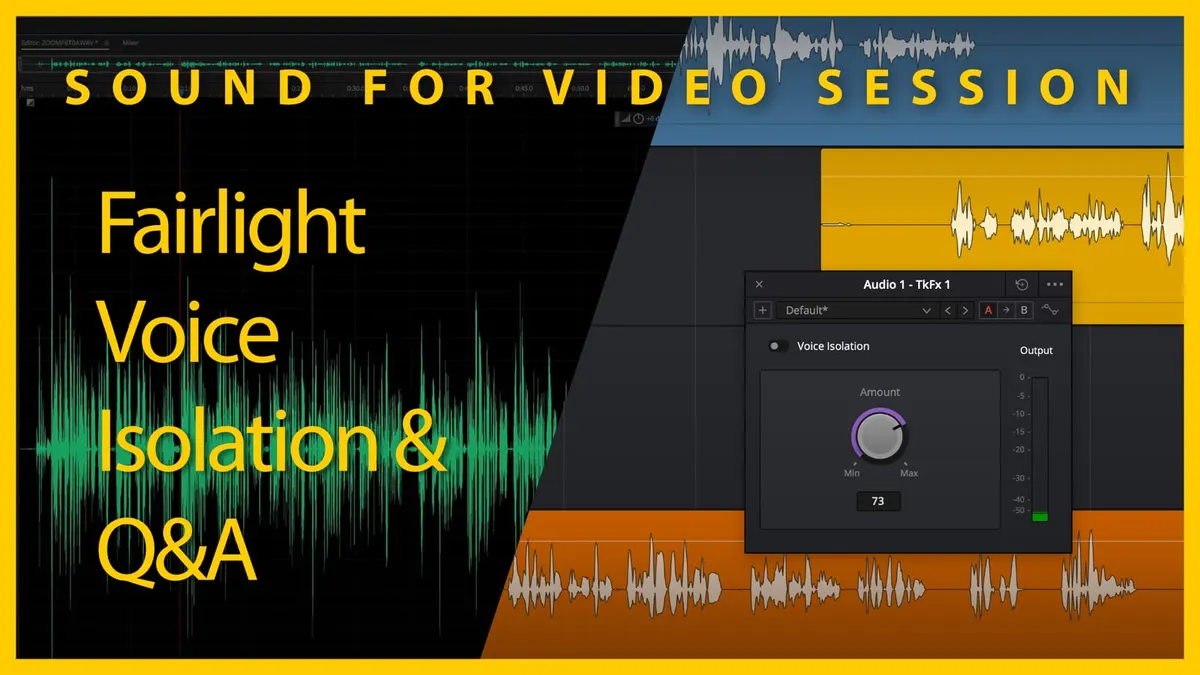
In this week’s session, we’ll demo the new Voice Isolation effect in DaVinci Resolve’s Fairlight 18.1 and answer your sound for video questions.
Gear I often use or that we mentioned in this episode. The links below are Amazon.com, B&H Photo, Sweetwater, DVE Store, Waves, or other affiliate links. As an affiliate, I earn from qualifying purchases:
Gear used or mentioned
The links below are Amazon, B&H Photo, Sweetwater, or other affiliate links. As an affiliate, I earn from qualifying purchases.
- DaVinci Resolve Studio — B&H
- Earthworks ETHOS microphone — B&H, Sweetwater
Read the transcript
foreign [Music] [Music] [Music] thank you [Music] [Music] foreign [Music] [Music] [Music] [Music] [Music] foreign [Music] hello soundies welcome to our sound for video session great to have you all here today and hope you’re all doing well um we are
I’m excited to be here I’m excited to have taken a couple of days off last week and catch up on some things and get a breather and have a chance to kind of take a look into some of my future projects and and what those involve so let’s go to the agenda and talk uh cover what we’re going to talk today uh cover our agenda for today first up we’re going to talk a little bit about fairlight’s new voice isolation which is a processing effect that you can use um to reduce noise and we’ll take a look at how that works and we’ll compare it to a couple of others so we’ll look at
Final Cut also has one called incidentally voice isolation as well izotope RX Advanced has one called dialogue isolate and they all work in a similar fashion so we’ll take a look at those and then of course we do have a question and answer so there was a question that was submitted ahead of time and incidentally it was also focused on voice isolation and then we’ll go to the chat and see what questions we have there but first let’s talk about what voice isolation is so the interesting thing is that a lot of these companies that are coming out with this now are calling it artificial intelligence I think technically it’s not really artificial intelligence it’s probably more machine learning and neural networks depending on how it’s implemented but in any case what it does in essence each of these and its own their own separate way is that they have been usually they have been fed a whole bunch of dialogue samples voice dialogue samples and then they use that to be able to identify in an audio sample which portions are actual Voice or dialogue and once it’s figured that out the rest is considered noise now what izotope RX does is a little bit more sophisticated than that it also specifically identifies what is ambiance and it gives you a separate slider to control how much Ambiance you retain as well it also gives you a separate slider to talk to Define how much of the noise you reduce versus how much of the dialogue so it gives you a little bit more flexibility but at their core they’re all pretty much the same idea which is to identify the voice and then get rid of the noise is the main idea so the first question I think that’s important to cover is which versions of resolve and fairlight include voice isolation of course this is new in version 18.1 so it’s the latest version and it’s my understanding that the voice isolation is only available in the studio version so that is the paid version so you can get that it comes with a lot of different Blackmagic Hardware you get a license with that Hardware or if you want to purchase it separately it is 295 dollars US for
DaVinci Resolve and I think that’s a Perpetual license it’s not a it’s not any sort of um subscription or anything like that from what I can tell so that’s that’s actually a really great deal for an app that is an editing app so it’s a non-linear editor it is a color grading app and it’s a fantastic color grading app it’s been around for many many many years it’s also a compositing app and now it has this fairlight digital audio workstation all in one which is really really impressive so that’s the that’s the coverage there how do we use it let’s go ahead and take a look here and
I’ve got a couple of samples on the computer here that I recorded yesterday and let me just go ahead and what I’m going to do is I am going to just play this initially um and what I need to do is there’s plenty of noise in my live stream room here so
I’m going to go ahead and mute myself and then we’re going to play through this and then we’ll come back so give me just a second here we’re going to mute right here we’re going to get into DaVinci Resolve just a little bit specifically the fairlight panel the fairlight panel is of course the digital audio workstation part of DaVinci Resolve and it’s pretty amazing that DaVinci Resolve includes not only a video editing app color grading compositing and digital audio workstation all in one okay so just wanted to give you a sample of where we’re starting now what I want to do here is I’m going to go ahead and turn on voice isolation here and we’ll kind of trigger trigger it on and off and I’ll also adjust the amount so you get basically one single control amount and you can go from minimum to maximum which happens to be 0 to 100. so we’ll start somewhere around 50 and we’ll kind of tweak that as I play through the sample now what I’d like to do in addition to that is compare it to a few others so I also have Final Cut Pro over here Final Cut
Pro same samples are in here it also has this voice isolation um and you can again just like on the other you uh you can adjust it from zero to one hundred percent that’s your only control so we’ll play that back and then finally we’ll come over into izotope RX and we have again the same exact sound sample and in this case we’ll use our dialog isolate and I’ll start this at its default settings right there and we will run through that now this one of course you can see has a variety of different settings you’ve got your dialog gain your noise gain you have a sensitivity and you also have an
Ambiance prevent preservation excuse me not prevention but preservation uh slider there and then of course you can change the quality between good and best so we’ll we’ll play with all of those now the reason I’m telling you this ahead of time is because I’m going to mute myself again so you can actually hear these samples as best as possible without the noise from my room here so
I’m going to go ahead and mute and we’ll get started listening back to these we’re going to get into DaVinci Resolve just a little bit specifically the fairlight panel the fairlight panel is of course the digital audio workstation part of DaVinci Resolve and it’s pretty amazing that DaVinci Resolve includes not only a video editing app color grading compositing and digital audio workstation all in one it is also very affordable so even if you get the studio version which is the version that includes everything it’s about I think 295 dollars or if you buy a piece uh many not everything but many of the different options from Blackmagic design their Hardware it often comes with a copy of DaVinci resolver foreign we’re going to get into DaVinci Resolve just a little bit specifically the fairlight panel the fairlight panel is of course the digital audio workstation part of DaVinci Resolve and it’s pretty amazing that DaVinci Resolve includes not only a video editing app color grading compositing and digital audio workstation all in one it is also very affordable so even if you get the studio version which is the version that includes everything it’s about I think 295 dollars or if you buy a piece uh many not everything but many of the different options from Blackmagic design their Hardware we’re going to get into DaVinci Resolve just a little bit specifically the fairlight panel the fairlight panel is of course the digital audio workstation part of DaVinci Resolve and it’s pretty amazing that DaVinci Resolve includes not only a video editing app color grading compositing and digital audio workstation all in one it is also very affordable so even if you get the studio version which is the version that includes everything it’s about I think 295 dollars or if you buy a piece many not everything but many of the different options from Blackmagic design their
Hardware it often comes with a copy of
DaVinci Resolve whether it’s one of the cinema cameras or I believe the atem mini pro and above comes with it as well but in any case this is a little sample of what you might expect if you’re sitting a little away from the microphone okay so there’s a little run through on that and I’m curious let’s go ahead and go out to the chat here and see what people have to say I’m curious what people’s impressions are after we ran through uh those three there uh how the voice isolation in
DaVinci Resolve fairlight compares to
Final Cut Pros voice isolation and izotope rx’s um thanks Daniel it is a permanent license for resolve Studio appreciate you the confirmation there that’s that was what I thought there
Final Cut sounds like you’re in a box okay that’s all we have that’s all we have okay fair enough not a lot there My overall Impressions were that um it’s actually different than when we were testing before on this sample but what I found was that izotope RX had a tendency to kind of let the fan cut back in and out at various times which was a little disconcerting and kind of distracting I thought Final Cut
Pro was didn’t do as much of that and um I mean isotope RX seemed to do a really good job in terms of removing a lot of that fan noise like if you wanted to go really really hardcore um then it felt like izotope RX is dialogue isolate did the best job Derek says so far I’ve been really quite impressed with DaVinci Resolve 18.1 voice isolation indeed Andy says RX seemed really good yeah it better be for the price
James says isotope RX yeah I think I mean it shouldn’t come as a PR as a surprise um as the by far the most expensive tool that we’re talking about here um and in a very narrow tool in terms of it’s just for audio cleanup anyway um John says I’m just listening on a phone but Final Cut sounded gold it did oh maybe that’s good I’m not sure if it’s good or gold one of the two um Christopher willing to post that raw audio clip if so I could run it through Cedar DNS 8D and send it back to you for comparison sure I’ll get that over to you and our X is King but to be expected yeah I think that’s again no surprise there uh but not to have to bounce wow yeah and actually I felt like um again this is the first iteration of this from
Blackmagic design so I have to assume that or I hope that they wouldn’t continue to invest in that and it will improve over time but it’s a really good start I felt like and uh the Final Cut is a great start as well I mean I think it does really nicely and then of course if you really need to go to the next level and you’re working on a production that that justifies it um RX is is uh really really good at that too if you really want to clean things up um RX does a really really nice job so good um we did have oh see uh Derek has another uh comment here often we’ll edit on DaVinci Resolve on Linux and not having to run a VM for RX is wicked okay cool I had forgotten that resolve is even available on Linux
Keith says I think in a pinch I’ll use
DaVinci Resolve if more complex issues
I’ll use rx10 seems like a fine strategy yeah having a variety of them on on hand is a is really helpful um Yanti is 50 the same removal in Final
Cut resolve and rx10 is the scale the same I don’t know they don’t necessarily tell you so well and I can tell you in RX it’s actually noise gain in DB so that’s a completely different scale so no rx10 is different than the other than Final Cut and resolve are both between 0 and 100. I don’t know if they apply any sort of logarithmic curve or or how that’s implemented and exactly what you’re tweaking um I don’t know if it’s a combination of amount of reduction plus the sensitivity of the algorithm um they don’t they don’t tell you it’s all black box so it’s really hard to tell which goes into this one they should include a noise only button so you can see if you’re eating into the voice yeah that would be that would be really nice and in fact even the RX version does not have that it has a compare but it does not have a like a lot of the RX processors usually have a output the noise only so for example the D breath plug-in has a breath output breaths only so you can tell what it’s detecting and if you listen back with that and you’re hearing a bunch of dialogue as well you know you’re cutting into the dialogue and you want to dial back so yeah that would be a nice feature as well these are pretty I think these are pretty CPU intensive though so it may be a little while before we get to that point oh which is which is this question how much power does it take for the hardware to use um let’s check we can check so uh let’s switch back over to the Mac and I’m going to pull up activity monitor here and we’re going to go to CPU now okay so here’s the thing we have to disclose we’re using an Apple Studio Mac Studio with the
M1 Max chip in it so right now you can see it’s actually it’s OBS it’s using most of the the CPU right now but let’s go back to DaVinci
Resolve and let’s go ahead and run it and see what we get so
I’m gonna mute myself first oh we’re going to get into DaVinci Resolve just a little bit specifically the fairlight panel the fairlight panel is of course the digital audio workstation part of DaVinci Resolve and it’s pretty amazing that DaVinci Resolve includes not only a video editing app color grading compositing and digital audio workstation all in one it is also very affordable so even if you get the studio version which is the version that includes everything it’s about I think 295 dollars or if you buy a piece many not everything but many of the different options from Blackmagic design they’re hardened which is okay that was surprisingly little so of the way that those percentages work in activity monitor there that refers to the portion of a
H let’s get it back up here that’s a portion of a core a CPU core so right now where it’s just sitting kind of idle it’s using 37 percent and when we ran it was up in the what maybe 70s and 80 so it was pretty efficient it looked like wasn’t um wasn’t pushing things really hard just out of curiosity let’s see what final Cut’s doing let’s go here we go we’re going to get into DaVinci Resolve just a little bit specifically the fairlight panel the fairlight panel is of course the digital audio workstation part of DaVinci Resolve and it’s pretty amazing that DaVinci Resolve includes not only a video editing app color grading compositing and okay only 40 some percent let’s take a look at our X and see what our X does and it’s pretty amazing that DaVinci Resolve includes not only a video editing app color grading compositing and digital audio workstation all in one it is also very affordable so even if you get the studio version which is the version that includes everything it’s about I think 295 dollars or if you buy a piece many not everything but many of the different options from Blackmagic design their
Hardware it often comes with a copy of
DaVinci Resolve whether it’s one of the cinema cameras or okay so again not surprisingly RX is using more CPU than either of the other two interestingly
Apple’s Final Cut is super efficient it was in the 40 range and then
DaVinci Resolve was in the 70 to 80 range so um pretty interesting there and again not surprising that RX is using more it’s probably using a more sophisticated algorithm as my guess so that was fun let’s do more of that um we have a note here from Andy I use and enjoy DaVinci but it sounded more like a gate I agree it definitely did have more of that gate sound to it which is where that cutting in and out kind of thing where during some of the phrases you got the very distinct fan noise as well so again hopefully over time it will it will get to a point where it’s more sophisticated Derek says I don’t understand the CPU utilization how can you have more than 100 so you can have more than 100 if the processor is using more than one core at a time so each core is considered if if it’s if a single core is utilized 100 that’s 100 then if it’s using more than one core then that’s how it can be larger than 100 percent hopefully that makes sense uh cell rx10 before it’s not worth anything that as well you I think it was the CPU oh it was working pretty well there for me
I think he means oh because it’s not as efficient okay well that’s okay we got the CPU course here to support it so [Laughter] and it did do a better job so did you check dialogue leveler or do you have an example when to use it only for bad audio or is it when is it better to do it manually with the automation um well the automation would be a lot more work I haven’t played with that one on T so I don’t have I mean we can we can play with it I don’t know the the places is going to be best as if you have especially you have sometimes what you could call a loud soft talker someone who gets and
I think we all have a tendency to do this to some extent some more than others generally much louder at the start of the sentence and then quieter quieter quieter quieter some people it’s it’s more extreme than others and I think that’s generally where that’s going to be useful and it’s going to essentially automate the process of automation so it can make that a lot simpler for you is the theory in practice let’s go let’s go ahead and take a look at the settings here I don’t have a perfect sample necessarily for it but let’s turn off voice isolation we’re going to turn on the dialog leveler you have a few different options here you know just drop down you can allow wider Dynamics so if you don’t want it to do as much work you can choose to do that you can optimize for most sources which seems like kind of the general default setting more lift for the low level so if you want it to boost things a little bit more when they get quiet it can do that and you can tell it’s even to lift soft whispery sources but I think typically you’d want to start there then you have these three switches here for different things you can reduce loud dialogue you can lift soft dialogue and you can do background reduction interesting so it does have a little bit of a reduction there and you can boost the output gain a little bit here um let me see if I’ve got this would be all this is all real time I have not tested this at all whatsoever so let’s see if I can get a clip here that would make sense for this looks pretty there’s a sync test user bits let’s pull this user bits down here okay I’m going to mute these top two tracks here whoops move this one up out of the way and first I’m going to normalize this so I’m going to normalize the audio levels to minus 24. there we go and let’s go ahead and try this let’s see what happens so I’m going to mute myself here first give me just a second and then we’ll come back and play through this and I’ll tweak these settings maybe a little bit no not that this there we go one question we got was can the Slate be configured to show user bits after The
Clapper slap instead of the frame rate and the goal of course would be to see the date in addition to time the answer is yes you can do that in fact if you go into the app the answer is yes in fact if you go into the cytus audio app for the time code slate you click the little shish kebab menu in the lower right then you choose show Extra and under that you have a menu of all the things that can be shown after The Clapper closes so okay so just visually what’s happening here so that you can see is I believe the blue is the waveform and the little yellowish trace or line here represents whether it’s boosting or attenuating the level so at the start of this this phrase right here where I got really loud on that one word it looks like it attenuated it but it looks like in a lot of the breaths it’s boosting the levels which you don’t typically want um but overall it was sounding okay I couldn’t it was weird I didn’t feel like
I got more gain when I pushed it up the output gain I didn’t notice that so and
I went ahead and turned off the background reduction just to um just so I could hear a little bit better what it was doing in terms of leveling so I’ll definitely need to play more with that but um and actually maybe let’s keep going here I’m going to turn off the lift soft dialog I just wanna I wanna use it mainly as like a compressor would be used so let’s see what happens there so
I’m going to move back to here and let’s play some more let me mute first the answer is yes in fact if you go into the cytus audio app for the time code slate you click the little shish kebab menu in the lower right then you choose show Extra and under that you have a menu of all the things that can be shown after The Clapper closes so of course
Right Now the default is the frame rate that’s shown you can uncheck that if you’d prefer not to see that you can check down in the second box which shows the user Bits And if you have the user bits set to the date then you’re showing the date you can also show some other things for example you can do custom text for whatever reason if you’re doing a man on the street you can also do custom text you can see in those other boxes there so for example if you’re doing an MOS shot you can put that in there as well a menu of all the things that can be shown after The Clapper closes so okay so that actually is interesting it was doing a pretty nice job there um I definitely wanted to get in and play a little bit more with this again can be a really useful tool until in terms of even evening things out here um but when we allowed this wider
Dynamics it definitely sounded more transparent to me and it didn’t smooth this out as much so when I had this really loud phrase here that definitely came through more I mean you can see it’s doing a lot it’s a much more gentle in terms of its changes there the concern I have is that you have to be careful and maybe with the lifting the soft dialogue if you have that on also having the background reduction on can help as much too so let me actually just try that again here we go be shown after The Clapper closes so of course right now after The Clapper closes so of course
Right Now the default is the frame rate that’s shown you can uncheck that if you’d prefer not to see that you can check down in the second box okay and we are I didn’t mute that time so we’re getting some of the room noise here but yeah that looks pretty good actually that could be pretty helpful um the thing is you’d probably want to be careful about the breaths and the any room tone it might end up boosting that a little bit but um that’s true if you’re doing compression and normalization too so all of those are are on the table so to speak if you’re if you’re using that so cool let’s go back to the chat and see what’s going on out there do you want other questions too yeah dark asks have you noticed the difference between 24-bit and 32-bit float audio recordings I received some 32-bit float ones from a rode lapel recorder and found the processing different um give me a second here I need to get a drink of water be right back with you okay Derek one thing I want to say about the road lapel recorders is I’m assuming you’re talking about the rode Wireless go to those are audio recordings and this is why I find the term 32-bit float when manufacturers use that to record to as a feature on their devices or recorders it’s very Mis it can be very misleading and here is exactly what I’m talking about with rode on the wireless go to you can actually download the files and you can choose whether it’s 24-bit or 32-bit float but the reality is this is not a wide dynamic range recording from the standpoint that that those recorders don’t have dual converters in them and so all it’s doing is taking a regular recording and putting it in a 32-bit float container so I don’t know why they did that to me it seems a little bit it just creates a lot of confusion for people where they think they’re getting a wider dynamic range recording now it sounds like if they’re doing some sort of processing and um yeah it could be that they’re processing that differently
I don’t know what you know it’s a black box as well they don’t tell you what’s what it’s doing so it could very well be different but um have I noticed a difference between them yes um potentially I mean the biggest difference I’ve noticed on the the implementations on the zoom F-series recorders I should say specifically on the zoom f
I would say F3 and above the F2 was was um okay but not my favorite and then with the mixed pre-series those implementations they’re pretty clean
I don’t notice a huge difference between 24-bit and 32-bit aside from any cases where the audio goes above 0db the 32-bit float is recoverable um some I have noticed this that in some cases the they’re also implemented differently on the zoom F recorders versus the mixed pre-recorders where in the zoom F recorders you do not set gain when you’re in 32-bit float mode there’s no option to do it they they apply a Unity gain for every single microphone that you connect and it’s a really really low gain and then you either boost it or drop it in post so that sounds different than the mix pre where on the mix pre you actually can adjust the analog gain in 32-bit float mode and pre-amplifiers have different characteristics when you push them when you push more gain more amplification they tend to sound a little different and so on the mix pre you get a little bit more freedom that way to kind of tune the sound of the preamplifier the analog preamp where you don’t get that option on the zoom F-series recorder so just a different implementation do they sound different a little bit um but in the case of the road lapel recorder I don’t know what they’re doing there um again they don’t explain so all I do know is that I’m pretty sure is I you can clip a rode Wireless go-to without question and so I my my assumption from that is that they’re not doing the the type of multiple converter wide dynamic range recording that the zoom F
Series in the mix pre is doing hopefully that makes sense okay okay there’s a question in kind of a conversation that hasn’t been answered yet and I don’t want to put all these up but basically it’s about can you put a representative one well that’s uh yes okay but you’re not gonna get the whole thing so for sure is saying I wonder how black magic makes income they forget that they sell fairlight and color panels okay and then here’s the question
Avid panels don’t work with other programs too though right
I don’t know the answer to that okay anyway the point was that they make money by selling Hardware primarily and some software I mean if somebody wants DaVinci Resolve for 295 dollars they can they can make money there I doubt that’s a major part of their income I bet you most of the
The DaVinci Resolve Studio licenses out there were obtained by buying Blackmagic Hardware as my guess don’t really know but that’s my guess so they’re definitely a hardware I mean it’s very much in some respects it’s like apple Final Cut Pro I paid 300 for
Final Cut Pro in 2015 and have never been charged since then and have received every single update since then so they’re not making a lot of money from me on my purchase of Final Cut Pro at this point um Derek says for dialogue editor would you bump up the gain before using it if you need more than plus 6 DB uh um dialogue editor are you talking about the are you talking about the dialogue leveler I think is what you’re referring to um yeah I would I would kind of optimize my levels beforehand so we normalized in our case to minus 24 lufs I wouldn’t want to go a lot a lot more than that in fact if you switch to the Mac Danny you can see here that this one is is approaching 0 DB so whoops that’s actually behind yeah this is approaching 0 DB here so we wouldn’t want to push it a whole lot more than that um before we we went through there but yeah I would I would bump it up to a reasonable level like minus 24. most dialogue you can bump to minus 24 L ufs and you won’t get any clipping if it’s recorded well so I would definitely do that you cannot you can also optimize its level after that too do you know if technical pocket recorders are real 32-bit float Yeah well yeah and see now now we have to say real 32-bit float because they don’t specify I really should call it wide dynamic range recording or something else or multi-converter wide dynamic range or something but 32-bit float is just the file container I think that the technical pocket recorders are using multiple analog to digital converters or they’re using it um yeah that’s my guess I think they are they were hard to clip okay that’s everything oh you haven’t done the question well we haven’t done the question yet we’d better use we have a couple things first of all should I apply and this is back to um voice isolation should I apply it before or after other plugins and the way it’s implemented in DaVinci Resolve it’s you don’t get to choose the order I don’t think um let’s see actually if we go back to the Mac here you can choose the order here looks like it’s doing the effects first but I don’t think there’s any way to come into the traffic track effects and reorder these they they are pretty well set and then your effects that you put um are after that so we actually tried
Clarity VX and we had a question on that right at the start we’ll come back to that in just a minute um but yeah I don’t think there’s any in terms of order you typically do want to do uh it’s so hard to know it’s hope and everyone says of something a little different but the deepest problems are the ones you usually want to fix first um so for for voice isolation it looks like it’s pretty well fixed like it’s it’s applying that before it applies any other plugins that you use so it doesn’t look like there’s a lot of choice to answer that question let’s actually go over to the questions that were submitted ahead of time because we have one that’s related to that from Kevin which is can proper EQ help with artifacting when using plugins like resolve voice isolation is it better to put each unique clip on its own track and EQ each track yeah kind of have two questions there
Kevin I’ll get to the next part in just a minute here um yes every every time you have multiple people talking ideally they should be on their own track you’re going to get the best results that way typically so um yeah if you can put them on separate tracks I absolutely would
EQ again in this particular implementation in DaVinci Resolve again
I think that you can actually change the order here so if we go back to the Mac again Danny
I think you can apply the the EQ and then the effects and then the Dynamics so you can you can do that if you wanted to will it will it help I don’t know let’s try let’s see what happens here so
I’m going to go on this we’re going to mute this one we’re going to come back up to this track here and let’s go ahead and try eq’ing and applying I’m going to turn off the voice leveler we’re going to turn on the voice isolation we’re going to put it at 72 for now then we’re going to pull up our EQ and let’s see if that’s this makes a difference so I’m going to go ahead and play through it let’s see what we get I’m going to mute first we’re going to get into DaVinci Resolve just a little bit specifically the fairlight panel the fairlight panel is of course the digital audio workstation part of DaVinci Resolve and it’s pretty amazing that DaVinci Resolve includes not only a video editing app color grading compositing and digital audio workstation all in one it is also very affordable so even if you get the studio version which is the version that includes everything it’s about I think 295 dollars or if you buy a piece uh many not everything but many of the different options from Blackmagic design their Hardware it often comes with a copy of DaVinci Resolve whether it’s one of the cinema cameras or I believe the atem mini pro and above comes with it as well but in any case this is a little sample of what you might expect if you’re sitting a little away from the microphone and you’ve got lots of background noise this is a steady state what I would call steady noise or steady state noise it’s pretty continuous it doesn’t change a whole lot uh let’s see how the voice isolation does okay why don’t you all tell me what you heard there I’m curious to hear what you heard there
I heard
I’ll wait to hear what you heard did it help um the the biggest thing I did of course was a low cut or a high pass filter same thing at 76 Hertz you don’t get to control I don’t think you can control in RX here or sorry in fairlight here you can’t really can change the slope of the high pass filter it’s fairly gentle
I don’t know if people were paying attention there’s some latency so of course it takes a while for people to hear but we also of course did a mid we did a cut pretty mild cut at just minus 1.4 gain 1.4 DB excuse me at one kilohertz and then we did a boost um after nine kilohertz of about 2.9 DB to add a little bit of air to the overall thing now that’s honestly I shouldn’t be I wouldn’t recommend doing this type of EQ at this point you’re really just trying to clean it up some so um yeah let’s see what everybody says here do we have any that have come up yet no okay I didn’t notice it made a huge difference um I think that applying a high pass filter will help pretty much in any situation to get rid of any low frequency stuff that’s going on but it didn’t seem to change the amount of artifacting I still have I still heard the fan cutting in and out throughout so in short I it didn’t appear to make a difference is it is it a good idea nevertheless Kevin to have everyone on a separate track I think absolutely yes because every voice and every microphone combination is going to need a different
EQ curve to really kind of optimize it so um John said it helps some but I’m on a phone and yeah I think really what I heard it helping with was just the low frequency content so um in any case continuing Kevin’s question I learned from you in the past that a best practices to use EQ to remove odd or unpleasant frequencies and
I do that and it works as a good practice should I be eq’ing individual audio recording sessions for the unpleasant frequencies using separate tracks and yeah the answer is yes Kevin again every microphone and voice combination and honestly every even my own voice on the same microphone to the same recorder on different days or different times of the day can sound different and so I mean it it depends on how what what you’re doing if you want the best results then yes you should EQ each time if it is not as important a piece then you don’t have to
EQ every time just apply a default EQ that you’ve kind of worked out for your voice and not mic and then you should be good so thanks for the question Kevin appreciate that and hopefully that gives you some insights there all right heading to the chat again I’m going to rent a Shure adx 5D uh uh receiver on receiver of analog output can be reduced minus 12 DB or normal gain on each Channel what’s the best and do I set the mix pre to line or mic level oh it’s been a while since I used that
Yanti um output can be replaced by -12 DB or normal gain on each Channel I think
I thought the way that the ad the the shore Axiom system worked was that on the receiver that’s where you set the gain so it’s sort of a gain forward kind of situation like sound devices a20 mini where there’s a fixed gain on the transmitter and then it’s on the receiver that you boost it and I assume that it’s a line level output um so you’d want to set your input to line level but you might want to check the documentation which you should be able to get over at the shore site I apologize I don’t remember off the top of my head um but my sense is that you set the gain at the receiver if I remember right
Jonathan off topic in the video you dropped today you mentioned that the tc1 doesn’t require one to re-jam every few seconds is it possible to use one tc1 then Jam each camera instead of buying multiple TC ones well um the thing that the problem is the cameras drift almost universally so that’s why you typically require a Time code generator for each camera because yes some cameras allow you to jam them and then disconnect the time code generator but they then they’ll drift while the time code the tc1 will not itself drift to the same extent that a camera will you could do that and that’ll get you in the ballpark but it won’t be perfect sync especially after 30 minutes It’ll be it’ll be off by a noticeable amount so if you I mean if you’re doing multi-camera um I would recommend buying a tc1 for each camera
Shoji question just joining the stream can you please explain again what a true 32-bit float recording is I think I heard you say it’s implemented differently by companies yeah so 32-bit float recording is such an it’s a horrible name because it refers to a single part of the overall process of capturing what I would call wide dynamic range audio so 32-bit float just re just describes the file format that it’s recorded in a 32-bit float file format allows you to record a massive amount of dynamic range however if you don’t have the hardware to actually deliver very wide dynamic range to that file format then you’re not really getting wide dynamic range audio so and even even the widest dynamic range audio that’s capable that the devices are capable of producing today don’t use all of the 32-bit float range so so what the rode Wireless go to does is it puts the audio in a 32-bit float container a file but it doesn’t actually have the analog to digital converters or the analog preamplifiers to support really wide
Dynamic audio so what it’s putting in that container is not very wide dynamic range audio it’s just in a 32-bit flow container so it’s almost like you have this massive container and the audio is taking up this much of its overall dynamic range in the case of the zoom f 2 the tentacle track e the zoom f 3 6 and f8n pro recorders and also the mixed pre 2 Series recorders they’re able to actually produce a much wider dynamic range audio feed into that 32-bit float recorder file because they’re using multiple analog to digital converters so the audio comes in and rather than clipping at the at the converter they have multiple converters one converter to handle the really high amplitude sounds and a separate converter to handle the lower amplitude sounds and then once those have been converted to digital they bring them together and feed that into a 32-bit float file so that’s the distinction in the case of the zoom F series I used two converters in the case of sound devices they don’t tell you how many converters they use they use multiple is all their patent says so we don’t know exactly how many converters they’re using but they’re using more than one and I think that’s the difference the rode Wireless go 2 on the other hand as far as we can tell because it can easily clip actually it’s quite easy to clip it um not don’t take that the wrong way it is very it’s it’s not impossible to clip the rode Wireless go to by any means even with just spoken word um that indicates to me that it’s not using multiple converters so hopefully that makes sense Shoji all right Jude off topic this week I came across an interview you did a year ago with epiphan video really enjoyed it thanks so much appreciate that I just watched your video last night about how to mix a trio and that was fantastic I really enjoyed that so thanks for that Jude okay this is three parts three parts share Vlogs off topic do you know the market share between Mac OS and
Microsoft Windows the reason I ask is because a lot of people online or some would say Mac is more commonly used for audio creative work how is this possible what when the market share is 75.39 for Windows and 15.74 for Mac any thoughts well I think in business like more General business that’s 90 some percent windows so then if you go and look at the creative world and by creative world I mean people that are doing any sort of post for video then I would say my sense is that it’s probably it’s the inverse there’s probably more like 75 or 80 percent as
Mac and and the remainder is Windows or and Linux there’s a little bit of Linux we just had that come up a little bit earlier today as well but um yeah that’s my thought I’m not I’m not taking sides on that I don’t
I use uh in my previous job my day job I used a Windows uh laptop here at home and for light and sound media we use Macs so a lot of the apps that I use are Mac only actually John says it seems like the voice isolation uh uh is best when you want to lower the ambient noise like in a kitchen you can still hear activity but Clarity on The
Voice I agree yeah I think um yes I agree and in fact even with the with the example that we did with um RX where we actually took it all the noise down to minus infinity that didn’t sound very natural to me and
I think you would probably want to use then the if we come back over here to the Mac there is this Ambiance preservation I would probably in a real world situation dial a little bit more Ambiance back so that we could still so it didn’t seem like it was in an otherworldly situation because when someone’s in a kitchen we don’t expect a kitchen to sound like a recording studio we expect a kitchen to sound like a kitchen now this is you know in video and and in film in particular they don’t sound like if you technically compare they don’t sound like real world they sound like the way you want them to sound just the the way the filmmaker wants them to sound so in my from my point of view you would dial some Ambiance back but not as much as you that would actually be there in the original recording because that way it’s not distracting but it also doesn’t feel like you’re in some different world altogether and again it really depends on the piece and what the purpose of the piece is what you’re trying to accomplish so different options there it’s good it’s a good observation uh this was an interesting Nuance I thought on a previous question uh Matt
Ruff says I have the adx 5D I set mine to Mike because I feed it into a dbx 186 if you’re going straight to the mix pre I would set it to line and 0 DB there you go there’s somebody with experience okay tell you ayanti how do you explain to a client when you screwed something up forgot to record distorted audio or no audio at all oh well I haven’t done that so I don’t I can’t speak from experience um but that’s why I think when you’re on the spot so when I’ve when I’ve uh hired out as a location sound mixer or a production sound mixer again these are not the biggest budget type of situations but I was being paid um if there was any problem with the
Audio I would I would immediately talk to the director and say hey we didn’t get audio we didn’t get clean audio on that take but we’re going to need another take and that should not be very often but you should always be monitoring so you know whether or not you got the recording and then that way you can fix that problem right then and there on the spot so that’s generally how I would approach it
Andy Gregor I was watching F1 racing today and a live clip started with really bad voice isolation when you heard their plug-in kick in what do you think they use for live TV voice isolation um they well they could use cedar DNX is a hardware processor that is available and I’ve seen that used in those kind of situations it does have to be tuned so it can sound really bad if it wasn’t tuned correctly um like if they could if it kicked in and it was way too strong and maybe they dialed it back some really quickly you know when you’re doing live sound I assume that was live when you’re doing live sound like that you get one shot and you have to tweak on the fly so if it came in and they they set it to a setting that was a little bit more aggressive than they had intended and then they’re hearing it they’re like oh that’s not good and they dial it back that’s probably what you heard there so it’s interesting to me that it started with really bad voice isolation
I’m assuming that it got better after that so they realized it and they backed off of it so Cedar DNX is the one that
I’m most familiar with uh farichi has a question I I was asked to record a round table with three people what do you think of using an omni mic for it not ideal I assume but might be okay yeah it’ll pick all three of them up so that’s good I think the biggest thing you’re going to want to do is make sure you’re working in a room that’s not super noisy a lot not very much Ambient sound that’ll be the most important thing because that Omni mic is going to pick up everything from every direction
What audio recorder implements 32-bit float the best from my point of view the mix pre 2 Series does because I can still control the gain and record into 32-bit flow with multiple analog to digital converters so from my point of view mixed pre but I think the zoom F series is very good as well they just use a little bit more of a black box approach where you don’t get to set the gain okay
Jonathan I just bought a C70 my first
Cinema Camera congratulations that’s a great camera uh a great place to start as far as Cinema is concerned is there a way I can record a backup lower DB audio track in camera while using both XLR inputs and wireless lav input not that
I’m aware of no
I have a C70 as well and I don’t know a way to do that you get four tracks and so your two XLR inputs are going to take tracks one and two and the wireless lav input which will generally be a dual mono is going to take three and four and I don’t think there’s any sort of facility for recording any backups from there so you’d have to use a separate audio recorder and then feed the output of the audio recorder to the camera and then the audio recorder would be your backup so something like a zoom
F3 perhaps or uh an F6 or a mixed pre-2 mix pre 2 Series I should say that means it makes pre 3 mix pre-6 or mix pre-10 series two okay all right well um what I would take away from today if I were you is that I think that
DaVinci Resolve fairlights voice isolation is a great first step given the tools that I have available to oh actually we need to come back to the very first question which was about Clarity VX it’s a very top
I’m actually having trouble here I’m wondering if anyone out there has gotten
Clarity vx to work with [Music] um DaVinci Resolve because I can’t seem to get it to work and let me just show you here if we go to the Mac I have Clarity VX the Au version and
I’ve also tried the VST version it’s sitting right here so if I pull this up and I go back home and I start playing we’re going to get into DaVinci Resolve just a little bit specifically the fairlight panel the fairlight panel is of course the digital audio workstation part of DaVinci Resolve so in short it’s doing nothing absolutely nothing so I’m not sure if it’s a technical issue if there’s something I haven’t done right it does appear to be licensed from what
I can tell so I don’t know why that’s causing a pro or why it’s not working there so if anyone else there has been successful getting Clarity VX working in
DaVinci Resolve please let us know and if you if you have any insights into what can make it work that would be really helpful as well so thanks for that question as well oh Shoji I recently viewed some BTS footage behind the scenes footage of a two-person interview and what I and only saw one boom mic above and between the two people how is this done what type of mic do you think is used so in that case yeah you could use a microphone with a wider polar pattern so you could use if it depending on how it’s positioned a cardioid could potentially work if the two people are fairly close to each other I would avoid using a shotgun microphone in those circumstances or even a any sort of super cardioid microphone you need to go wider like a cardioid or um if you’re using there are some large diaphragm condenser microphones it’ll do a wide cardioid as well so it’s just a it’s wider on the front that could work as well it’s the trick with those situations everyone wants to use fewer microphones if they can and that’s great understood the trade-off is is it the fewer microphones you use the less you’re going to be able to use its polar pattern to isolate uh any sort of room
Ambiance and so that means you’re going to have to do more to manage the room itself more sound blankets turning off more things turning off all fans disconnecting turning off HVAC unplugging freezers and refrigerators and all that kind of stuff so that’s the trade-off so yeah it can be done by for sure um but the room has got to be pretty quiet if you want a really clean recording you also have the the other challenge that you have there too is that you can’t mix so if you have one person who has a much stronger voice just by their nature than the other person that makes it trickier too you can live mix it and you know Fade up when the quieter person’s talking and fade back down when the louder person is talking but that creates that challenge as well whereas if you have two separate microphones you can gain them up separate independently of each other and they’ll sound more balanced okay we have quite a bit of comments about the plug-in okay quite a few comments about the plug-in let’s see what we got
I think I’m using something similar to Clarity VX okay oh yeah era6 that’s that’s not quite the same as it’s it’s different um so usually things like um denoiser denoise plug-ins which are different than voice isolation plugins is that they are using a whole series of gates a whole bunch of them in the case of izotope RX they have one I think that has 256 gates at different frequencies throughout the audio spectrum and it’s opening and closing all of them independently to reduce noise that’s a completely separate thing from voice isolation which is using typically neural networks to identify voice and then subtract all of the other stuff so they work a little differently and sometimes you actually uh a denoise plug-in may be the better choice so it’s definitely worth experimenting with to see which one is going to work better for your particular clip just for our Waves plugins are probably what is broken they have incompatibility issues with lots of host apps been a thing for years yeah I’ve I’ve noticed that they’re I think it’s almost like they’re made primarily for primarily for
Pro Tools if I had to guess and if they happen to work on other digital audio workstations that’s great but um and I don’t think that I that The
DaVinci Resolve is particularly good at working with others necessarily either I think their VST support was pretty um it was a little rough for a while there too I haven’t looked as much more recently I’m getting you back into DaVinci resolvable so we’ll see how that goes but um yeah they’re definitely potential compatibility issues thanks for that
Christopher uh so this person uses it with Pro Tools and it works great takes lots of power in
DaVinci use it with Pro Tools now works great yeah okay yeah I think the waves plugins again are going to be mostly for for this person uses Windows Mike yes I’m able to get clarity to work as a VST in fairlight 17.xn18 I haven’t jumped to 18.1 yet okay good that’s on Windows 10. very good yeah thanks for that Mike okay cool all right well that was fun I hope you had fun as well um for me I was I was excited to give that a try and see how it’s working um I guess my kind of takeaway is that I’m if I have all of the tools that I have available to me um for quick and dirty yeah the voice isolate within DaVinci Resolve fairlight is not a bad tool I’m hopeful that they’ll continue to invest in it and that it will get better and better I found that the final for to my ear the
Final Cut Pro voice isolation sounded better it didn’t have that kind of cutting in and out that I got into DaVinci Resolve airlite and of course without surprise the izotope RX was the best of all of them in terms of the overall transparency and the lack of artifacting overall so that’s that’s kind of where I see things right now but again it’s going to change from audio clip to audio clip and it’s it’s fantastic to have these tools available so all right with that get out there and make some great sound this week and we’ll talk to you again next week take care everybody [Music] [Music] foreign [Music] [Music] [Music] foreign [Music] [Music] [Music] foreign [Music] foreign [Music] [Music] thank you