
Sound for Video Session — Universal Audio Apollo Demo & Q&A
· Audio · Post-production & software · 1:07:55
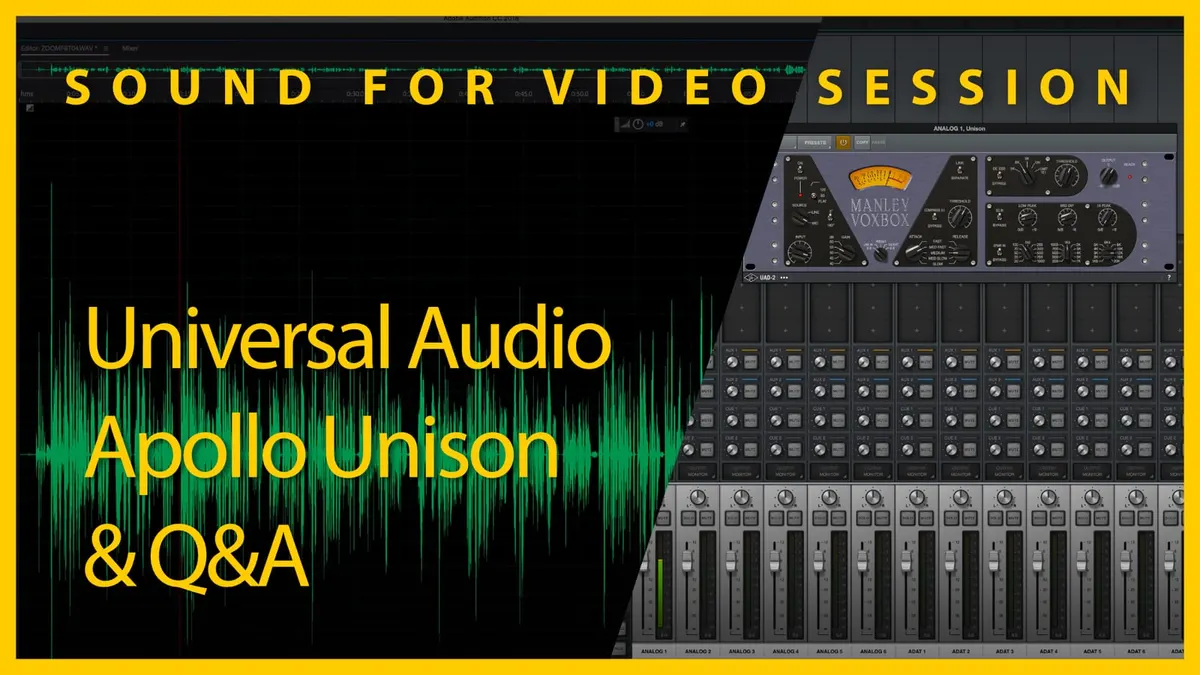
In this week’s session, we’ll demo the Universal Audio Apollo audio interfaces and their Unison preamp technology. Then we answer your sound for video questions.
Gear I often use or that we mentioned in this episode. The links below are Amazon.com, B&H Photo, Sweetwater, DVE Store, Waves, or other affiliate links. As an affiliate, I earn from qualifying purchases:
Gear used or mentioned
The links below are Amazon, B&H Photo, Sweetwater, or other affiliate links. As an affiliate, I earn from qualifying purchases.
- COMICA AD5 dual USB audio interface — B&H, Amazon
- Earthworks ETHOS microphone — B&H, Sweetwater
Read the transcript
foreign [Music] [Music] [Music] foreign [Music] [Music] foreign [Music] [Music] [Music] foreign [Music] [Music] [Music] foreign [Music] ties Welcome to our sound for video session great to have you all here today it’s the 27th of November 2022 and uh I where did pincer go I just realized Spencer’s gone just as hot is here uh pincer he’s upstairs he went upstairs okay that’s right uh it’s good to have you all here um I hope you had a great week I hope that um that you got a chance to work on some of your sound projects as well let’s jump on over to our agenda and and show you what we’re going to talk about today we originally were going to talk about a little audio interface um this is the comica link Flex 85 it’s an interesting little Gadget a couple of microphone inputs a screen some inbuilt Digital Signal processing uh two separate support for two separate hosts at the same time so it could connect to two different computers at the same time um lots of really interesting things I ran into a couple of technical issues here on my side so I’m going to contact the company and try and work those out and we’ll come back to that another time so I apologize for this for the topic change um that just came out this last Friday and they sent me a copy so I didn’t get a lot of time beforehand I I used it a little bit and thought it was working okay and then I got into the details and there are a couple little things I need to work out so instead what we’re going to do is we’re going to talk about
Universal audios Apollo and specifically
Unison and uad powered plug-ins so that’s a lot um and I’ll explain what all of that means and why it’s useful and and so on and so forth so we’ll get back to that in a little bit and then we did have a question that was submitted ahead of time that we will talk about just a little bit in um a while and then we’ll go to the chat for any questions that you all may have there so with that let’s go ahead and talk about first of all what is this universal audio thing what’s it all about let’s go to the mac and let me show you a couple things here this is of course Universal audio’s website um and we’re just going to go ahead and let them make their pitch here I think they actually do a pretty good job of talking about what is unique about their audio interfaces and in our case here today we’re using the X6 which is this one here at the top it’s a rack mount version they also have some that are not rack mount and I for work on a daily basis I use one called the I think it’s the solo let me just check yeah that’s the Apollo solo so what uh what is different about these audio interfaces first of all they’re they’re marketed largely towards musicians and producers and engineers in studios and things like that um the way I first heard about them and got experience with them is my brother who’s a musician and has a studio set up he was using one of the older generation
Apollos but here’s what makes them unique according to universal audio and first is of course great sound quality they talk about great analog to digital converters low self noise so on and so forth that’s kind of a given when you’re spending as much money as these cost and the solo I think is a I can’t remember I think maybe a 600 interface so that’s kind of the entry point and then they go up from there so just these are not these are not inexpensive but I think um you’ll see where they have a niche where they kind of make sense they also uh this is actually relatively new that universal audio in the last I think they launched about two maybe three years ago uh what they call Luna which is a digital audio workstation that has really really tight integration with all of their audio interfaces and you’ll see it’ll kind of make a little bit more sense when we talk about what the special features of the interfaces are and and how that makes sense the big thing that a lot of
Engineers and producers are looking for are these uh plugins that universal audio provides for their Apollo interfaces and they call them their their DSP so their Digital Signal processors built into the audio interfaces and what that means in Practical terms is that you can then run the plugins and the emulations in the audio interface and it’s not bogging down your computer so the processing is actually happening in the audio interface and it’s doing it in near real time so it’s they’re they’re it’s not having to do a round trip to get to your computer and do the processing there and then come back or anything anything like that it’s all being done in the actual audio interface itself so you can use it for tracking that is to say recording and you’ll get those effects right away in the headphones so that’s one one powerful thing in addition to that they they have emulations and plugins that emulate a ton of different things and we’ll talk about one of them today we’re going to be looking at the manly voxbox which is actually what you’re hearing right now and then the final thing is the Unison preamps so the Apollo interfaces have what they call Unison preamps and what these are is they are digitally controlled pre-amplifiers and you can actually change the impedance on them so that’s one other thing about things about the a lot of the analog audio gear is that they have different impedances for their inputs and in addition to that they have a lot of characteristics that are kind of non-linear so when a certain level of signal comes through for example it will respond differently than a perfectly linear more digital type of input might and so what this Unison preamp does is it allows universal audio with their unison preamp emulators to actually change the impedance on the Apollo’s input to get much closer to how the actual analog
Hardware would work and then in addition to that they also do the DSP to do any sort of um additional work that needs to be done for emulation they also the the Unison preamp also has a it’s always in communication with a digital signal processor so when you do get in those situations where maybe the input level is is coming to a certain point where on the analog Hardware it would it would have a non-linear response it actually can make changes to the preamp in real time to do that as I understand it so it’s doing a lot of fancy stuff in real time to emulate these um kind of really well-renowned analog processors and channel strips and pre-amplifiers and compressors and eqs and so on and so forth so that’s the kind of the main idea behind the universal audio interfaces with their Unison preamps and their uad plugins so you can you can get lost in the sauce so to speak and and go deep on all of this but I mean they’re using this on some pretty big names in the music world as you can see they’re of course dropping names in their marketing materials here I think Dave pensado is up here talking about Justin
Timberlake and Beyonce um so in any case that’s that’s the general idea so that explains what Unison is at a very high level and that explains what the uad powered plugins are so let’s go back to the to the front here I the question is is what you know that’s great for music what about for spoken word I think for spoken word that the um the channel strips which is usually a piece of Hardware that would have a preamplifier and a series of processors like a compressor and an EQ and maybe a de-esser and other things like that can be really useful I think for um spoken word audio especially when you’re doing it live so live streaming and um that’s where I think this is interesting and kind of exciting and honestly a lot of the you know a lot of um a lot of people get excited about this analog year and and just fall into these rabbit holes of oh my goodness I wish I had a voxbox so for example let’s take a look at the voxbox here just as one example so this is the manly voxbox the name of the company is manly named after the guy that founded the company voxbox is a voice it was a channel strip that’s originally made for voice and for vocals in particular so vocals you know usually singing but also spoken word so you have a preamplifier over on this side that’s what the channel strip does um obviously your input and your gain settings you have it can supplies phantom power of course as a high pass filter that’s switchable between off 80
Hertz and 120 hertz and then you also have a phase invert switch right here we’ll talk about all of these in a little bit more detail when we demonstrate this you have right down here a switch that can change what this
Vu meter or view style meter shows right here it can show the gain reduction that the compressor is doing it can show the input level that the preamp is is producing um it can show the output level it can even show what’s happening at the de-esser and so on and so forth so that’s what this meter can do here next up we have our compressor right here in this section and you have um you know kind of the standard controls you typically see you have your threshold if it’s a fixed ratio so you don’t get any choice in terms of ratio which some people would think well why would you ever want something like this especially when you learn that a manly voxbox retails for five thousand dollars
U.S uh when you could get a plug-in compressor that has all sorts of additional options why would you ever do that and I think there’s plenty of lively debate out on the internet about that and you can you can go and engage in that in lots of forums if you’re interested um but this whole thing is really pretty well tuned for for vocals and so from my point of view that’s that’s perfectly fine you do get a kind of a very gross control of your attack and release times and the choices are fast medium fast medium medium slow or slow for each of those which I think is really enough to really tune it in from my point of view then up here on the top right you have your de-esser and again you can either turn it on or bypass it and you can choose roughly what frequency you think the dsing is at or you know kind of experiment by changing the frequency to see how it affects the overall sound and then you can adjust your threshold um that’s basically telling it when to kick in when to start de-essing and we’ll demonstrate that as well and then of course you have an equalizer here and this is a passive equalizer very much like a classic called the poll Tech and the poll Tech is it has some sort of um really unique features to or kind of characteristics to it and how they and a lot of Engineers and mixers and producers love the Pull Tech and how it makes you know it’s very kind of it’s very kind of um it’s not super precise but it is it tends to have a really kind of magical sound to it is kind of what they would argue so in this case um you can you have these kind of again gross controls here you get to choose your low frequency and then how much you want to boost it in the middle section here you have your mid frequency you get to Define what that is and then you can pull it down you can reduce it or attenuate it and then for high frequencies you get to
Define what high frequency you want to boost so it’s a boost cut boost and that’s all you get you don’t get any any flexibility beyond that and again very much tuned and optimized for processing vocals and that’s that’s not at all unusual for what you might typically want to do with something like this now you might think well um how does that sound any different from the 200 audio interface I’m using or um you know what’s the difference between a 400 audio interface and something like a manly Fox box well first of all manly voxbox is not an audio interface it will not output a digital signal it will only output an analog signal so you’re on your own to get your own converters of some sort or an audio interface to do that conversion for you so um you might ask when does this ever make sense and again it probably doesn’t for most of us but there are plenty of us that uh that are very enthused about recording sound and so we want to try something like this and that’s where I think universal audio comes into play here and so now I’ve switched over to the universal audio console so this is controlling my audio interface here and right here I have the plug-in for the manly voxbox so you’re actually hearing the uad powered plug-in that emulates the manly voxbox all right so you’re not going through this so we’re not going through the shelford channel today no we’re going instead through the universal audio Apollo X6 it’s being processed it’s processing using the manly voxbox here and then that is being sent line out into the
Canon c200 into its microphone input and that’s exact and then of course that goes HDMI into the A10 Mini that goes actually via USB into the computer here and then that goes out over us or sorry OSB to YouTube and that’s exactly what you’re hearing in our signal chain today so a little bit of a different setup here today so let me just kind of run through what what all this involves here and I’m going to change some of the settings here so first of all you you might ask okay why are there two separate settings for input so there’s input and there’s gain and in fact we can come on over to the documentation here for this and talk about this there’s a low cut here there’s polarity but then there’s the input so the input is a main level control at the input to the plug-in it attenuates the signal before the compressor so here’s something very very interesting before I move on about the voxbox its compressor actually does its work before the audio hits the pre-amplifier the app the actual game which is really really interesting so it’s actually processing it’s actually reducing the transient Peaks or anything that goes above the threshold before it even goes through the gain stage of the preamplifier here so that’s kind of a different approach and uh something that’s that works I think really really well so that’s one thing so the input again the available range is 0 to 10 but varies values are arbitrary rotate the knob counterclockwise to decrease the signal level or clockwise to increase it of course um and in fact you can see over here on the console this is Amber right now so we’re actually plugging the voxboxes up up in here and then we can this is actually controlling the preamplifier on the Apollo X6 so it’s changing the impedance characteristics it’s changing how the overall thing responds as I adjust the input level and especially as
I adjust this gain setting it’s actually changing how the preamplifier responds to that so if we come back over here in fact that’s what it’s talking about here Apollo Unison interactions um when the plugin is placed in the dedicated Unison insert for the preamp
Channel within the Apollo’s console application the following behaviors apply the Apollo’s Hardware preamp knob can be used to adjust this parameter so that’s actually the physical knob on the the um the front of the audio interface that’s great and then when Apollo is in unison gain stage mode and orange dot is overlaid in this parameter indicating it is available for Hardware controls so that just gives us a little bit more control physical control on the the pro the the audio interface itself now how is the gain setting different this five position switch sets the amount of negative feedback in the mic preamp it is not a pad or a simple gain control negative feedback affects the transient response hormone harmonic structure clipping and other Sonic characteristics of the preamp as such it is typically used as a tone control all right so let’s play with that a little bit let’s see what happens here having trouble saving this let me see if
I can make it bigger foreign ly it’s one of those that I cannot make bigger so if you’re on your phone you might want to come back on your computer at another time let me see if I can change the size
I don’t think there’s anything that can change the size no
I’m unfortunately that’s it okay all right so let’s go ahead and adjust this gain control and see what happens here so I’m going to come down it’s at 55 right now now we’re at 50. now we’re at 45 and now we’re at 40. I’m going to adjust the input up a little bit okay I’m going to turn the compressor off turn the de-esser off turn the EQ off okay so this is what it sounds like here now on spoken word you may not hear a ton of difference let’s go ahead and pull this down a little bit there’s 55 it does sound to the like the bass response seems to change some here’s 60. so 60 DB and then I can tune with the input level here there we go okay so it does it does get a kind of a warmer sound to it it seems like um I’m getting a little bit of a we got a little bit of a clip there apologies for that um just in terms of the other settings here of course I have it set to mic because we have a mic input we don’t need any sort of phase invert that’s typically going to be when we are running multiple microphones and they’re they’re running out of phase of each other you can invert the phase here right now we have the um I need to turn that down just a touch more we do have the high pass filter set at 80 Hertz let’s turn it off that’s with the high pass filter turned off there it is at 80 Hertz and then here it is at 120 hertz I think for most dialogue probably want to be around 80 there and at least for men’s voices for women’s voices you could easily probably go up into the 120 without pulling into their levels at all okay so here’s the if I set the
I can change this Vu meter here and I can make it so that it represents the output level of the preamp that’s what we’re showing right now um I can also change it to show the gain reduction when we’re using the compressor and when I turn the compressor on now it’s showing gain reduction so it rests at zero and then when it’s doing any sort of gain reduction you can see the the needle move to the left showing how many DB of gain it has reduced the overall level there so that’s what we’re showing there now let’s talk about the compressor here you can again we can bypass it or turn it off altogether that’s what we were doing earlier then we have our attack and our release and typically for dialogue I’d probably go I’d probably go with a pretty fast attack because generally what I’m trying to do is I’m trying to manage the transients just so
I can boost the overall levels a bit not trying to necessarily shape the sound a ton but I am trying to control it just a little bit level level things out a little bit so if we went with a slower attack it’s not going to kick in as quickly and it’s not going to manage the transients quite as well that could be a fine tool if you’re working on music maybe for a drum or something like that but for dialogue we’re typically going to want something fairly fast and then for release you can change I can change that so if I go to a really fast release it starts to get a little bit of a pumping sound I don’t know if you can hear that right now but it sounds a little bit pumping and then if I go to a very slow release you can see it it does has less of that sound so you get less of that compressing sound but if you make it too long it can also tend to compress the the breaths in between Words which is not necessarily super enjoyable to hear as well so so I usually go somewhere in a medium we can go to a medium somewhere in there is kind of tends to be a sweet spot in many cases and then of course we just adjust our threshold so if I set this threshold to the left here it’s much higher and we’re not doing any compression and then as I turn it to the right here I’m just trying to address it again just to tickle a little bit I’m not trying to squash my voice here but just tickle it a little bit and then manage those overall transients so if I get a little bit louder at the start of a sentence it’ll bump up and kind of manage that but if I’m quieter at the end of the sentence it’s 10 it’s going to tend to not do anything just let it be so that’s about where we go why don’t we pause for some questions here real quick and we’ll come back to the next sections see what thoughts people have so far okay first from Ted I don’t use the Luna da although I tried it I use Hindenburg at Curtis’s suggestion since I only do spoken voice recording I think that’s a fine Choice again I haven’t experimented with Luna yet myself so I think it’s really very much focused on um I think it’s really made for musicians and mixers and mix engineers so but that’s you know I haven’t tried it so I don’t really know at some point
I need to try it as well but yeah I think that Hindenburg seems like a good choice for doing spoken voice spoken word
Camille thanks so much for two uh Prosecco I don’t yeah thank you so much Camille we’ll have to try those with uh we are parmesan with Parmesan cheese um when we’re in Italy we’d love to try some of that or perhaps in um is that a
Dutch I don’t know if that’s a Dutch it it’s dutch it’s Italian Danny Danny has um some Italian Heritage so so um in any case thank you so much Camille appreciate that um off topic is there a possibility to convert prores raw to Black Magic raw to do color grading in DaVinci um I don’t know for sure but I believe um well I think they’re yeah I think that well there’s at least a way to to
I don’t think you go from Pro Reserve to
Black Magic raw however I think you can convert prores raw so that you can do your color grading individually resolve so I don’t think you can generally go from Rada raw but I could be wrong on that if somebody else in the chat knows specifically please uh let our friend commune know I think typically the workflow is it with prores raw you would use a plug-in and this is where it’s a little silly now because Blackmagic went out and made their own raw format for their cameras but their cameras also record in prores but not prores raw um so there’s just all this kind of back and forth and atomos incidentally atomos is a company that makes the HDMI and SDI recorders video recorders they actually there’s they’re ties so they actually the people that started atomos actually used to work at
Blackmagic and um interestingly when Blackmagic went into the direction of creating their own raw format and atomos was a big big advocate of and working with apple to develop out and implement the prores raw format so there’s still there was some bad blood I think between those two companies a little bit but I think there’s a new CEO now of atomos and I think that they’re probably hopefully beyond all of that but I don’t know if there’s a way to convert from Pro reservon to Blackmagic raw I think the workflow would be prores
Raw into an intermediate format or an interpreter within the digital audio work or sorry the the non-linear editor slash color grading app that you’re using so I don’t know if there is a way
I don’t know if there’s an app out there that does that conversion
Ted what is meant by Tone control um I might need a little more context to that can mean a lot of different things but generally it’s going to be something where you can control the overall um the the Timbre of us or is the Timbre maybe it’s Timbre maybe it’s not it’s just how how something sounds you can kind of sculpt it a little bit in general terms but if there’s a specific thing you’re asking about let me know and we can we can dive into that a little bit more okay this is when you were fiddling around sounds a little tinny at 120 hertz indeed yeah that’s definitely starting to cut into kind of the fundamentals of most men’s voices in fact including mine yeah search 120 would not generally be something you do on a men’s voice unless you’re really going for a specific sound um hi Curtis do you know of uad will announce the next generation of Apollo interfaces I don’t know I have no insights no contacts at you at universal audio so I really don’t know um you know they’ve been pushing uh within the last year and a half or so they announced their volt interfaces so these are these don’t have any sort of digital signal processing in them these are just pure they’re more affordable line of audio interfaces and actually quite good we have the volt 276 Emma uses that as her Daily Audio Interface and it has a built-in analog compressor as well as some other kind of processing again analog so that’s uh that’s that’s what those are but I don’t know when the next
Generation Apollos are coming out the X Series that are out right now I think came out about four years ago maybe five years ago so anyway uh Christopher asks have you compared the voxbox to any of the other uad channel strips especially whatever Channel strip they give you by default with a new uad device these days yes in fact we can switch on over let me finish covering some of the other settings here and then we’ll put it we’ll put in a um one of the universal audio 610 preamps so that’s one of their Classics as well and you can get a sense for the sound there so I think they’re they’re good they’re they’re all good they’re just good in different ways um so you can just find one that works best for your particular voice okay let’s let’s keep going yeah we’ll keep going this might he has another
I don’t know if this is really does uad console have a visualizer Spectrum Etc meter to better see how plugins are affecting the signal when staying within the Apollo and not round tripping through the computer um not that I’m aware of now uh yeah not that I’m aware of no sort of spectral view they’re really going for the analog Vibe and letting you use your ears to make the judgments so that’s really the the approach they’re taking so I’m not saying they’ll never will but
I don’t know if they will hi drude Drew um I just bought the manly voxbox for about 100 with two coupons two good deal um I I assume you mean the universal audio uh plug-in and not the actual physical medley Fox um Drew thanks so much for the super chat um thanks for the great comp content keep us and keeping us well educated thank you so much Drew appreciate that well good luck with the the voxbox settings a lot it’s a lot of fun I’ve had fun playing with it so far it’s been a good one this plugin is available for Daws it’s a
VST no well sort of so let me explain so no on the the this version here is actually a Unison and uad powered plug-in so this particular one you have to have the Apollo Hardware to run it however a and I don’t know if they have this on there I’ll have to go check to their site but if I go to the universal audio site let’s go ahead and switch on over there really quickly you can see they have the uad plugins here and then they have their audio interfaces here for any of these to work you have to use an Apollo but now they have this uad spark and these are VST plug-ins these don’t require special
Hardware um but I don’t know I haven’t dug into this really in a lot of detail to see what they support here but it looks like they have mostly reverbs choruses um they have synths here grand piano so some instruments you have the mini Moog um they do have some preamps and some eqs so here’s the Neve 1073 and EQ they have a Pull Tech passive EQ uh hitsville EQ API Vision Channel strip plus studer 800 tape machine um compressors they have the la2a the universal audio 1176 and API 2500 bus compressor so I’m not sure you know I’m not sure if that will ever bring the the same ones that we have for uad like like the voxbox so to answer your question in short no for the voxbox in particular it’s not just a VST it does require the universal audio Hardware because it needs that Unison preamp to make it work and to make a convincing emulation okay we’ll go back here okay um
Danny is taking a look through the the chat here so Ted’s question Ted has a question well he asked what tone control was and then you were like oh yeah tone control back to tone control uh it was in the manual for the voxbox okay and then here’s another it said setting the setting was primarily used for tone control or something like that okay yeah that’s the game here um just how it sounds it just changes how it sounds it’s the short version and this is again it’s really interesting the the whole the whole concept of using visualizations to to check audio versus using your ears um I think it’s important to develop both of those skills and and I would say that with universal audio they’re not going to go out of their way from my experience to give you a lot of visualizations for things here they’re very much focused on use your ears to tune this thing um that’s why you know if you go back over to the to the voxbox here you know the input doesn’t even have numbers on it I mean it’s basically zero to ten but that what does that even mean in terms of gain in DB that you don’t know um they don’t tell you and they’re not really they don’t want to tell you necessarily and voxbox doesn’t want to tell you because it’s an analog piece of gear it’s largely about what it sounds like you do need probably a meter if you’re going to be converting the audio to digital um like this and that’s fine but um it’s largely about how it sounds because with analog especially in the music world sometimes you’re trying to saturate the preamplifier you’re not trying to be perfectly clean about things and so they want to give you that you know they want you to use your ears the the philosophy is use your ears to really tune it in so that that hopefully that makes a little bit more sense where they’re coming from okay for Cherry I’ve been trying to use my mix pre as an audio interface but the output to headphones in particular always sounds crackly not sure if it’s my PC or something else well a couple things could be going on there we could you could have maybe there could be a audio or sorry a sample rate mismatch somewhere between your computer and the mix pre if that’s one thing you’ll want to check and also it could be either the port but more likely the the plug on your headphones or maybe a cable an issue with your cable maybe those are all the things that I would check in that particular case uh Morgan thank you so much for the Super Chat here great to be here live today I love the channel how do you set up your console for Zoom live streaming so you get sidechain and can hear others without echoing back other people’s audio so a mix mine as well I don’t um I don’t usually use the console for that um usually when I am when I when I do a multi-person live stream I’m almost always using my analog gear itself so I’ve got a shelfer channel here I feed that into the camera and um that way I just it kind of decomplicates the whole setup I will say this one thing that I don’t love about the universal audio is the console app is really complex I still don’t understand entirely how it works and it’s those kind of things it’s the routing that really gets me that I haven’t figured out entirely in fact M and I were working on a video for this coming out next week um where we have a set of near field monitors that we were trying so I’ve got plenty of outputs on the the
X6 I’ve got the left and right main ounce plus I’ve got six additional line outs and I was trying to connect an additional set of monitors here so that we could kind of a b listen to them and we struggled mightily to get that working um so from my point of view I think what would be really useful from universal audio if anyone from universal audio is listening I would love a a good walkthrough of the console app um a training series on how it works because I it is not entirely clear to me in fact if we switch back over to that let me just show you here for anyone who hasn’t seen this before here’s the i o
Matrix the input output Matrix for this thing and I don’t entirely understand how this bit works either um because I get really like on for example outputs I wanted to Output if I want to Output the main mix to line one and line two outputs how do I do that like how do I get the left mix to line one and the
Right Mix to line two um I just it’s just not really clear to me how that works so for monitor I’ve got some Q outputs as well and I’m not really clear on what those work so there’s a lot of ignorance on my part here so I’m afraid I don’t have the answer to those questions but for feedback to um universal audio I’d love to have some better or accessible training on how all this works and how to accomplish things because I think your use case is is a valid one how how do you how do you do this in fact we ran into a problem a couple of years ago my brother was remote from here so this is like middle this is like 2020 middle of the pandemic like summer 2020 middle of pandemic um with our a couple of filmmakers up in the same town where he was so they all got together in a studio and he had set up the he had an Apollo and we couldn’t figure out how to get two microphones into that partic to create a mix with the console app to then send that to the remote app that we were using I think in that case we were using stream yard but it would only take the first mic input so we actually ended up um at the last minute because we just didn’t have enough time we had them share a microphone so they kind of had to pass the microphone back and forth during the question and answer which are really awkward um but I haven’t found a lot of good training material on how the console app works unfortunately so it’s one of my frustrations with this whole system
Christopher I believe uad actually posted a video on exactly the video conference use case on their Channel okay good to know we’ll have to take a look at that appreciate that Christopher uh Camille on your recommendation I bought a cvox from c-suite uh see Vox from c-suite highly recommend if you suffer from ambient noise or lesser Acoustics good deal I’m glad to to hear that’s working well for you Camille
Shoji can the mix pre be used as a spdf digital to analog converter um
I don’t know it doesn’t have that capability built in so it doesn’t have digital inputs so it couldn’t really be used as that unfortunately no okay we’re good on there for now let’s go back to the voxbox and play a little bit more let’s demonstrate the de-esser so you get to again you get to choose the general frequency and this is really just a matter of experimentation and listening to be honest of switching between all of the different settings here you can actually also use this as a limiter incidentally so it’s a 10 to 1 ratio limiter if you wanted to do that um but let’s go ahead and go come back to 6K here and um let me just kind of really crank the threshold as I say she sells seashells by the seashore she sells seashells you know how it gives me that lisp we found the sibilance but if you’re trying to find it the best way to do that is really
Crank That threshold and then move this frequency so here’s 9k she sells seashells 12K she sells seashells and then down at 3K she sells seashells it’s getting some of that as well but I think it’s mostly here at 6K and then it’s just a matter of tuning it she sells seashells she sells seashells she she sells seashells um it’s really hard to do this on your own voice to be honest but that’s a kind of roughly where I would put it there to kind of just manage that siblings a little bit without taking all of the articulation away so that’s generally the approach we’d take there now this really interesting
EQ here let’s oh you know what now the de-esser’s on ha ha she sells seashells let’s crank the threshold she sells seashells you can definitely hear that now right she sells seashells she sells seashells somewhere around there so it’s not quite so grating but it’s also not giving me a list at the same time so that’s how I would approach the de-esser okay let’s turn this EQ on now all right the EQ is now on okay so we can do a variety of things let’s go ahead and neutralize this turn it down and down okay so the idea here again is that there’s a low frequency boost a mid frequency dip or cut and a high frequency boost that you can use and it’s actually a peak so it’s not a shelf it’s a peak so here for example if I wanted to if somebody wanted to give their voice more low frequency radio kind of sound you could just take this and start dialing it in and it gets really boomy really fast if you’re gonna do something like this be careful don’t go too crazy
I think for me just a tiny little boost there feel like your voice is not
Bassy weighty enough doesn’t have that low end warmth to it you can dial in a little bit but be really careful it gets really fatiguing for people to listen to if there’s too much of that and in fact it gets really hard to understand if there’s too much of that then there’s the mid dip and the mid dip is interesting because I actually find a lot of times my voice has quite a bit of energy in the one kilohertz to two kilohertz range kind of that mid frequency here so you can dial in exactly which frequency you want to apply this mid dip to or cut to and between because mine’s between one and 2K I generally put it this 1.5 K listen to how this sounds as I cut this a little bit so here is the effect that it will have so it’s going to really kind of mellow things out here way too much but just a little bit can take some of that harshness out of the voice and make it sound a little smoother so that’s what the mid dip can be used for and again it’s dialing it into taste just listen kind of sweep it back and forth and find what works well for you all right now if we wanted to add some high frequency Sheen some uh air or something like that you can add some of that high frequency up here so here’s a 12 kilohertz I wouldn’t like keep in mind we just went to six kilohertz and pulled a lot of that down because that was where below most of my siblings was so we wouldn’t want to emphasize that probably but some of this higher frequency stuff at 12 kilohertz let’s see how that sounds if I pull that up it gets a little bit more sparkly up top maybe a little too much I don’t think my voice needs a lot of that to be honest but some people who have darker voices a lot of bass energy maybe not quite as much articulation doing something like this can really help bring their voices out and really kind of Shimmer and especially if it’s going into a dense mix with a lot of other things if you want to add a little bit more of that that can help potentially so again it’s using your ears to kind of dial that in okay let’s head on back to the chat and see if we have any questions or thoughts or insights or anything anyone wanted to share in regards to the universal audio plugin and specifically the voxbox so here’s just the clarification clarification cvox is the cedar audio license noise suppressor plug-in for uad okay very good appreciate that Christopher um Ted it sounded from the expert panel like they feel I’m over processing my voice it seemed like it would be good to capture a more raw audio than process um any thoughts on that yeah I think um if it’s if you’re going to have a post if you’re gonna if you’re not doing something live and you do have the opportunity to post process I think there’s a lot of value there yes absolutely and in fact you can do that even with these uad plugins so it’s not like you’re losing out on your investment if you do choose to do that so as long as your digital audio workstation I mean you plug all this into the consoles where you would plug it in um actually how would that work I don’t know if it would work with not sure it would work the uad plugins are available generally but you wouldn’t have the Unison preamp so I think it would still make sense to track to record with something like this if you’re using one of the Unison plugins but all of the other plugins that don’t require the unison um preamp then those you can just use you should be able to use even the VST versions in um whatever digital audio workstation you’re using so that that would be my thought on that Ted was there something else that you were location take a more raw sample yeah I mean you can yeah yes yeah so that’s that’s the main idea is that I would say that
I wouldn’t get too extreme with any of these settings um or what you can do if you need is so a big a good a big part of this as well um so your mic goes into the Apollo that makes sense I think what what can make a lot of sense is do sample recordings dial in it as best you think you can and then get another set of ears that you trust to listen to it and give you advice that’s that’s what I would do then you can dial those settings in a little bit better after that to understand what’s happening I just I think what happens a lot of times is a lot of us we get a we get a plug-in and we go crazy with it like oh now I have this plug and I spent US money on it now
I have to use it um maybe maybe not maybe you don’t need it maybe you do but I would dial it in so there was also an argument to be made for saving yourself some time in post so if you can get the the settings dialed in Just Right during your recording and you’re going to be recording in the same space time after time I would also remain somewhat flexible so you may have to still change some of the settings periodically in fact I’m noticing here we can probably dial this in a little bit more here um you may have to still because you’re because a voice changes day to day it actually changes from hour to hour if you’re if you’re a little bit more tired or your voice is more fatigued you’re going to sound different and so you’re going to have to tune some of the settings just a little bit so um just be prepared to do a little bit of that but I think it’s it’s it makes sense I think if you’re if you’re recording on a constant basis especially day after day after day having a kind of a preset and you can actually create a preset here so I can actually now create this as a preset here um how do I do I don’t remember how I do that but I can save this in essence and then is it paste no that’s just going from one to the other oh here we go I can I can create a new folder and I can save my preset here then I can come back to that time after time so I’m going to go ahead and I’m going to go ahead and you yeah let’s go ahead and go back I’m going to go ahead and save this and we’re just going to call this my live stream CJ live stream and we’ll just save it right there and now I can come back to that anytime
I would like you know just pull in all these settings so I do think there’s a there’s a um a case to be made for having something where you tune it in and just leave it there but also have the flexibility to tune it day to day if you need to tweak things just a little bit if your voice tends to be a little bit more tired one particular day you may need to adjust the input level a little bit or things like that so anyway that’s my long-winded pontification on how to approach that uh
Ted so I have the Curtis showed audio and Austin Olivia Kendrick reviews some samples those are your trusted oh I have to have Yeah Yeah by the by all means Ted um go ahead and record some and send it over to me I’m happy to take a listen and provide feedback and um Austin got a new job recently also she’s still working of course as a um dialogue editor but she’s with a different company now so that’s update there you got it Ted thanks so much Matt Ruff so it’s not going to make Curtis jet audio sound like Mike delgadio um well no Curtis Judd is never going to sound like Mike delgadio that’s that’s okay um and totally expected so and I’m not too disappoint I mean I I wish I had Mike delgadio’s voice but I am me so here’s an interesting point
Drew actually Mike delgadio sounds just like that in person seriously um I wouldn’t be surprised um again just a he has a great voice that really works well I realized we have not gotten to our question yet we need to go take a look at our question here before we get too much farther in regarding last week’s session this is from Mark D have you compared acoustica enhancement extract dialogue to the tool in DaVinci fairlight The Voice isolate or voice isolation um thoughts and the answer to that is we actually did a review of the acoustica um and if you didn’t see that I think maybe you did Mark but if you come on over here to the Mac if you do a search for acoustica dialogue extract here’s our video on that if you pull that up in one Tab and then last week’s live stream in another tab you can actually hear them side by side but my thought is that the acoustica extract dialogue is I think a more useful tool I think it’s going to be more effective in more situations than the um the fairlight tool is although again as I I will say I am hopeful that fairlight’s voice isolation plug-in will get better over time that they’ll invest more and more in it and and find a way to make it better so those are those are some of my thoughts there but yeah I think that the acoustica extract dialogue is is a better tool at this point in 2022 November 27th so good any other questions in the chat there hope everyone’s getting some fun time uh working on some of their sound projects and learning a lot of stuff um we have a question here from Mark uh comment hi Curtis I’m online when you are too so many thanks for all the great knowledge you share with us I didn’t didn’t choose the sound path when I was learning film making at school 20 years ago but really enjoy learning with your content thank you so much Mark I appreciate you um coming on to share that and I I actually think that it’s largely about the community that is built here just a a group of people that are enthused about the same thing here and we’re operating you know I mean like the
Apollo this whole technology music world is known about this for years and years and years and been playing with this and so on and so forth and some of some of us here are using it as well but I always feel like you know like I can’t really go into the music forums and start asking questions for spoken word because they all be kind of like huh what do you do so it’s nice to have a group a little community that we can all come together and learn together on um Rag and Bone Puppet Theater set I got
Clarity working in fairlight 18.1.1 on my Mac great news is it by the way is it an Intel based Mac or an apple silicon
Mac I would love to know that because I did
I get I did go look that up and according to waves it will run in what’s the emulation Mode called Rosetta so it’ll run in Rosetta if you’re on us
Apple silicon what’s that it’s Rosetta 2 now I think so yeah they just it’s a it was a really good metaphor so they stuck with it and just changed their version number so we’ve we Danny and I were around and experienced the um oops sorry about bumping the mic there uh we experienced the move from the
Motorola to the power PC chips the power PC to the Intel chips and now the Intel to the Apple chip so they’ve been doing that for they’ve done it a bunch of times now so and they’ve done it pretty well I have to say um it’s it’s not perfect okay so you’re on an Intel Mac um yeah it probably runs a little bit more smoothly there I’ll keep trying here and see what we can figure out
Mark the latest Clarity fixed uh my fairlight 18.1 very good uh so maybe getting the latest version
Blackmagic has already released resolve 18.1.1 which made an adjustment to dialogue isolate ooh
I we did download that just earlier this week so I haven’t tried dialogue isolate again yet um Daniel but thanks for the tip there um definitely have to take a listen there and see what we’ve got uh best place to learn something new and exciting every week well thanks for coming by and being a part of that
Yoshi it’s great to have you here uh Diesel 10 I bought the focusrite
Scarlet solo it should be coming later today I’ll test it to see if it works with the Chromebook when I asked many months ago I’ll first set it up using the Windows laptop excellent yeah I think it’ll it should definitely work in class compliant mode with a Chromebook I would think I’ll be surprised if it doesn’t in happy recording by the way and Mark is also on an Intel Mac okay okay good good to know all right well we have just a few more minutes left excuse me if you do have a question if you wouldn’t mind tagging it at curtisjetaudio that’ll help Danny identify it but um a couple things to talk about we are working on a course right now mni um we are working on a new fairlight course and it’ll be more extensive than the existing course so the existing course we actually sunsetted it anyone that has access to it still has access to it but the problem is it’s outdated is using some older uis I think it was originally made on version 16. we updated it version 17. now things have changed so much that it probably just makes sense to make a new course altogether and the new course is going to cover a lot more so we’re going to get a little bit more into sound design and we’re going to go a little deeper into mixing
Automation and things like that things we didn’t cover in the mini course the original Mini course so that’s one thing to look forward to and we will be that’ll be working on over the next month or so so hopefully by the new year sometime in the new year we’ll have that course ready looks like we have another question here all right coming from a music engineering side I’m new to audio for video and film do you ever find a use for serial compression on a dialogue
Source I think yes I think that can be if you’ve got a voice that’s really really out there um and all over the place it can be helpful um I think probably more that’s going to happen a little bit more in um probably more narrative situations probably but if I understand correctly what you’re talking about is you’re using a compressor and then you put another compressor in that signal chain as well so serial compression so it goes for a first compressor and then it goes through the second compressor as well for additional work on it and yeah in fact I kind of do that when I take things offline and I’m processing them basically in a destructive way I kind of do that I’ll do multiple passes of compression but yeah you can definitely do that as plugins as well you know in a track yeah I think it’s largely going to be where again where things are all over the place like if there’s if they’re getting really loud if it’s just moving all over the place I might do a first pass to tame the the the like really outstanding transients and then a second pass to kind of compress the overall audio so it depends it’s really a lot to do with the Timbre of the particular voice you’re you’re working on and um you know how it sits in the overall mix if you need to do additional compression from there so a lot of times
I I will definitely do the the past to manage the transients certainly if that doesn’t give me enough Headroom to really dial in the dialogue where I need it then I may do that second pass so that’s generally how I approach it hopefully that makes sense okay all right Abdel I have a zoom F6 it I would like to use it to do live how can
I can I control all the individual individual inputs in a Daw um if I understand your question correctly uh live in OBS okay got it all right um depends which digital audio workstation you’re using I mean there’s a lot of details that you’ll have to work through there but um like in the I a zoom F6 doesn’t have anything like a like a console app so in that case
I I think I would probably are are you looking to do some processing before you bring it into OBS because I would actually you could bring it into OBS and do some basic processing there so it can do that that would be a different we’d probably you know we don’t have enough time here we have just three minutes left but um you can submit it as a question yeah if you wanted to submit that as a question for a future week we could take a look at that and and get into a little bit more detail also just a little bit more if you could provide a little bit more background on what you’re trying to accomplish there like what kind of processing you need to do and whether or not you really need a dock in that case or you can go straight through OBS and if you are using a Daw which one are you using so all right Mark new fairlight course is great to know their manual is okay but
I’m really glad to know you’re putting this together will be an excellent course no doubt I I’m hopeful um fairlight is a uh that’s yeah I’m excited about it too I’m so excited about the future of fairlight I will um I’m very excited about this we did get a new toy here foreign this is the fairlight desktop console which makes mixing in fairlight even more fun but fairlight is a it’s such a moving Target this is my only downside there’s so many like the whole process of Channel mapping is really quite complex and I’m actually kind of astonished at how complex it is sometimes it gives you a lot of flexibility but it is awfully complex and depending on what if you’re not doing the editing in resolve yourself and somebody else is doing it for you you could end up with us like an edit that’s really messy and you’d have to do all sorts of work to kind of bring in the better tracks and like for example one of the things we did for the course is we recorded a multi-track kind of just interview situation and creating the multi-track did some really funny things to the audio um it wouldn’t let us keep our separate tracks in essence and so we’re I’m still trying to trying to work through how what the best workflow is there um but right now it’s looking like it’s a little bit more complex than I would like um but anyway we’ll work on breaking that down and making it as easy as possible and again fairlight is changing massively it seems like month to month um it’s changing so much so anyway there’s some there’s some thoughts there some things to look forward to I think this is the how to use a bit for ahead of time how do you submit questions for the stream how you do it is you go to school Dot learnlitonsound.com and you create an account there it’s free doesn’t cost anything when you do create that account if you want to be notified by email every usually we send it out on Saturdays um what the topic is going to be and soliciting for questions I sent an email every Saturday and then you just reply to that email and then I’ll add that to the agenda for the for the questions so [Music] um the yeah the email address is Curtis at learnlight oh sorry you want the school it’s school.learnlight and sound.com a lot of people don’t know this but um the yeah that’s it so the these are sound for video sessions that are actually um for people in the school anyone’s welcome to attend we love having everybody here but the original reason we set these up was so that there would be a way for us to have discussion um for people to ask questions if they were getting stuck with anything based on the the work they’ve done in our courses um so that was the original uh idea behind these I don’t I guess some people may have found the live stream here just by other means just by searching around on YouTube so that’s just to give a little context on why we set these up originally but that’s how you that’s how you get signed up and how you can ask the questions ahead of time okay here’s the last question last question basic question from Shoji can the Apollo be used with logic pro and the short answer is yes it can and many people do can be used with uh it can be used with most pretty much any um digital audio workstation So Pro
Tools Studio One Logic Pro you can use it with fairlight you can use it with audition you can use it with pretty much any yep okay great everybody thank you so much for joining us today um I hope you have a great week this next week get out there and make some great sound and we will talk to you again real soon take care everybody [Music] [Music] foreign [Music] [Music] [Applause] [Music] foreign [Applause] [Music] [Music] [Music] foreign [Music] [Music] thank you [Music] [Music] foreign [Music]