
TASCAM DR-10L PRO Review - 32-bit float Audio Recorder for Video
· Audio · Recorders · 20:01
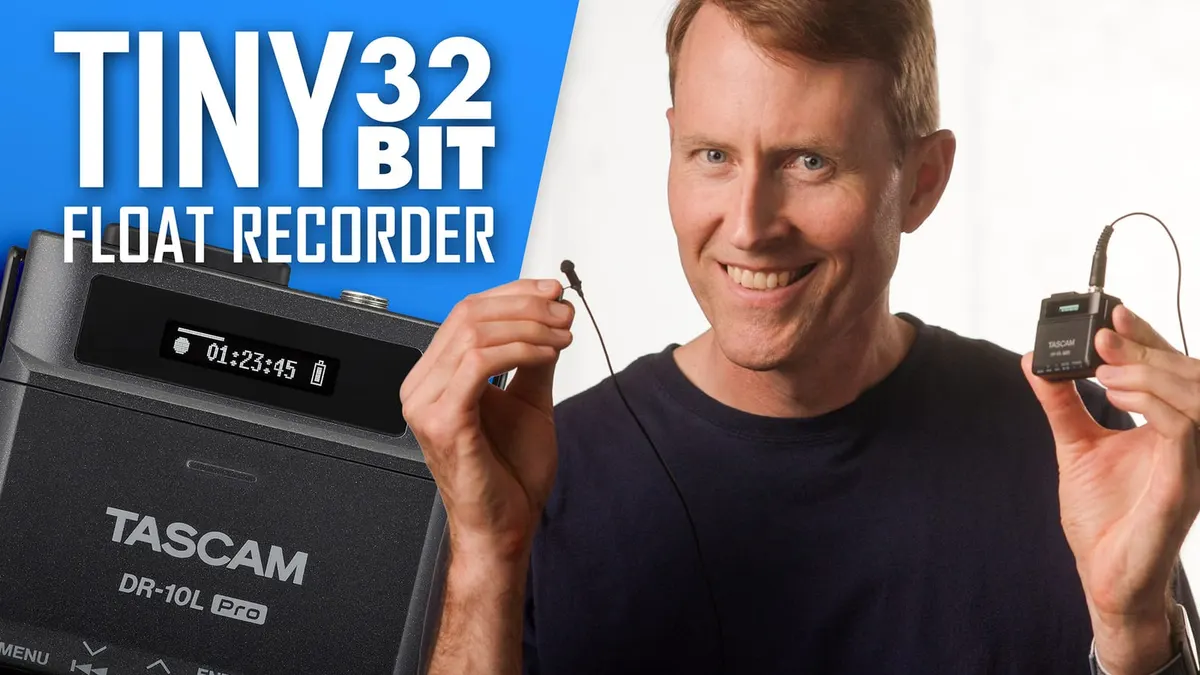
In this episode we review the new TASCAM DR-10L PRO lavalier micro recorder. This audio recorder can be used instead of wireless microphone systems. Instead of sending the audio wirelessly back to your camera or audio recorder, the audio is recorded on the body pack. Then in post production, you sync the audio to the video clips. And the DR-10L PRO makes that pretty easy with timecode support. It also records 32-bit float wide dynamic range audio so the chances of your sound clipping or distorting is much lower than with traditional recorders. Let’s take a closer look and listen!
Gear used or mentioned
The links below are Amazon, B&H Photo, Sweetwater, or other affiliate links. As an affiliate, I earn from qualifying purchases.
- TASCAM DR-10L PRO micro audio recorder — B&H
- TASCAM AK-BT1 bluetooth module to enable mobile app control and bluetooth timecode — B&H, Amazon
- ZOOM F2BT micro audio recorder — B&H, Sweetwater, Amazon
- Tentacle Sync Track E micro audio recorder — B&H, Amazon
- RODE Wireless GO II wireless microphone system — B&H, Sweetwater, Amazon
- DJI Mic wireless microphone system — B&H, Sweetwater, Amazon
- Amaran 200x S LED light — B&H, Amazon, Aputure
- Aputure Light Dome II soft box — Aputure, B&H, Amazon
- Aputure Spotlight Mount — Aputure, B&H, DVE Store. Amazon
- Rosco Prismatic Glass Gobo in Cool Lavender — B&H
- Canon C70 Cinema Camera — B&H
- Canon RF 24-70 f/2.8 lens — B&H, Amazon
- Panasonic GH5 camera — B&H, Amazon
- Panasonic 12-35mm f/2.8 II lens — B&H, Amazon
Read the transcript
(Music)
In this episode, we’ll cover the Tascam DR-10L Pro.
We reviewed the original Tascam DR-10L in 2016, believe it or not, it’s been seven years.
And Tascam has just announced and will soon be shipping their DR-10L Pro. So it is similar in terms of being a micro recorder with a lavalier microphone. You can see recording this all with this right here, with the DR-10L Pro. And there are some interesting things that have changed, obviously, since 2016, when they released the original DR-10L. So the big new changes on the
Pro version are, first of all, it’s very similar in terms of its profile. It’s shaped a little bit differently, but there are a few things that differentiate it in a pretty big way. Number one, it does 32-bit float recording. And what this means in practical terms is you’re less likely for your audio level, or for your audio to be distorted or clipped if you set the input level incorrectly. So that’s a step forward. I wanna be very clear and say that it’s not foolproof.
Lavalier microphones don’t generally have a very wide dynamic range themselves. So all that means in practical terms, the recorder will not clip. It’s more likely that your microphone will clip before the recorder does. However, for spoken word, you’re not generally gonna have to worry about it. You would have to get an opera singer singing the loudest they could possibly sing before you’d start to get problems with this, or you’d need to be recording sound effects like a jet engine or something like that. But for spoken word, you’re pretty safe. So that’s a great thing.
Number two, battery life improved. You can now achieve up to 24 and one half hours using two AAA lithium batteries. We’re actually using alkaline batteries right now. I’m at 14 and a half hours.
By the time I finish recording this, I’ll be at 15 hours, and you should be able to achieve somewhere close to 16 hours. I’m estimating based on what we have left in the battery here, so that’s nice.
It also now has a Bluetooth option. The Bluetooth is not built into the unit itself. You do have to buy a little adapter that plugs in right here. You can just barely see it on the top there.
And it’s very similar for those that are familiar with the Zoom products like the Zoom F3 and the
Zoom F6 and the Zoom H8. If you want to wirelessly control those units, you have to buy a little
Bluetooth adapter and plug it into the unit. This is a similar type thing, except in this case, it’s much lower profile. It’s almost, you can’t really tell it’s there unless you know it’s there.
So that allows you to do two things. Number one, to control via either an iOS or an Android app.
You can remotely control the recorder, which is great. And you can control it to five of them simultaneously, which is really, really nice. And then also it allows it to receive Bluetooth timecode from Atomos timecode generators, like the Ultra Sync Blue or the Ultra Sync One.
So that allows it, so that you can record separately, can you recording your audio here, and then of course you’d be doing your video separately, and then in post you have to sync them up. Using timecode can make that easier. So those are the things that are new on this new version of the DR-10L Pro. So let’s go ahead and jump into the pros and cons. First of all, we talked about 32-bit float recording. Again, for spoken word audio, generally not going to get any sort of clipping or distortion, even if you set the input level incorrectly. And you don’t have a lot of fine grain control over the input levels. It’s just a few different setting. It’s basically low, medium, low, medium, medium, high, and high, and that’s roughly it. So you don’t have to worry a whole lot about it. Just get it to, I would generally for spoken word, just set it to medium or medium high, depending on how loud the person’s voice is, and then forget about it and move on.
Again, excellent battery life. We’re tracking solidly to 16 hours with two alkaline double, sorry, AAA batteries. So they’re the smaller ones. And evidently you can get up to 24 hours with the lithium batteries. So you can easily make it through a production day or a wedding or a corporate video shoot or whatever it is that you’re doing. The included lavalier microphone, which is what you’re hearing here, is pretty decent. Let’s get you some raw samples that are completely unprocessed. It was easier to know it than to explain why I know it. If you were asked to prove that two and two made four, you might find some difficulty, and yet you are quite sure of the fact. It was easier to know it than to explain why I know it. If you were asked to prove that two and two made four, you might find some difficulty, and yet you’re quite sure of the fact.
It was easier to know it than to explain why I know it. If you were asked to prove that two and two made four, you might find some difficulty, and yet you are quite sure of the fact. It was easier to know it than to explain why I know it. If you were asked to prove that two and two made four, you might find some difficulty, and yet you are quite sure of the fact.
We also measured the practical noise floor. This is not a scientific test, just be aware of that. I come into this space, I’ve got sound blankets around me, I don’t have anything running, no lights, nothing, just me and my recorder, the lavalier microphone itself. And what I do is record some dialogue and then record some silence where I don’t talk, and then I take that into post-production, I boost it all to -23 LUFS and then I measure the silent portion. And what we found is it came in at -62 dB RMS Max. If you then apply a 70 Hz low-cut filter just to get rid of some rumble from the space, and anything that the microphone or the input on the DR10L Pro is producing, it drops to -69 dB RMS Max, which is excellent. So it does look like it’s a step forward from the previous generation microphone that was included with the DR10L, and you don’t have to worry about this producing a ton of noise. You’re in a pretty good spot. That microphone does have a locking 3.5mm TRS jack, so you could also use other microphones if you’d like to, and you noticed, for example, in our samples, we also used the Sanken KOS 11D lavalier microphone, pretty common lavalier microphone out there. Some things to be careful of, this supplies power to the microphone, and it supplies 2.3 volts, which is probably optimized for the microphone that comes with it. A lot of lavalier microphones on the market there generally require at least 3 volts of plug-in power, not phantom power, plug-in power. And so I don’t know what the long-term effect on your microphone would be of undervolting it pretty consistently. It’s less than a volt off, but I don’t know if that’s a problem or not, but just be aware of that. This is supplying 2.3 volts of bias power or plug-in power. While you’re recording, you can put it into a lock mode so that none of the buttons will actually mess up the recording. This is going to be especially useful actually almost under any circumstances, but especially if you’re putting this on someone at a wedding. So if you’re a wedding videographer putting out on the broom or the gride, the bride or the groom, then you’re not going to have to worry about them accidentally messing things up or accidentally pulling the microphone out, which is a really nice set of features. So that makes it pretty reliable. It records to micro SD cards up to XC cards, which means you can record cards up to 512 gigabytes in size, which means you can basically record for multiple days. You just have to have a power source that can power it for that long.
That should cover pretty much any circumstance. Now, if you do buy the Bluetooth adapter and you’re running the iOS or Android app, you can control up to five DR10L pros at the same time, which the app is really quite nice. It allows you to change the settings, start and stop recordings, change the names of the files, metadata. It’s actually quite full featured. And in fact, I would say probably someone who is blind, who has a screen. I don’t know how that works exactly to be 100% honest, but I have had people ask questions about this in the past with other products. And if there is a mobile app, usually that allows people who are blind to control it. So that may be an option here as well. I also mentioned you can receive Bluetooth timecode. Now, this does not have a timecode generator built into it just to be 100% clear. However, with the Ultra Sync Blue, for example, or the Ultra Sync One from Atomos, you can receive timecode in this recorder and then you can also use that timecode generator to send timecode to your camera. So that makes syncing up the audio in the video in post a fair bit easier. One other thing that Tascam has done here is that they’ve made it more reliable by actually saving the file every 20 seconds, roughly.
And what that means is if you accidentally lose power for whatever reason, your batteries run out or you’re powering it via USB and you pull the USB cable out or whatever happens, it saves every 20 seconds. So you’re not going to lose your entire recording, which again is another nice feature. It does have a headphone jack for monitoring and you can monitor while recording if you need to. And it can drive most headphones. We tested with up to a 250 ohm set of headphones.
It works. It’s not the cleanest headphone preamp in the world. And we’ll come back to that in the cons, but it is pretty nice. RF interference. When you get mobile phones or other wirelessly transmitting devices close to any sort of audio recording equipment, you can sometimes get radio frequency interference. And we did a test here and we didn’t get anything that’s of practical concern. The only way we were able to produce any sort of interference is by putting my phone into
LTE mode and holding it literally right up against the microphone and the recorder. In that case,
I got some RF interference, but if the phone it was even two centimeters away, we didn’t get it.
So basically what that means, as long as you turn your phone off, if you’re going to put it right next to the recorder or just keep your phone away from the recorder, you should be fine. Big feature is that the Tascam DR-10L Pro comes with a copy, a license for iZotope RX elements. So this is a great software package that makes it really easy to clean up the audio and post if you need to.
And that’s normally the price on that ranges from I think $125 roughly. Sometimes it’s on sale for less. Nevertheless, it’s really great that it comes with this. So if you don’t have that already, really nice addition there. The DR-10L is priced at $219 at the time of this review, or you can buy it bundled with the Bluetooth module for $258 USD. Now, if you want to buy the Bluetooth module later on, you just buy the version of the DR-10L without the Bluetooth module, then you want to add it later.
The module will run you $39 US. Now, there are a few cons.
I didn’t list this as a con on the original DR-10L, but I kind of do now because my eyes aren’t quite as good as they used to be. This screen is tiny. So you’re going to need your reading glasses if you have reading glasses. If you have really sharp vision, it’s not going to be a problem. 2020, you’re going to be fine. But if it’s anything other than 2020, you might need some help actually seeing that screen. I would say that moving through the menus is okay once you get used to it, but I really prefer doing it with the app. One of the things that I was concerned about is, well, can you do time code via Bluetooth and the app at the same time?
And the answer is, sort of. You can, for example, use the time code generator to initially get the time code set on this and then switch over to the app.
Or you can actually also switch back to the time code generator during a long shoot if you wanted to do that. The thing is, if you disconnect the time code generator from this, say, for example, you want to use the remote app for whatever reason, monitor the levels on the meter, then you have to switch. You could choose one at a time, basically, is what it comes down to. But you can set the time code originally, switch over to the remote app, and then this will just use its real time clock. Now, real time clocks do drift, so it will only be time code that would kind of get you in the ballpark. You still have to maybe fine tune it in post, but you have options there, and that’s pretty nice. One thing about the mobile app, mobile app is fantastic. In fact, of all of the small recorders that I’ve used, I would say the Tentacle
Sync app and the TASCAM app are the two best that I’ve encountered. The Zoom app is not as nice, and that’s for the Zoom F2. We’ll talk more about the Zoom F2 in a little bit here. But one thing you do need to keep in mind is you cannot plug headphones into your phone or your tablet and monitor the sound from the TASCAM. That does not work. It is not supported. The only micro recorder in the same market here that does that, as far as I understand, is the Tentacle Sync track E.
And that’s not perfect, but it is enough to know whether or not you’re getting any major issues with your audio. So TASCAM does not do that. The only one that does do that is the track E.
I’m going to go ahead and list this as a con. The Bluetooth module is separate. I think they were trying to hit an aggressive price point, and so the module is separate. Some people may not need it, and that’s fine. So just so you’re aware. And then finally, the headphone amp, again, is not the cleanest headphone amp in the world. I think that’s okay. You can generally tell what you’re getting. You’re probably going to want to use lower impedance headphones, so anything with a 50 ohm rating or less would probably be advisable. We did get it to work with 250 ohm headphones, but there was a lot of noise in the signal. Not a lot, but it was definitely plenty of hiss that you could hear there. So just something to keep in mind. All right, so that’s the TASCAM DR10L
Pro. Let’s compare it to all of the other micro recorders, especially 32-bit float recorders on the market and a couple of wireless systems. Number one, the Tentacle track E. Tentacle track E comes in at a higher price point at $349 US. It has an inbuilt timecode generator, so you don’t have to worry about switching back and forth between timecode and the remote app.
It can do both at the same time, whereas the others cannot. On the downside for the track E, it has an inbuilt non-user replaceable battery. It runs almost 10 hours, so that’s going to work for most people, but I really, really don’t like batteries that are not user replaceable. It just, to me, it’s concerning that we are creating that much e-junk in the world.
As I mentioned before, the track E is the only one of these micro recorders from which you can monitor from the mobile app, which is a really nice feature.
I will also say a downside for the track E is the included lavalier microphone was not that great. I don’t know if they’ve changed it since I reviewed it, and I think I reviewed it in late 2020, but it was not a great microphone. I think that the one that comes with the TASCAM actually sounds quite a bit better. The Tentacle Sync track E comes as part of a very, very strong, very easy to use timecode ecosystem. So for me, if you’re really dedicated to using timecode, it works best for your workflow. It’s a pretty nice system. Actually, I think it works better.
And it comes with the syncing app. The one for macOS in particular is excellent. It’s literally you take all your video clips, all of your audio clips, you drop them into a window, you push a button and they’re all synced up. You push another button to export an XML file. You bring that into your video editing app. Everything is all synced up and ready to go. It’s so beautiful.
So that’s a nice thing. And then obviously the Tentacle track E does not include iZotope RX. So that’s a bonus you get with the TASCAM. What about versus the Zoom F2BT? That’s the Bluetooth version that comes in at $229 US. So in the end, that ends up being less expensive, just a little bit versus the TASCAM because it already has the Bluetooth included. You can get 13 hours and 48 minutes in our tests with two alkaline batteries. So it did pretty well, not quite as well as the TASCAM.
Again, on the TASCAM, we’re approaching 15 hours now. We maxed out at under 14 hours with the Zoom.
There’s no gain setting on the Zoom. And you can see that as a positive. You just plug it in and you start recording. And then you adjust it in post, which is fine. It works nicely. Again, the included lavalier microphone with the Zoom F2, while it is better than the one that came with the track E, I still think I… This is subjective at this point, but I still think I appreciate or I think I like the one that comes with the TASCAM just a tiny bit better in terms of how it sounds. And then likewise with the Zoom, it does not include iZotope RX elements.
Now, there are a couple of other devices that could fit many people’s needs that are working in the same space that may be candidates for a product like this. And those are the wireless systems like the Rode Wireless Go 2 and the DJI Mic. Now, these are different. They’re wireless microphone systems. You can send the audio to your camera or to an audio recorder.
And you have a transmitter that you wear and then a receiver that goes on the camera or the audio recorder, but they also have the ability to record in the transmitter.
Both of them, in my experience, are a little bit more clunky than working with something like this,
I felt like. That’s a personal thing. I just felt like downloading the files from the transmitters was kind of a clunky experience, especially on the Rode. Maybe it’s been refined since then, but it worked. They weren’t true 32-bit float wide dynamic range recordings. You could actually export the file as a 32-bit float from the Rode app, but it didn’t have multiple analog to digital converters. So you could still get clipped audio in short. The problem with both the Rode Wireless Go 2 and the DJI Mic is they do not have user-replaceable batteries.
They’re both more expensive than DR-10L Pro. That can be fine. If you prefer wireless, that’s fine.
Wireless always has the potential for dropouts and interference. And so that’s a huge advantage of something like this. However, on the positive side, with wireless mics, you can monitor them from your camera or from your audio recorder. So you always know what you’re getting and you know if you have a problem. You can potentially stop recording or stop the take and do a retake if you have to.
Neither the Rode Wireless Go 2 nor the DJI Mic in and of themselves have timecode support.
That would be dependent on your camera and your audio recorder if you needed that. And of course, neither of them come with Isotope RX as well. So is there an ultimate winner here? No, it really depends on your workflow and how you prefer to work.
I would say, though, that the TASCAM offers a great set of features. I think it’s a fine,
I think for $258 with a Bluetooth module, that’s money really well spent.
I can’t definitively say it’s better than the Tentacle Tracky because I don’t think it is. They each have their strengths and weaknesses. It’s not definitively better than the F2 from Zoom, which is a little bit less expensive, but works well. If you have one of these already and it’s working well for you, that’s great. I’m not here to tell you you need to upgrade to the
TASCAM because I don’t think you do. But if you’re in the market for something new and the features that come on the TASCAM are what suits you best, then I think it’s a great product. So I hope that was helpful. If you have any questions, go ahead and leave those down below. If you have not already subscribed, make sure you do that. And we’ll be sure to get you more great videos on how to improve your lighting and sound for video. Talk to you soon.