
Waves Clarity Vx De-reverb vs Izotope RX Elements De-reverb — remove echo from your recordings
· Audio · Post-production & software · 7:15
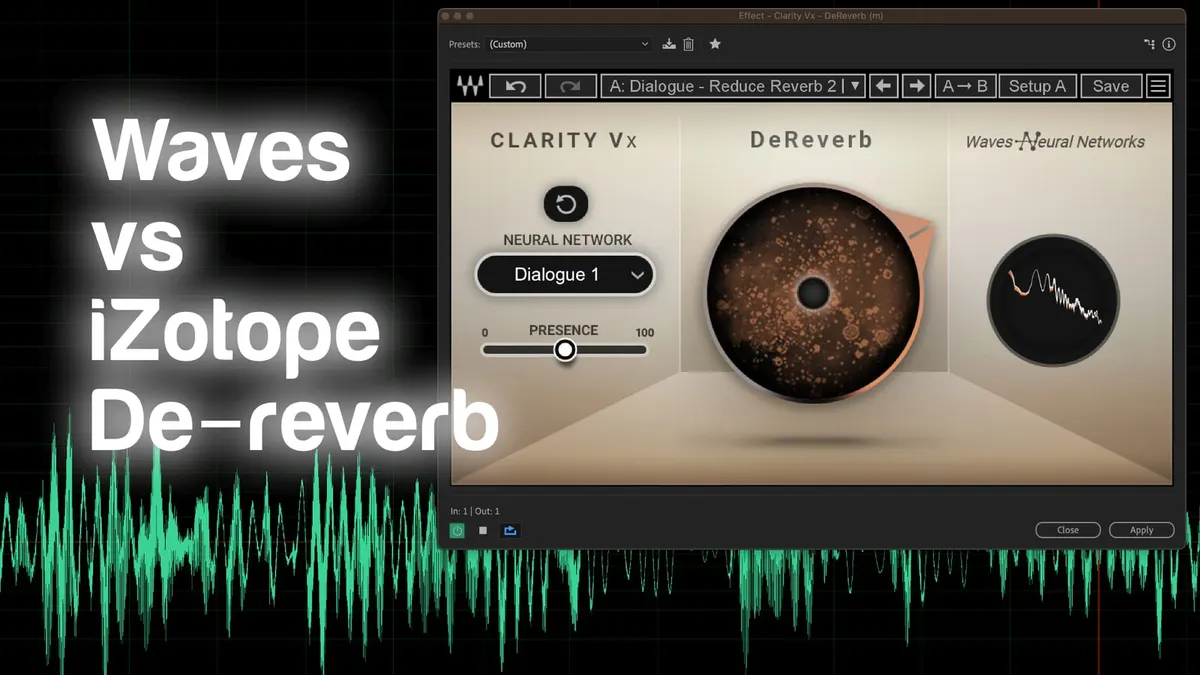
In this week’s episode we try out Waves Clarity Vx De-reverb — a plugin to remove echo/reverb from your audio recordings.
Gear used or mentioned
The links below are Amazon, B&H Photo, Sweetwater, or other affiliate links. As an affiliate, I earn from qualifying purchases.
Read the transcript
[Music]
When working on your video, have you ever gotten a recording that sounds like it has lots and lots of reverb, audio reflecting around a room and coming back to the microphone?
Newbies often call this echo; technically it’s reverb.
This plugin can potentially help address that issue.
Let’s go ahead and turn it off and play through this audio sample so you can hear where we’re starting from.
This was recorded in a stairwell. [Sample audio]
Ok. This is often tricky to address, in how remove remove that sort of reverberant sound. If you’re having trouble hearing it, definitely wear the best headphones you can to listen back to this.
You’ll definitely hear the reverb. Let’s go ahead and turn it on while I’m playing back and we’ll adjust it just a little bit. [Sample audio] [Sample audio] [Sample audio] [Sample audio] [Sample audio] [Sample audio]
Ok, that’s pretty good on its own. There are actually a couple of different algorithms here you can use.
They call them neural networks. So it’s actually doing some neural network processing here.
There’s Dialogue 1. There’s also Dialogue 2 and there’s also a Singing neural network.
Let’s try Dialogue 2. [Sample audio] [Sample audio] [Sample audio] [Sample audio] [Sample audio] [Sample audio] I think right around here, this is about 70%, that was sounding pretty decent.
Let’s try the Singing even though it’s not singing.
Let’s see what we get here. I’ll start with it off and bring it up from there. [Sample audio] [Sample audio] [Sample audio] [Sample audio] [Sample audio] [Sample audio]
They’re actually all pretty good. We could use any of those. I think Dialogue 2 is probably my favorite. So we’ll go with that. And we have one other setting here called Presence.
What this does is that it enhances the high end.
And by that, I mean, oftentimes when you do this type of processing, it has a tendency to make people sound like they’re talking into a pillow.
Not a great sound. This actually restores some of that high frequency sound.
So let’s go ahead and try adding a little bit of Presence. [Sample audio] [Sample audio] [Sample audio] [Sample audio] [Sample audio] [Sample audio] [Sample audio] [Sample audio]
Ok; so we’ve heard enough about baking bread.
But I want to just compare it to a competitor product, that is iZotope RX De-reverb.
This comes as part of the iZotope RX Elements package, which is not as inexpensive. So the Clarity Vx DeReverb comes in at– at least, the introductory pricing is $29 USD.
Very good deal for what it does. Is it perfect?
No. Does it help a lot? It absolutely makes it less distracting to listen to.
So I would have no hesitation saying that, hey, this is a pretty good solution for a lot of us that are in that situation.
Let’s go ahead and try the version from RX, or from iZotope, called De-reverb.
That looks like this. You can see right away this one looks more sophisticated, more complex, has more settings.
And let’s go ahead and first, we have to ‘Learn’, or teach the plugin what the reverb sounds like so we have to play through a little bit.
Let’s go ahead and do that. And actually, before we do that,
I’m going to go ahead and come back to the default settings, and let’s Learn. [Sample audio] [Sample audio] [Sample audio] [Sample audio] [Sample audio]
Okay. Now we stop. When we uncheck Learn, now you can see it’s changed some of those settings for us.
Let’s go ahead and play it back and we’re going to tweak some of the settings and see what we get. [Sample audio] [Sample audio] [Sample audio] [Sample audio] [Sample audio] [Sample audio] [Sample audio] [Sample audio] [Sample audio] [Sample audio]
Okay. You can get very similar results here.
It sounds like a little bit more tweaking with the RX version.
So I just want to do a comparison there to give you a sense for the differences here; if you want more control, the RX version may be a little bit better for you. If you want something that is very simple, single knob, very easy to use, then you may find that the Waves Clarity Vx DeReverb may work better for you.
Now one thing we haven’t covered here, I haven’t experimented with yet: there is also a Clarity Vx Pro
DeReverb version. That also has some additional settings just like the RX version, and we’ll take a look at that at another time in the future here.
But just for a quick comparison here for those that want to spend less than $100 USD,
Clarity Vx DeReverb comes in, for the introductory pricing, at $29 USD and the RX De-reverb comes as part of the overall RX elements package, usually priced under $100, sometimes as little as $29, but that also includes some other plugins like a De-noise as well as some others. So definitely worth considering both of them; if I had to quickly choose and I just wanted a very simple solution, I think Clarity Vx is probably the way to go.
If I’m looking for something that is a little bit more sophisticated, that I can tweak a little bit more, then iZotope RX may be a better choice.
Hopefully that was helpful for you. If you have any questions, go ahead and leave those down below.
And if you have not already subscribed, make sure you do that.
And we’ll be sure to get you more great videos on how to improve your lighting and sound pr video.
Talk to you soon.